BotConversa es una de las principales plataformas impulsadas por IA para chatbots de WhatsApp, que ayuda a las empresas a automatizar las interacciones con los clientes y escalar el compromiso. Sin embargo, muchos usuarios encuentran problemas de inicio de sesión, especialmente durante su primer acceso. Estos problemas pueden ralentizar la incorporación, obstaculizar la automatización de flujos de trabajo y afectar la productividad general. Esta guía cubrirá los problemas comunes de inicio de sesión de BotConversa, soluciones paso a paso e introducirá Dealism como una alternativa moderna.
;
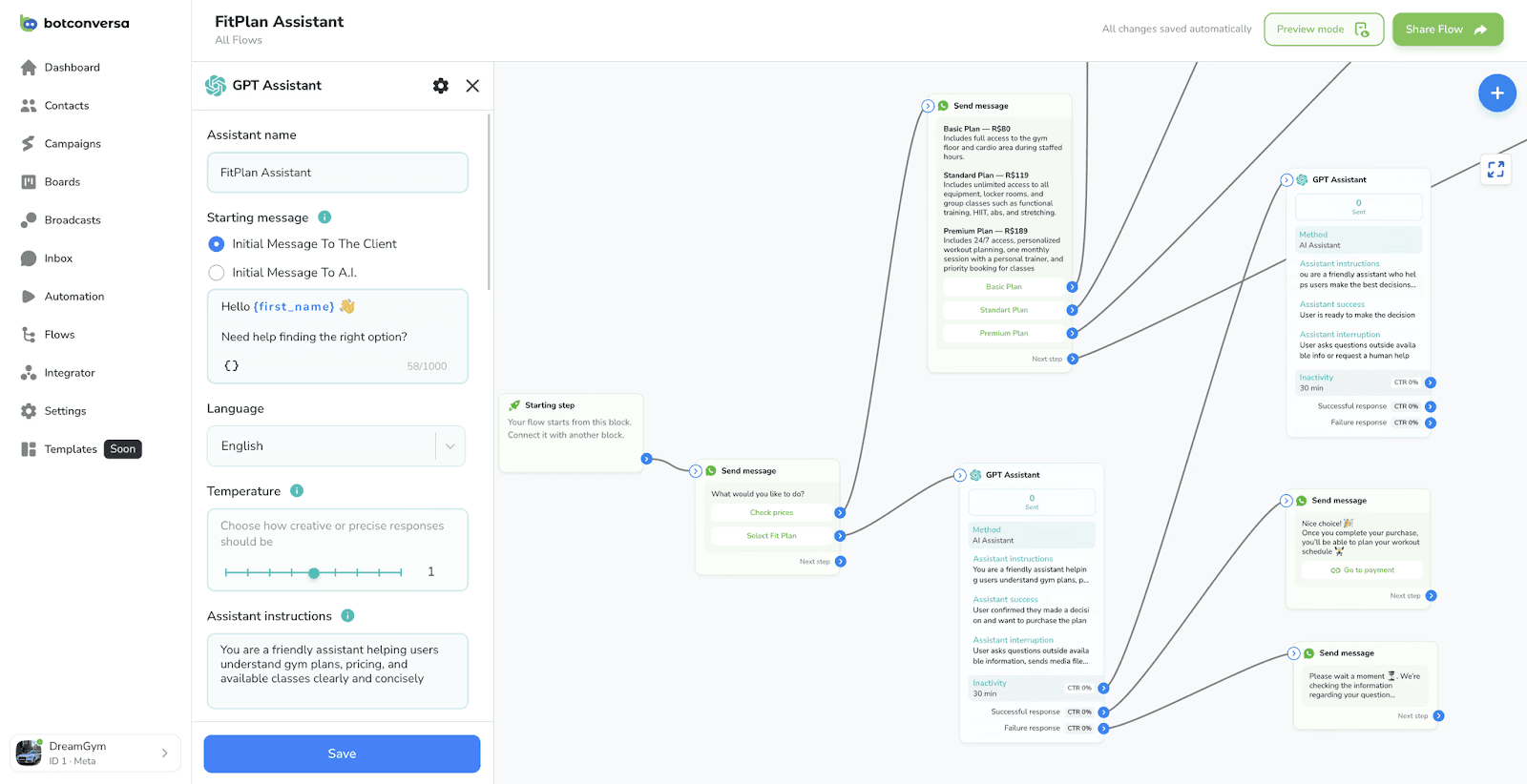
Problemas comunes de inicio de sesión en BotConversa
1. Confusión en el primer acceso
Para los nuevos usuarios, el inicio de sesión inicial puede ser complicado. Una vez que compras BotConversa, tu cuenta se crea automáticamente usando el correo electrónico proporcionado durante el pago, y se envía una contraseña temporal por correo electrónico y WhatsApp. Para resolver los problemas de inicio de sesión por primera vez:
Revisa tu correo electrónico para el mensaje titulado
Seu acesso ao BotConversa chegou.(Tu acceso a BotConversa ha llegado.).Copia cuidadosamente la contraseña generada.
Accede a la página de inicio de sesión de BotConversa.
Usa tu correo electrónico y contraseña registrados.
Seguir estos pasos desde la guía oficial de primer acceso de BotConversa suele resolver el problema.
2. Problemas de autenticación de dos factores
Los usuarios a menudo se enfrentan a fallos de inicio de sesión si la autenticación de dos factores (2FA) no está configurada correctamente. Para habilitar 2FA:
Ve a la configuración de tu perfil.
Haz clic en el botón “Autenticação 2F”.
Introduce el código recibido por SMS en tu teléfono registrado.
Confirma el código para asegurar tu cuenta.
Una configuración adecuada de 2FA no solo evita problemas de inicio de sesión, sino que también protege los datos sensibles en BotConversa.
3. Problemas de restablecimiento de contraseña
A veces, la contraseña generada por el sistema se extravía, o los usuarios la olvidan. La solución es sencilla:
Usa el enlace "¿Olvidaste tu contraseña?" en la página de inicio de sesión de BotConversa.
Sigue las instrucciones enviadas a tu correo electrónico registrado.
Consejo: Evita copiar las contraseñas directamente del correo electrónico a los teclados móviles sin comprobar si hay espacios adicionales.
4. Conflictos del navegador y la caché
Los problemas de inicio de sesión también pueden deberse a navegadores desactualizados o cookies almacenadas en caché. Para solucionarlo:
Vacía la caché de tu navegador.
Asegúrate de que tu navegador esté actualizado a la última versión.
Intenta usar el modo incógnito o un navegador diferente.
Estos pasos a menudo eliminan fallos inesperados de inicio de sesión y evitan errores durante las cargas de la página de BotConversa.
5. Restricciones de red o VPN
BotConversa, como muchas plataformas de chatbots basadas en la nube, puede bloquear los inicios de sesión desde ciertas direcciones IP o redes. Si experimentas un fallo de inicio de sesión persistente:
Desactiva temporalmente las VPN o las conexiones proxy.
Revisa las restricciones de firewall o red que podrían bloquear los dominios de BotConversa.
Por qué fallan los chatbots: perspectivas para el inicio de sesión y más allá
Los problemas de inicio de sesión son solo una parte de los desafíos de adopción de chatbots. Los chatbots fallan debido a varios factores:
Una mala incorporación de usuarios
Falta de integración con otras herramientas
Flujos de automatización mal configurados
Entrenamiento de IA insuficiente
Comprender estas causas ayuda a las empresas no solo a solucionar problemas de inicio de sesión, sino también a diseñar bots que aporten valor real.
Alternativas a BotConversa
Si estás considerando alternativas a BotConversa, Dealism destaca como una solución moderna. Dealism se centra en convertir conversaciones en flujos de trabajo accionables, ofreciendo agentes de IA de autoaprendizaje que pueden gestionar automáticamente las interacciones con los clientes en WhatsApp y otras plataformas de mensajería. A diferencia de los chatbots tradicionales, Dealism permite a las empresas escalar la automatización conversacional sin codificación ni configuración complejas.
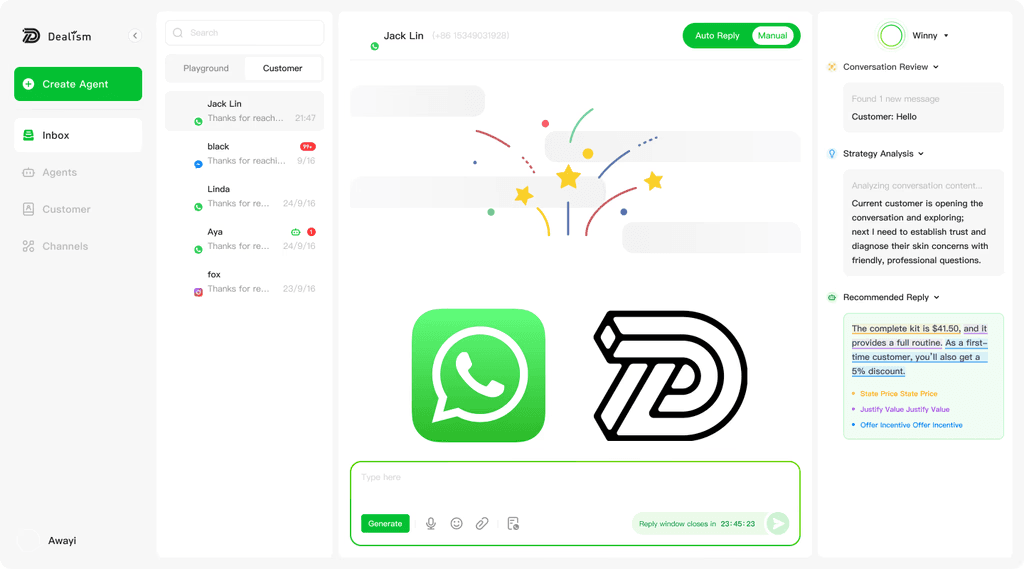
Cómo Dealism mejora la automatización de chatbots
Dealism ofrece un enfoque de siguiente nivel para la automatización de WhatsApp y mensajería social al poner énfasis en la IA impulsada por flujos de trabajo:
Agentes de autoaprendizaje: La IA de Dealism analiza continuamente las conversaciones para mejorar las respuestas y predecir la intención del cliente.
Integración de flujos de trabajo: Los mensajes no solo reciben respuesta; desencadenan acciones comerciales, convirtiendo los chats en procesos que hacen avanzar los leads o resuelven tickets de soporte.
Alcance multiplataforma: Más allá de WhatsApp, Dealism admite múltiples canales de mensajería, integrándose sin problemas con Instagram y más.
Automatización sin código: Los equipos pueden diseñar flujos de automatización sin habilidades de programación, lo que hace que la implementación de chatbots sea más rápida y flexible.
Característica | Descripción | Beneficio |
Agentes de IA de autoaprendizaje | Analizan continuamente las conversaciones para mejorar las respuestas y predecir la intención del cliente. | Mayor precisión de automatización, menor intervención manual. |
Automatización impulsada por flujos de trabajo | Los mensajes desencadenan acciones comerciales, convirtiendo los chats en procesos accionables. | Convierte conversaciones en leads, tickets o transacciones. |
Compatibilidad multiplataforma | Funciona en WhatsApp, Instagram, SMS y FB Messenger. | Gestión centralizada de todos los canales de mensajería. |
Automatización sin código | Permite a los equipos diseñar flujos de automatización sin habilidades de programación. | Implementación más rápida y flexibilidad para el personal no técnico. |
Para las empresas que exploran la automatización de chatbots, las guías de Dealism ofrecen ideas prácticas: consulta la guía de WhatsApp Business para entender la configuración y los costos, o explora El auge de los chatbots de WhatsApp para ver tendencias y mejores prácticas en 2026. Estos recursos ayudan a los lectores a pasar de solucionar problemas de acceso a pensar de forma más estratégica sobre cómo los flujos de trabajo de los chatbots deberían apoyar las ventas y las operaciones de atención al cliente.
Consejos para evitar futuros problemas de inicio de sesión
Mantén tus credenciales seguras: Usa un gestor de contraseñas para almacenar tus credenciales de inicio de sesión.
Activa las notificaciones: Asegúrate de que las notificaciones por correo electrónico y WhatsApp estén habilitadas para recibir las contraseñas generadas por el sistema.
Actualizaciones periódicas: Mantén tu navegador y dispositivos actualizados para evitar problemas de compatibilidad.
Acceso al soporte: Utiliza el soporte en vivo o las sesiones de formación que ofrece BotConversa para obtener ayuda en tiempo real.
Superar los problemas de inicio de sesión de BotConversa y explorar la automatización de Dealism
Los problemas de inicio de sesión de BotConversa son comunes, pero se pueden resolver con pasos adecuados de primer acceso, configuración de 2FA y solución de problemas de red. Para las empresas que buscan una automatización mejorada, Dealism ofrece una alternativa convincente con agentes de IA de autoaprendizaje, flujos de trabajo multiplataforma y automatización sin código.
Al combinar una gestión adecuada del inicio de sesión con una automatización avanzada de flujos de trabajo, las empresas en 2026 no solo pueden superar los obstáculos de incorporación, sino también aprovechar la IA para optimizar las interacciones con los clientes y agilizar las operaciones.


