

The best no-code AI agent builder depends less on how attractive its canvas looks and more on where the agent must work. Lindy is the strongest general business assistant, Gumloop handles AI-heavy cross-departmental workflows, and Relay.app gives teams unusually clear human approval controls. For customer-facing sales conversations on WhatsApp and Instagram, Dealism is the more specialized choice.
This comparison covers free plans, paid pricing, open-source status, deployment options, integrations, human oversight, and the practical gap between automating internal tasks and moving a customer toward a purchase or booking.
Best No-Code AI Agent Builders at a Glance
Pricing and free-plan limits were checked in July 2026. Usage-based AI charges, model fees, and annual-billing conditions may apply.
Builder | Best for | Free access | Open source? | Entry paid price |
Lindy | General business-task automation | 7-day trial | No | $49.99/month |
Gumloop | Cross-departmental AI workflows | 5,000 credits/month | No | $37/month |
Relay.app | Human-in-the-loop workflows | 200 steps + 500 AI credits/month | No | $19/month, annual billing |
Relevance AI | Multi-agent teams | No public free tier listed | No | Custom |
Zapier Agents | Integration breadth | 400 agent activities/month | No | $33.33/month, annual billing |
Make | Visual complex logic | 1,000 credits/month | No | $12/month for 10,000 credits |
Dealism | WhatsApp and Instagram sales agents | Free plan | No | $0 |
n8n | Self-hosting and technical flexibility | Community Edition or cloud trial | Source-available, fair-code | €20/month cloud, annual billing |
Activepieces | Free open-source automation | 10 active cloud flows; self-hosted Community Edition | Yes, MIT core | $5 per additional active flow |
Botpress | Conversational bots | $0 platform plan + AI usage | No, current platform | From $0 + AI spend |
Stack AI | Enterprise compliance | 500 runs/month | No | Custom enterprise pricing |
The table exposes an important distinction: “free” may mean a permanent capped plan, a self-hosted edition, or a short trial. Lindy offers a trial; Dealism offers an ongoing Free plan; Gumloop, Relay.app, Zapier Agents, Make, Botpress, and Stack AI provide their own ongoing free allowances.
What Is a No-Code AI Agent Builder?
A no-code AI agent builder lets users define a goal, connect business tools and data, add decision logic, and deploy an agent without developing the full system from scratch. Unlike a basic automation, an agent can interpret unstructured input, select actions, use tools, and continue toward an outcome. “No-code” still requires process design, testing, permissions, and cost controls.
What to Look for in a No-Code AI Agent Builder
Use these criteria before comparing templates or headline integration counts:
Job fit: Internal research, data routing, customer support, and sales conversations require different agent behavior.
Control model: Look for approval steps, escalation rules, spend limits, retries, logs, and a clear way to stop an incorrect run.
Channel depth: A generic WhatsApp connector is not equal to a system that understands conversation history, qualifies leads, follows up, and books appointments.
Cost unit: Platforms charge by tasks, steps, credits, runs, executions, or AI spend. Model one real workflow before comparing monthly prices.
Deployment and ownership: Self-hosting improves infrastructure control but adds maintenance, security patching, monitoring, and model-key management.
Observability: Production agents need run history, error details, output review, versioning, and measurable business outcomes.
How We Tested These Builders
We compared each builder against three common scenarios:
Researching information and updating several business applications.
Processing a request that requires human review before execution.
Handling an open-ended customer conversation and moving it toward a booking or qualified sales action.
The evaluation considered setup effort, agent autonomy, integrations, human control, debugging, deployment, free access, pricing transparency, and suitability for the stated use case. Free trials were not classified as permanent free plans, and source-available software was not automatically classified as open source.
The 11 Best No-Code AI Agent Builders in 2026
The strongest no-code AI agent builder depends on the job you need to automate. Some platforms specialize in internal workflows, while others focus on multi-agent coordination, customer conversations, self-hosting, or enterprise governance.
1. Lindy — Best for General Business-Task Automation
Lindy works as a general business assistant for email, calendars, meetings, scheduling, follow-ups, and voice tasks. It is easier to start than a complex node-based builder.
Best for: Individuals and small teams automating daily work
Key strength: One assistant across inbox, calendar, meetings, and follow-ups
Access: Plus costs $49.99 per month after a seven-day trial and includes 100+ integrations
Main limitation: Less control over complex branching and data transformation
See the official Lindy pricing page for current plan details.
2. Gumloop — Best for Cross-Department Workflows
Gumloop combines AI agents with visual workflows, web research, extraction, and data processing. It fits teams that need AI reasoning inside marketing, sales, support, or operational processes.
Best for: AI-heavy workflows used across departments
Free plan: 5,000 credits, unlimited agents, and unlimited flows
Paid plan: Pro starts at $37 per month
Main limitation: The free plan has one seat and one active trigger, while research-heavy flows can consume credits quickly
3. Relay.app — Best for Human-in-the-Loop Workflows
Relay.app makes reviews, approvals, and data requests part of the workflow. An agent can prepare an output, pause for human input, and continue after approval.
Best for: Finance, recruiting, client delivery, and exception handling
Free plan: 200 steps and 500 AI credits per month
Paid plan: Professional starts at $19 per month with annual billing
Key advantage: Built-in AI output reviews, approval steps, and 200+ connectors
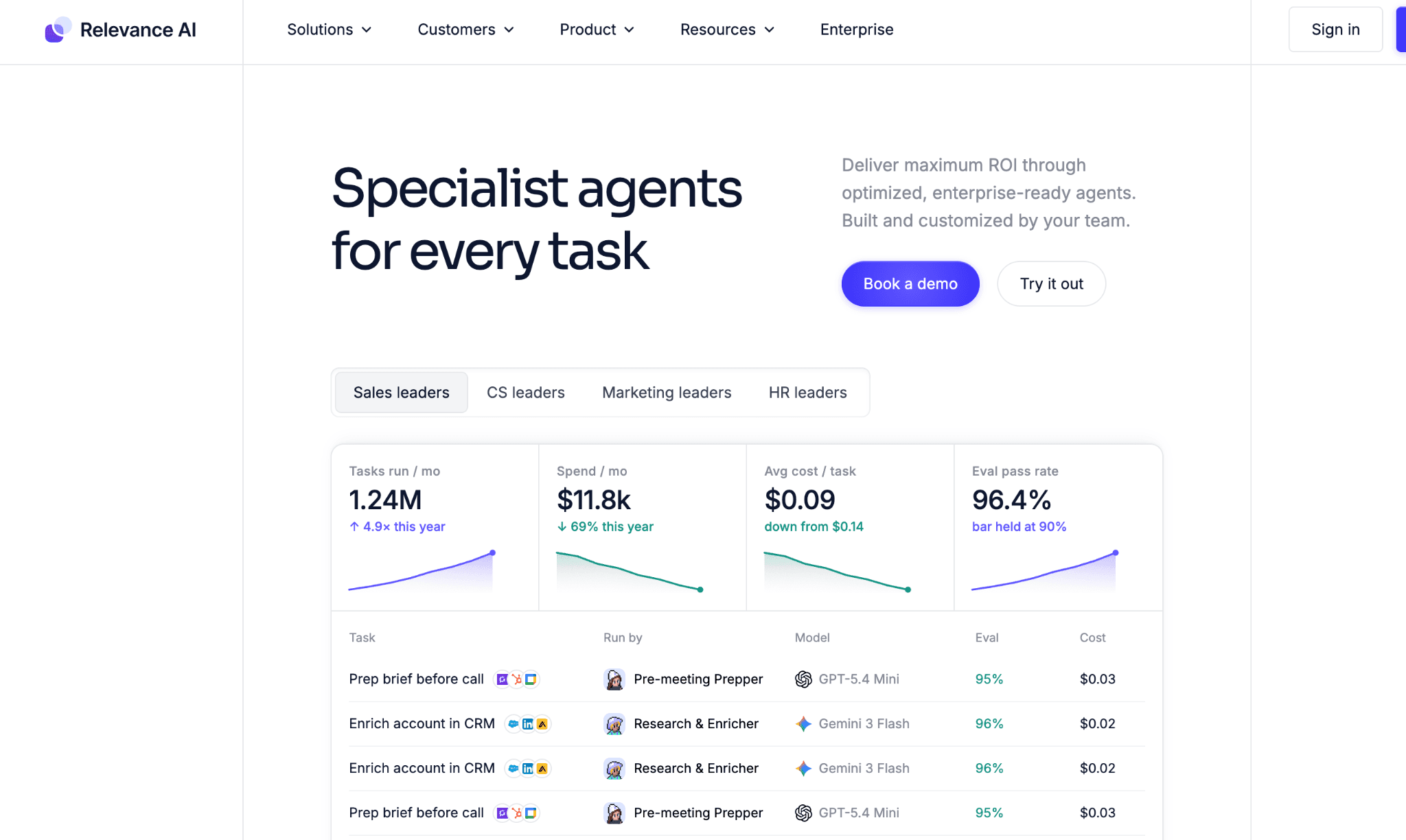
4. Relevance AI — Best for Multi-Agent Teams
Relevance AI organizes multiple agents with separate roles, tools, knowledge, and shared goals. A business can coordinate research, qualification, outreach, and reporting agents as one workforce.
Best for: Larger multi-agent operations
Key strength: Unlimited agents, tools, users, projects, and workforces on Enterprise
Integrations: 2,000+
Access: Custom enterprise pricing with no permanent public free plan listed
5. Zapier Agents — Best for Integration Breadth
Zapier Agents can interpret requests and take action across Zapier’s large application ecosystem. It is especially useful when an agent must work with several SaaS tools already used by the business.
Best for: Connecting agents to CRMs, email, spreadsheets, support tools, and project platforms
Integrations: 9,000+ app connections
Free plan: 100 tasks per month
Paid plan: Professional starts at $19.99 per month
Main limitation: Costs rise with the number of actions triggered by each workflow
Check the latest plans on Zapier pricing.
6. Make — Best for Visual Complex Logic
Make provides detailed visual control over routers, filters, loops, mappings, conditions, and parallel paths. It works well when teams need to see exactly how information moves through a complex workflow.
Best for: Multi-step automation with detailed branching
Integrations: 3,000+ apps
Free plan: 1,000 credits per month
Paid plan: Core starts at $9 per month for 10,000 credits
Main limitation: Large scenarios can become difficult to maintain
7. Dealism — Best for Customer-Facing Sales Agents
Dealism is an AI messaging product with automated flows and a 24/7 AI Customer Agent for Instagram, WhatsApp, and Live Chat. Its no-code setup lets businesses create a customer-facing Agent without designing a large internal automation system.
The AI sales agent uses business knowledge and conversation history to clarify customer needs and move inquiries toward a commercial next step.
Conversation quality: AI auto-reply generates contextual responses, while the self-learning capability improves from knowledge and previous corrections
Sales progression: The sales strategy layer guides the next action, and automated booking moves qualified leads toward an appointment
Support and acquisition: AI customer support handles recurring questions, while leads help continue into conversion and follow-up
Control: Copilot keeps a person in the review process; Autopilot handles suitable replies automatically
Pricing: Dealism’s free plan includes unlimited active contacts, unlimited workflows, one AI Customer Agent, core CRM and 50 AI credits you can claim every day; Starter costs $19 per month with 100 AI credits/day and up to 3 Agents
Main limitation: Less suitable for back-office data orchestration or high-volume one-way broadcasts
8. n8n — Best for Self-Hosted Flexibility
n8n combines a visual workflow builder with JavaScript, Python, APIs, webhooks, databases, custom nodes, and AI-agent components.
Best for: Technical teams needing self-hosting and deeper customization
Free option: Self-hosted Community Edition
Cloud plan: Starter costs €20 per month with annual billing for 2,500 workflow executions
Key advantage: Pricing is based on complete workflow executions rather than every individual step
License: Source-available and fair-code, rather than OSI-approved open source
Review n8n’s Sustainable Use License before embedding, reselling, or providing hosted access to customers.
9. Activepieces — Best Free Open-Source Alternative
Activepieces provides an MIT-licensed core with visual workflows, AI agents, approvals, MCP servers, tables, and code steps.
Best for: Teams requiring a genuinely open-source core
Hosted free plan: 10 active flows with unlimited runs
Paid usage: $5 per additional active flow per month
Self-hosting: Community Edition with an MIT license
Main limitation: Self-hosting requires technical skills, while advanced governance remains commercial
Activepieces currently lists 700+ integrations and more than 270 contributors.
10. Botpress — Best Free Tier for Conversational Bots
Botpress provides a visual environment for knowledge-based agents, webchat, messaging channels, structured conversations, and external integrations.
Best for: Support bots, product assistants, and conversational prototypes
Free plan: $0 platform fee, 500 incoming messages or events, and a $5 monthly AI credit
AI pricing: Model usage is charged separately at provider cost
Main limitation: Human handoff, conversation insights, and watermark removal require Plus, starting at $79 per month with annual billing
11. Stack AI — Best for Enterprise Compliance
Stack AI helps enterprises build agents around internal documents, sensitive data, multimodal inputs, APIs, and controlled infrastructure.
Best for: Healthcare, finance, government, and other regulated environments
Free plan: 500 runs, two projects, and one seat
Enterprise deployment: Dedicated infrastructure, on-premises, or VPC
Security controls: SSO, access management, and dedicated support
Compliance: SOC 2, HIPAA, and GDPR support
Main limitation: Enterprise pricing is custom, making it less practical for small teams seeking simple SaaS automation
Best Free & Open-Source No-Code AI Agent Builders
The best no-code AI agent builder with free access depends on what “free” needs to cover.
For hosted workflows:
Gumloop: 5,000 AI credits per month and unlimited agents.
Relay.App: 200 steps and 500 AI credits, including approval features.
Make: 1,000 monthly credits for visual automation.
Zapier: 100 tasks and access to its broad integration ecosystem.
Botpress: 500 incoming events and a small monthly AI allowance.
Stack AI: 500 runs for small enterprise-oriented prototypes.
For self-hosting, Activepieces is the clearer open-source option because its core uses the MIT license. n8n has a more mature technical ecosystem and greater flexibility, but its fair-code license introduces use restrictions.
Self-hosting also has an operating cost. Teams still pay for servers, databases, monitoring, backups, model APIs, security updates, and technical maintenance. A free software license and a zero-cost production system are separate conditions.
General-Purpose vs. Customer-Facing Agents: Which Do You Actually Need?
General-purpose builders automate internal workflows:
Connect business tools
Update records
Summarize documents
Route tasks and approvals
Gumloop, Relay.app, Zapier, Make, n8n, and Activepieces fit this category.
Customer-facing agents manage sales conversations:
Understand customer intent
Answer questions and objections
Qualify leads
Follow up and book appointments
A general workflow builder may connect WhatsApp to a spreadsheet or send a message after a CRM field changes. Dealism is built to manage the decisions and dialogue between the first customer inquiry and a booked, qualified, or converted outcome.
The practical choice comes down to the main task: use a general-purpose builder when you need to automate systems and internal workflows; use a customer-facing agent when the conversation itself directly affects sales.、
How to Choose the Right Builder
Start with one measurable workflow, not a company-wide AI program. Define the trigger, required knowledge, permitted actions, approval points, failure path, monthly volume, and success metric.
Then match the platform to the dominant constraint:
Integration breadth: Zapier
Visual logic: Make
Human approvals: Relay.app
Multi-agent organization: Relevance AI
Self-hosting: n8n or Activepieces
Conversational bots: Botpress
Regulated enterprise deployment: Stack AI
WhatsApp and Instagram sales: Dealism, including lead capture from ads
Run the workflow with real edge cases before committing. Measure completion rate, human correction rate, cost per successful outcome, latency, and failure recovery—not only how quickly the first demo was built.
FAQ
Are free no-code AI agent builders suitable for production use?
Free plans are usually better for testing than for full deployment. They often limit monthly runs, active workflows, integrations, team seats, memory, or AI credits. Before launching, test the workflow at the expected monthly volume and calculate the cost per completed outcome.
What hidden costs should I expect?
The subscription is only one part of the cost. Additional expenses may include AI model usage, premium integrations, database storage, extra team seats, messaging fees, and higher execution limits. Self-hosted tools also require servers, monitoring, backups, and technical maintenance.
What is the difference between no-code and low-code AI agent builders?
No-code tools rely mainly on visual steps, forms, and natural-language instructions. Low-code platforms also allow APIs, scripts, custom functions, or database queries when the visual builder is not enough. Tools such as Make, n8n, and Activepieces often sit between these two categories.
Does open source mean I can use the builder for any commercial purpose?
Not always. Activepieces uses an MIT-licensed core, while n8n uses a fair-code license with additional commercial restrictions. Teams planning to resell, embed, or host the platform for customers should review the license before deployment.


