
AI live chat for your website

Your Website Traffic Is Full of Buying Questions

Put a trained AI Customer Agent on your website to answer questions, understand intent, recommend the next step, and bring in your team when judgment matters.

24/7 conversationsHuman handoff includedOne trained Agent
Live Chat
dealism.ai/pricing
Dealism

Dealism AI Agent

Online now

Pricing page
Hi — what would you like to compare?
Which plan is best for a two-person team?
Starter is likely the simplest fit. Do you need Instagram, WhatsApp, or website chat?
Website chat and Instagram.
Fit understood · next step ready
Ask a question…

Page context

Pricing page detected

Conversation result

Context ready

Next step identified ✓

From visit to conversation

What Is AI Live Chat for a Website?

Visitors ask in their own words. Dealism adds context, direction, and a next step without making them wait for a staffed inbox.

  1. 1Website visit

    A visitor opens Live Chat from the page they are already viewing.

    Website visit

  2. 2Real question

    They ask about fit, price, availability, policy, or what to do next.

    Real question

  3. 3Context + intent

    The Agent considers the question, earlier messages, and approved business knowledge.

    Intent
    Known
    Missing

    Context + intent

  4. 4Useful next step

    It answers, asks a follow-up, recommends an action, or brings in a person.

    AnswerRoute

    Useful next step

Intent is already on the page

“The next question often decides whether they continue—or leave.”

Answer while the product, service, or decision is still in front of the visitor. Use a page-specific welcome, collect what is missing, and preserve the exchange for your team.

Conversation flow

From a Website Question to a Useful Next Step

01 · Customer language

A Visitor Asks in Their Own Words

Which plan is best for a two-person team?

No command, menu language, or perfect FAQ phrasing required.

02 · Understanding

The Agent Finds the Intent Behind the Question

Current page, earlier messages, approved knowledge, and missing details come together.

dealism.ai/pricing
Dealism

Dealism AI Agent

Online now

Pricing page
Hi — what would you like to compare?
Which plan is best for a two-person team?
Starter is likely the simplest fit. Do you need Instagram, WhatsApp, or website chat?
Website chat and Instagram.
Fit understood · next step ready
Ask a question…

03 · Direction

The Next Move Becomes Clear

01

Answer

02

Clarify

03

Recommend

04 · Human handoff

A Person Joins With Context

Exceptions, negotiation, approval, and sensitive decisions stay with your team.

Trained on your business

An AI Live Chat Agent That Knows What It Should—and Shouldn’t—Say

Give Dealism your products, services, policies, qualification criteria, tone, language, goals, and boundaries. The Agent answers from approved knowledge and stops when human judgment matters.

Explore the AI Customer Agent
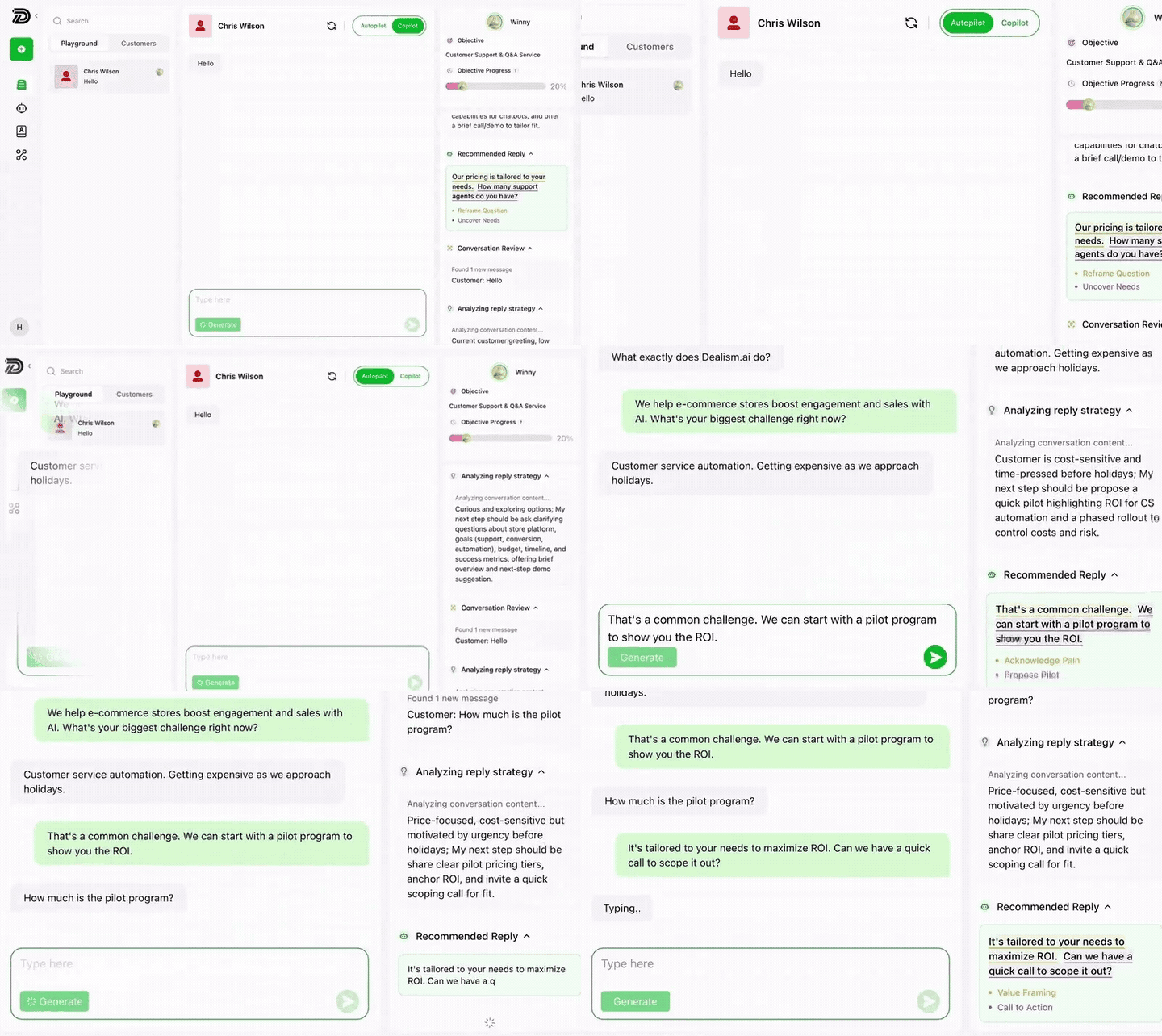
Dealism AI Customer Agent analyzing and replying to a WhatsApp conversation using approved business knowledge
01Answer open questions
02Clarify customer needs
03Recommend a next step
04Hand off with context

Beyond a chat widget

One Website Widget. Six Useful Capabilities.

Move beyond canned greetings. Dealism helps understand the question, use the right context, and guide each visitor toward a useful next step.

Capability 01

Product discovery

Help visitors compare options and identify which offer fits.

●  Website conversation

Capability 02

Pricing and policies

Answer from approved information and flag custom cases.

●  Website conversation

Capability 03

Lead qualification

Collect only the details needed for the next decision.

●  Website conversation

Capability 04

Booking intent

Guide ready visitors toward the relevant booking path.

●  Website conversation

Capability 05

Customer support

Resolve repeatable questions or prepare a clean handoff.

●  Website conversation

Capability 06

Conversation history

Keep the exchange attached to the customer context.

●  Website conversation

Simple setup

Put Your AI Customer Agent on Your Website

Step 01 of 07

Open Channels

Go to Channels, find Live Chat, confirm it is connected, and open its settings.

Channels

Choose the channel you want to configure.

WhatsApp

Channel connection

Live Chat

Live Chat

Connected

Configure

Step 02 of 07

Enable Live Chat display options

Turn on Live Chat and choose Native chat or connected channels visitors can open.

Live Chat display

Choose what visitors can open.

Native chat

WhatsApp

Instagram

Step 03 of 07

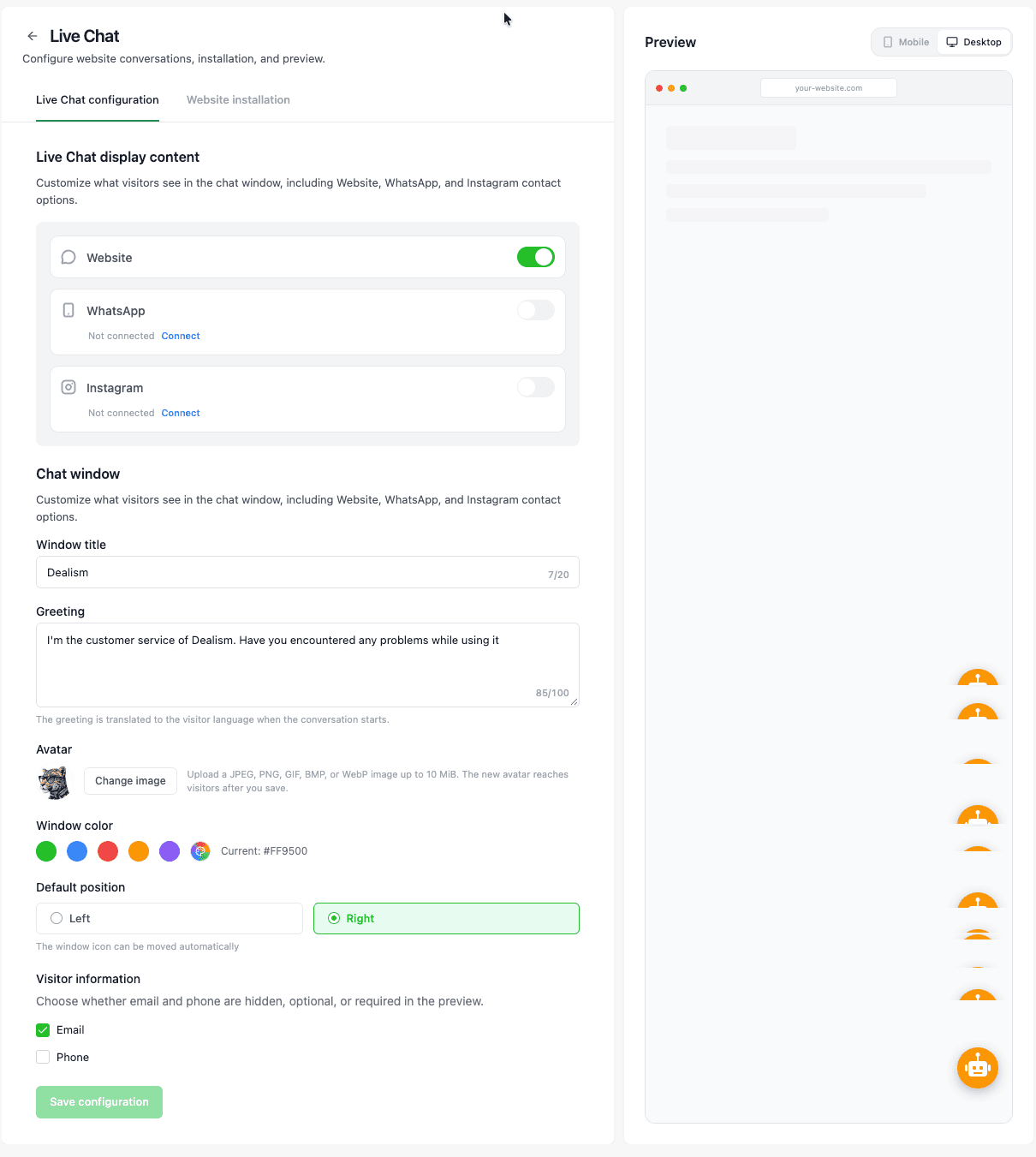
Configure the chat window and visitor info

Set the title, greeting, avatar, color, position, and optional Email or Phone fields.

Chat window settings

Match the widget to your business and collect the details you need.

Window title

Dealism

Greeting

Hi! How can we help?

Position

Bottom right

Main color

Email collectionEnabled

Step 04 of 07

Preview the visitor experience

Check the entry points, greeting, and message field, then save your changes.

Visitor preview

Check the greeting, entry points, and message field before saving.

Dealism

Dealism

Online · replies now

Before we start

Email (required)
Continue to chat

Step 05 of 07

Install Live Chat on your website

Copy the installation code and place it before the closing body tag. Install it once per site.

Website installation

Add the script once before the closing body tag.

HTML / JavaScript
<script src=".../livechat.js" data-site-key="••••" async></script>
Install once per website.

Step 06 of 07

Verify the installation

Enter the website URL and confirm it appears in Connected sites.

Verify installation

Enter the website URL to confirm the script is detected.

https://your-website.com
Verify

Connected sites

your-website.com

Website

Connected

Step 07 of 07

Review Live Chat conversations in Inbox

Use the Live Chat filter to review messages, media, files, and collected visitor details.

Inbox

Filter conversations from your website.

Live Chat

Website visitor

Which plan works for my team?

Now

Website visitor

Can I book for next week?

Now
Text, images, video, files, and collected visitor details stay with the conversation.

One continuous experience

AI When It Helps. Humans When Judgment Matters.

AI Customer Agent

Repeatable questions and early discovery

Use AI for first answers, qualification, clarification, and next-step guidance you have already defined.

Your team

Exceptions, decisions, and personal attention

A person takes over with the earlier exchange visible, so the visitor receives continuity instead of a reset.

See the unified inbox

Responsible AI

Keep Business Knowledge and Human Control in the Loop

You decide what the Agent can use, what it should work toward, and when a conversation belongs with your team.

Approved knowledge

Use the product, service, policy, and sales information you provide.

Clear boundaries

Define the next actions the Agent may recommend and where it should stop.

Human control

Run Autopilot, use Copilot, or keep a conversation fully human.

One customer, more than one channel

Keep the Website Conversation Connected

Customers move between social, your website, and messaging. Dealism keeps supported conversations in one working environment.

Instagram

Discovery and incoming DMs

Live Chat

Questions while intent is active

Current channel

WhatsApp

Return conversations and follow-up

FAQ

Everything You Need to Know About AI Live Chat

AI live chat lets website visitors ask questions in their own words and receive responses based on the business knowledge and instructions supplied to the Agent.
Yes. Dealism can run in Autopilot for supported Live Chat conversations using the knowledge, objectives, tone, and boundaries you configure.
Yes. The AI Customer Agent can remain available while your team is offline. You still decide what it may handle and what belongs with a person.
It uses the approved business knowledge and guidance you provide, together with the available conversation and customer context.
Yes. The Agent can ask relevant questions, recognize intent, and direct suitable inquiries toward a booking, purchase, specialist, or another defined next step.
Yes, when your approved information supports the recommendation. You define the options and actions available to the Agent.
Yes. Your team can continue conversations that require judgment, approval, negotiation, or personal attention with the earlier exchange available.
Yes. Dealism supports Live Chat, Instagram, WhatsApp App, and the WhatsApp Business Platform. Connection requirements vary by channel.
A scripted bot follows predefined branches. Dealism can interpret open-ended questions, answer from approved knowledge, maintain context, and involve a person. For a staffed-platform comparison, see Dealism vs LiveChat.

Turn visits into conversations

Give Every Website Question a More Useful Next Step

Put a trained AI Customer Agent where customers are already comparing, deciding, and asking for help.

Start free with Dealism