
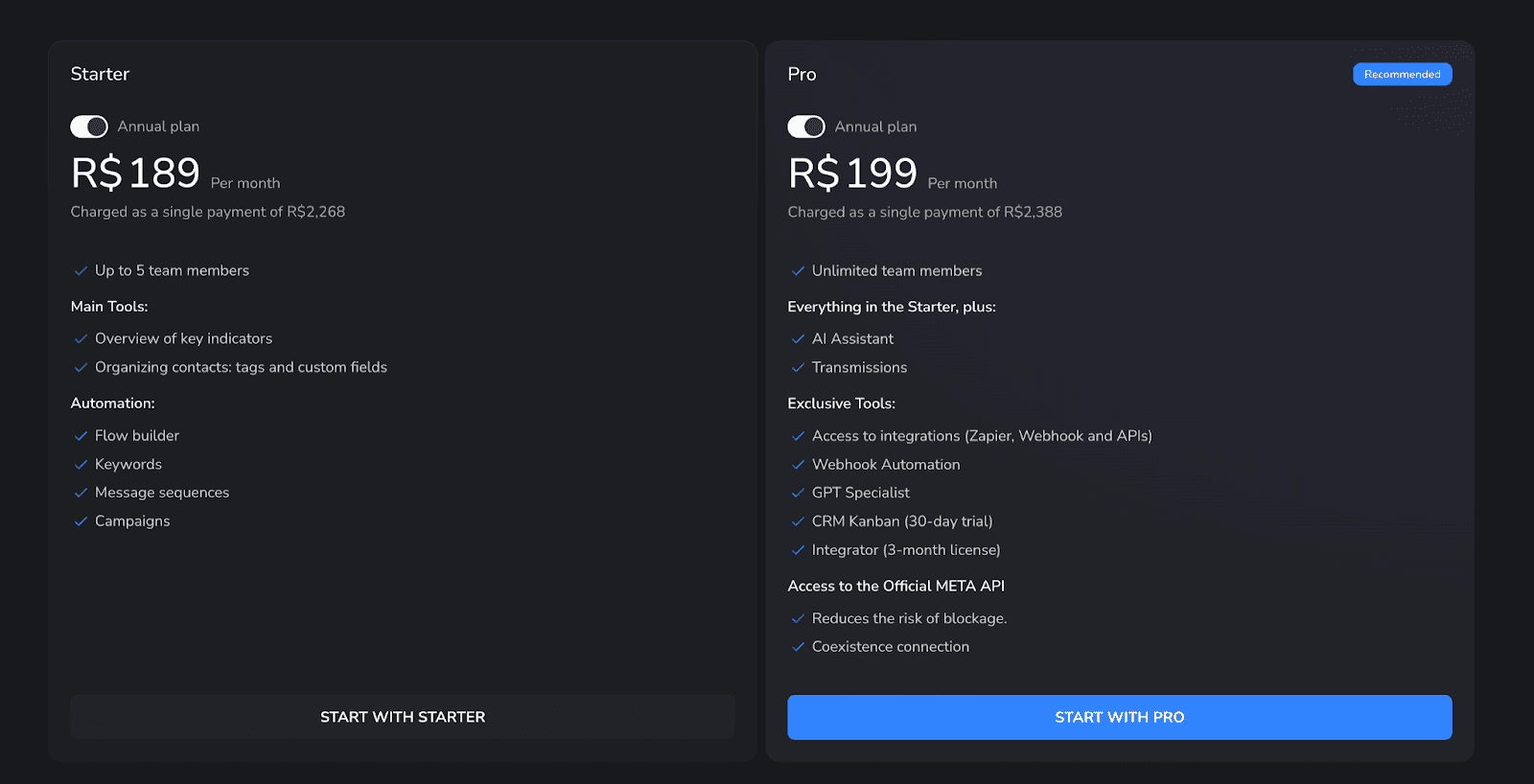
BotConversa costs R$189 or R$199 per month in 2026—but both prices are monthly equivalents of annual plans. Starter is charged as one R$2,268 payment. Pro + Official API costs R$2,388 per year.
The difference looks like R$10 a month. In practice, it changes the entire connection: Starter uses a QR code, while Pro includes Meta’s official API and coexistence, which keeps the same number available in BotConversa, the WhatsApp Business app, and WhatsApp Web.
Verified August 7, 2026. Prices and features can change, so confirm them on the official BotConversa website.
BotConversa pricing: Starter vs. Pro
Plan | Advertised price | Annual charge | What really changes |
|---|---|---|---|
Starter | R$189/month | R$2,268 in one payment | QR connection, up to 5 team members, flows, keywords, sequences, and campaigns |
Pro + Official API | R$199/month | R$2,388 in one payment | Official API, coexistence, unlimited team members, AI, broadcasts, and integrations |
If WhatsApp is a daily business channel, Pro is the more coherent choice within BotConversa. The annual difference is R$120, and Pro is the plan that includes Meta’s official infrastructure.
There is one inconsistency on the vendor’s own page: the pricing cards place CRM Kanban and Integrator under Pro, while the FAQ says both also work on Starter. Confirm those two features at checkout or with support before paying.
QR code or official API: which connection should you choose?
Starter: connects WhatsApp with a QR code, much like WhatsApp Web. It is simple to start, but it does not include the official API or coexistence.
Pro: connects through Meta’s official API with coexistence. The same number can remain on the phone and WhatsApp Web while BotConversa automations and human agents work in parallel.
That does not mean “zero risk.” BotConversa itself says Pro reduces blocking risk. List quality, consent, frequency, and message content still matter.
How to set up the official API without turning it into a project
The setup can be reduced to four moves:
Open WhatsApp settings in BotConversa and choose Official API with Coexistence.
Log in with a Facebook profile that has administrator access to the Meta Business Portfolio and grant the requested permissions.
Select or create the WhatsApp Business Account, then confirm the business, phone number, and time zone.
Finish validation and test a message, an automation, and human support before launching campaigns.
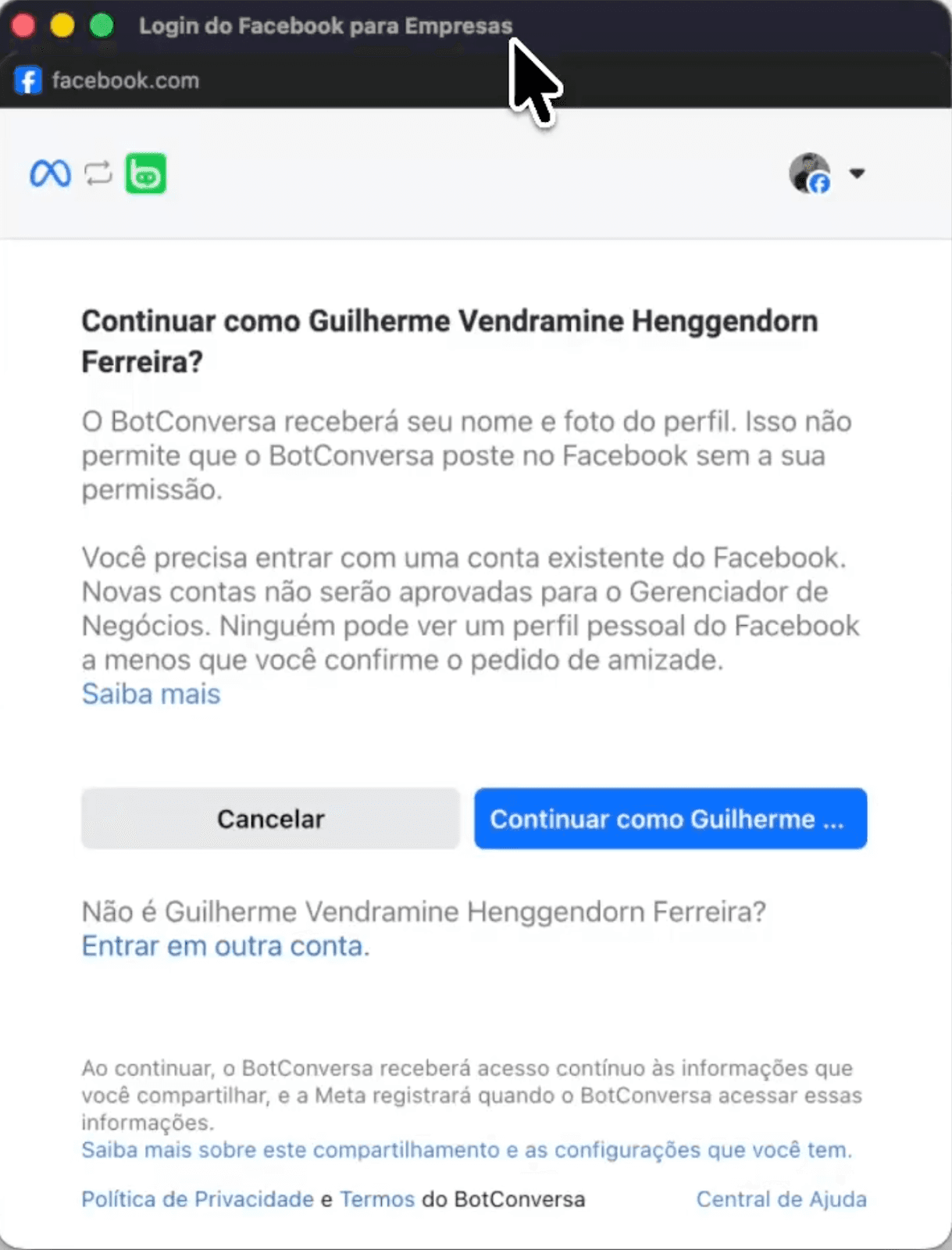
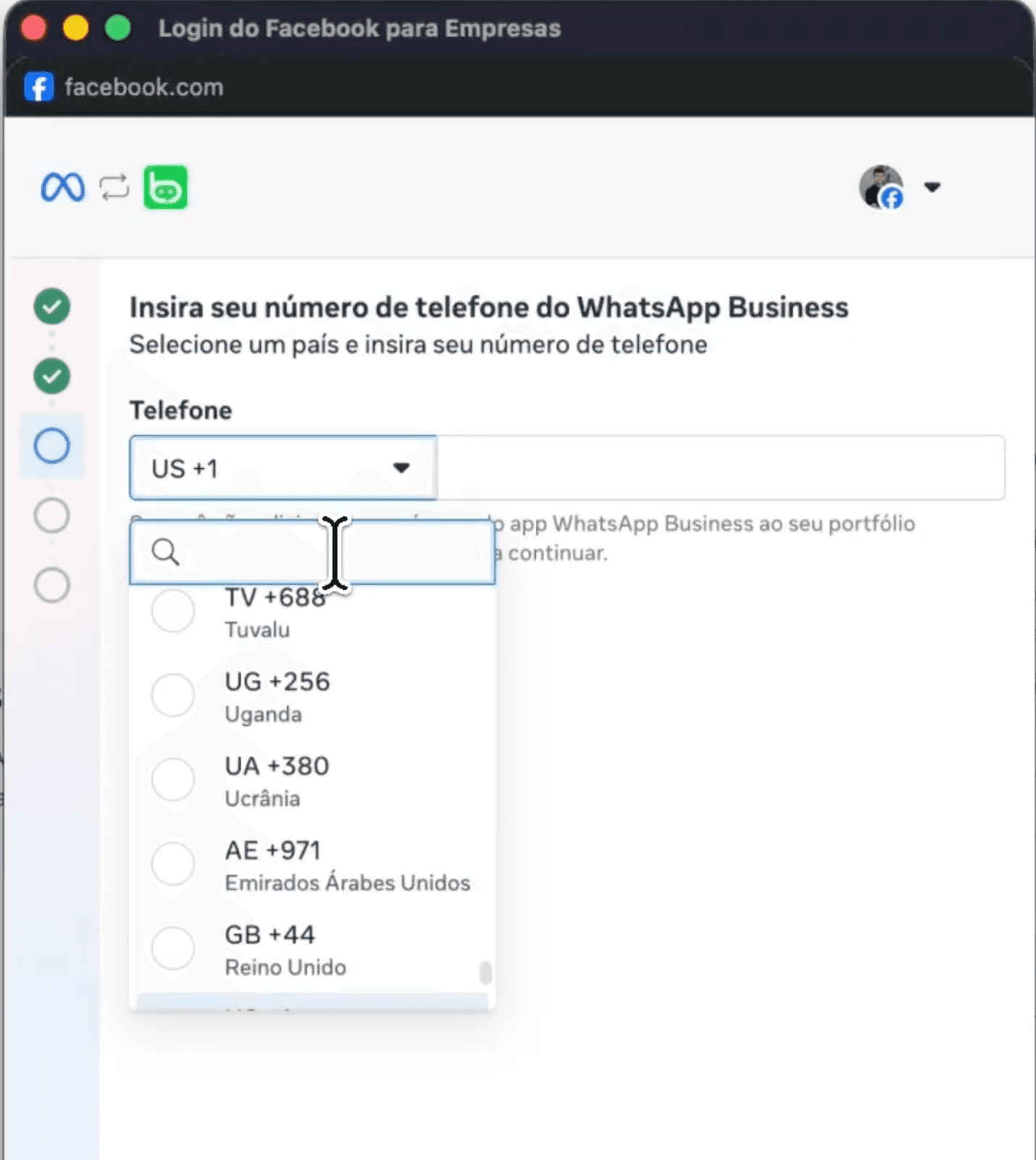
Coexistence removes the old either-or choice between using an API and keeping the phone app. If the wrong setup method is selected, the app can be disconnected, so confirm the coexistence option before finishing.
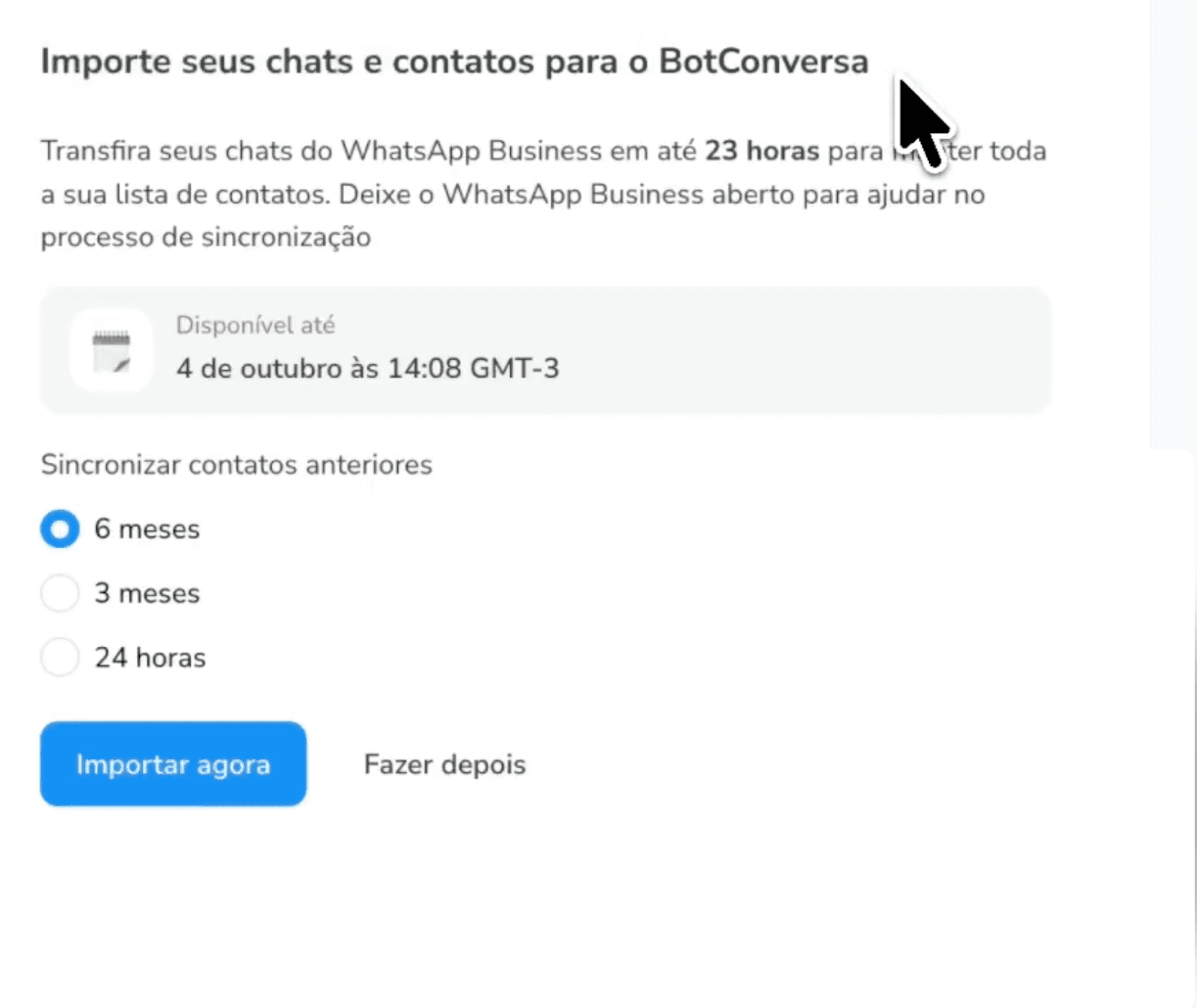
BotConversa’s price is not the total cost
Two different meters are running:
BotConversa subscription: pays for the software.
WhatsApp Business Platform fees: pay for eligible messages delivered through Meta’s infrastructure.
Meta calculates pricing by message category and destination market. Marketing, utility, authentication, and service messages do not necessarily have the same rate. Meta’s official pricing page also explains when service messages, utility replies, and windows opened by click-to-WhatsApp ads may be free.
BotConversa currently sells credits at R$0.50 for marketing messages and R$0.05 for utility messages. Those are prices displayed by BotConversa, not a universal Meta rate across every provider.
The useful equation is therefore: annual plan + messages + team + extra numbers + implementation time. Comparing only R$189 with R$199 leaves half the bill outside the frame.
Is BotConversa worth it?
Yes, when you need visual flows, campaigns, keywords, broadcasts, and an operation centered on WhatsApp.
It becomes less simple when the problem is not “which block comes next?” but “how do we understand an open question, recommend the right option, and remember what happened with each customer?” That is where you should compare product categories, not just feature lists.
BotConversa vs. Dealism: predefined flows or context-aware conversations?
Need | BotConversa | Dealism |
|---|---|---|
Setup | Build flows, rules, and sequences | Provide business information; the agent is created without complex flows |
Channels | Focused on WhatsApp | WhatsApp, Instagram, and Live Chat |
Relationship history | Contacts, tags, fields, and CRM | Automatic customer, conversation, and deal summaries |
Best use | Campaigns and structured automation | Open questions, qualification, recommendations, follow-up, and human handoff |
Dealism brings together messaging automation, Unified Inbox, CRM, AI Agent, and an AI workspace (DealOnca) for small businesses that sell through conversation — with unlimited Active Contacts on the Free plan. Setup can start from a website, files, or business information so the Agent can answer questions, qualify intent, and recommend the next step without requiring every conversation to be mapped in advance.
There is also an operational difference: Dealism brings WhatsApp, Instagram, and Live Chat into one AI sales workspace and creates automatic summaries for every customer, conversation, and deal. The team can see what happened, where the opportunity stands, and what should happen next without rereading dozens of messages.
What does Dealism cost?
On the current Dealism pricing page, the Free plan starts at $0. Dealism’s free plan includes unlimited active contacts, unlimited workflows, one AI Customer Agent, core CRM and 50 AI credits you can claim every day.
Starter: R$99/month with 100 AI credits/day.
Pro: R$199/month with 150 AI credits/day.
Light: Free, with no credit card required.
Dealism Pro and BotConversa Pro reach the same advertised monthly price, but they buy different jobs. BotConversa sells a WhatsApp automation structure. Dealism sells multichannel conversational agents, setup without complex flows, and operational memory through summaries and follow-ups.
Create your Dealism agent for free and test it with your own business information →
Quick questions
Which BotConversa plan includes the official API?
Pro + Official API, advertised at R$199 per month and charged as R$2,388 on the annual plan.
Does BotConversa have a free plan?
The current page does not show a permanent free plan. BotConversa advertises a trial period and a refund policy; confirm the exact conditions at checkout.
Can I keep using WhatsApp on my phone?
Yes, when Pro is connected through coexistence. The same number can remain in the app while operating through the official API.
Does Dealism replace BotConversa’s official API?
Not necessarily. They are choices for different jobs. Use BotConversa Pro when the priority is the official API, campaigns, and structured flows. Consider Dealism when the priority is starting without complex flows, operating across more channels, and tracking customers through context, summaries, and follow-up.
Verdict
If you have chosen BotConversa, the extra R$120 per year makes Pro the more logical plan for a serious business operation. Just do not confuse the subscription with the total cost: Meta messaging and implementation remain part of the bill.
If you want to put an agent to work without drawing automations, serve customers across WhatsApp, Instagram, and Live Chat, and receive automatic customer and deal summaries, the more useful comparison is no longer Starter vs. Pro. It is BotConversa vs. Dealism.