Published
Feb 4, 2026
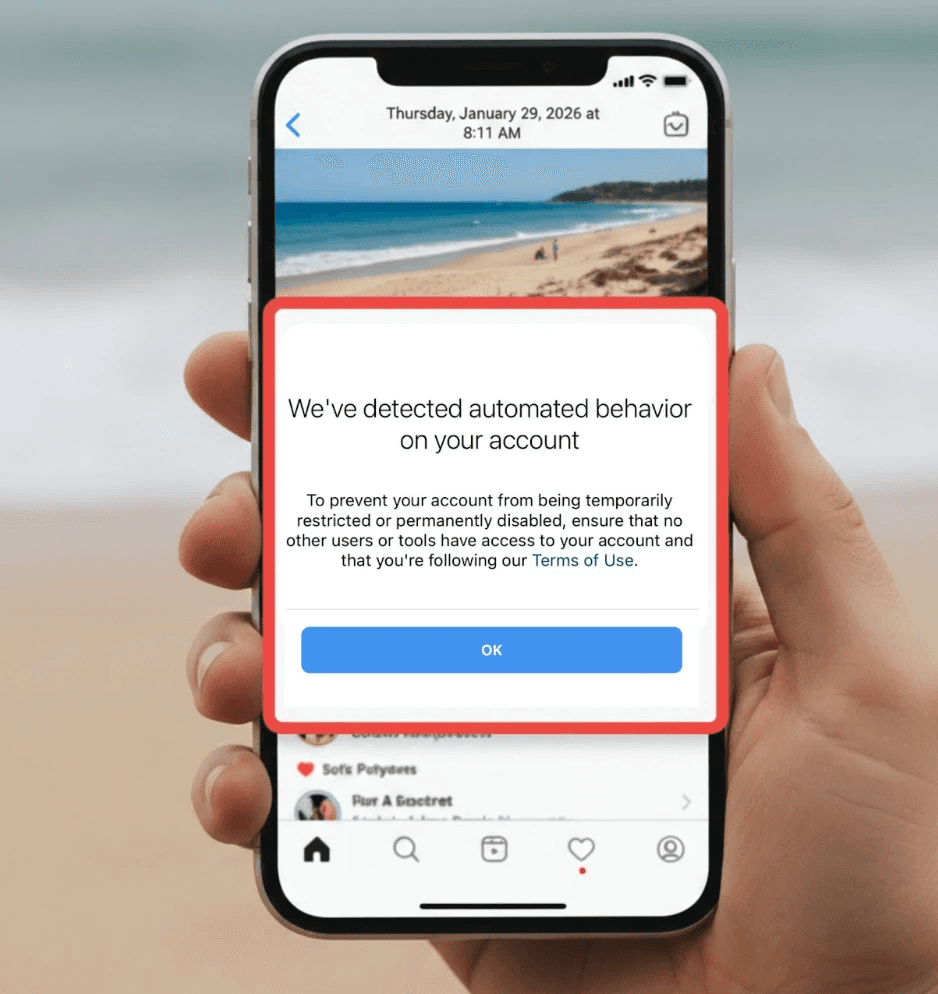
Seeing the message “Instagram suspects automated behavior on your account” can be an incredibly alarming experience for marketers, founders, and businesses that rely on Instagram for customer acquisition. In an era where a strong social presence translates directly to revenue, having your primary growth channel suddenly restricted feels like a major business risk that can halt your momentum overnight.
Many users report seeing the exact system warning: “Instagram, we suspect automated behavior on your account. To prevent your account from being temporarily or permanently disabled, please ensure that no other users or tools have access to your account.” When this appears, your ability to like, comment, or send DMs is usually frozen, your reach can drop significantly, and the long-term safety of your brand becomes a real concern for your digital strategy.
If your account has been flagged, the most important thing is not to panic. This warning does not automatically mean a permanent ban. Instead, it’s a cautionary signal from Meta’s security systems that recent activity patterns may look risky or non-human. In this comprehensive guide, we’ll explain exactly what automated behavior on Instagram means, why the platform flags certain actions, how long restrictions usually last, and how to fix the warning safely. By the end of this article, you’ll know how to recover your account and how to automate Instagram growth without putting your digital assets at risk.
What Is Automated Behavior on Instagram?
To solve the problem, we must first understand the platform's internal definitions. Automated behavior on Instagram refers to actions—likes, follows, comments, or direct messages—that are performed by software, scripts, or third-party bots rather than a real human user.
Instagram’s ecosystem is built on the foundation of authentic human connection. To protect this, Meta uses some of the world's most advanced machine-learning systems to analyze behavioral fingerprints. These systems don't just count how many actions you take; they analyze the rhythm, speed, and consistency of those actions over a 24-hour period.
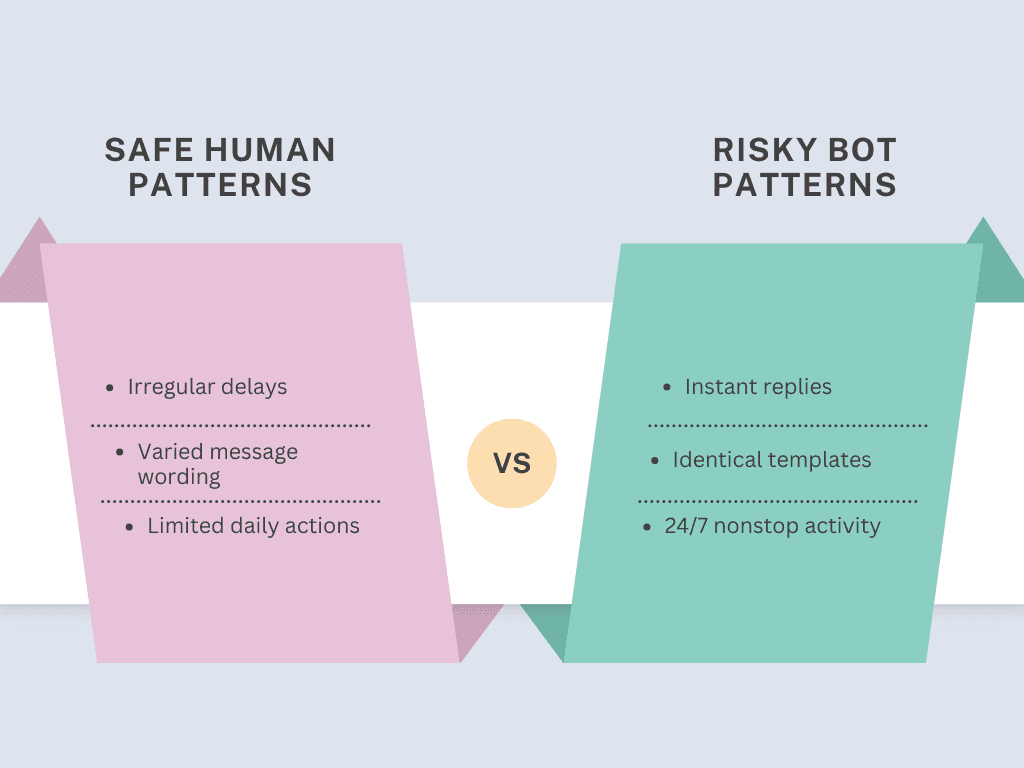
For example, a real human user typically pauses to read a caption before liking a post. They might respond to a DM in 30 seconds, then take two minutes for the next one. Automated behavior Instagram patterns, however, are often too consistent: they operate at fixed intervals (e.g., exactly one like every 30 seconds) or continue for 24 hours without a single break. When your activity lacks this "human randomness" and "contextual delay," Instagram’s AI can easily detect it as a violation of their community standards.
Why Instagram Suspects Automated Behavior on Your Account
Many users encounter this warning even if they never intentionally installed a traditional bot. Modern algorithms in 2026 are so sensitive that certain manual habits can unintentionally resemble automation. Here are the primary reasons why Instagram suspects automated behavior:
1. High-Frequency Actions and Sudden Spikes
This is the most common trigger for the suspected automated behavior flag. If you have been inactive for weeks and suddenly decide to "bulk follow" 100 potential leads in one hour, you will almost certainly trigger a security flag. Instagram monitors the velocity of engagement. Rapid spikes in activity—especially exceeding 50 actions per hour on a non-verified account—are the primary indicator of script-based growth.
2. Copy-Paste or Repetitive Messages
Sending the exact same DM to multiple users is one of the most frequent reasons Instagram suspects automated behavior. If you are using a manual "copy and paste" strategy for outreach, the system sees dozens of identical strings of text across different conversations and assumes a bot is responsible for the distribution.
3. Unauthorized Third-Party Tools
Apps that promise "who unfollowed me" data or "rapid engagement" often rely on unofficial access methods. These tools use your login credentials to make background API calls. Even if you aren't actively using the app, its persistent background scraping can cause suspect automated behavior Instagram warnings.
4. Multiple IP Addresses or Locations
In 2026, account security is a top priority. If you are logged into your account in New York while a virtual assistant or a tool is logged in from a server in London at the exact same time, the geographic inconsistency appears suspicious, often leading to a temporary restriction.
Instagram Suspect Automated Behavior: What It Really Means
When Instagram flags an account for suspected automated behavior, it does not immediately ban the profile. Instead, the platform temporarily limits specific actions—like sending DMs or following new accounts—to prevent further risk while monitoring future activity.
In most cases, this is a warning designed to protect the community from spam. However, ignoring the warning or continuing the same risky behavior during a restriction period can lead to a "shadowban" or even permanent account disablement. Understanding this distinction is vital: the warning is a formal request for you to change your engagement habits before the platform takes harsher, irreversible action.
How Long Does an Instagram Automated Behavior Restriction Last?
For the majority of accounts, an automated behavior Instagram restriction lasts between 24 and 72 hours. The exact duration depends on several factors, including your account's age, previous violation history, and how quickly you stop the flagged behavior.
Newer accounts (less than 3 months old) are often subject to stricter monitoring and longer restrictions. If you continue to use automation tools while the restriction is active, you may find the block extended to 7 days or even 14 days. Patience and complete cessation of activity are the keys to a successful recovery.
Mini Checklist: What to Do Immediately After the Warning
Before diving into the full recovery process, use this quick checklist to ensure you are not accidentally making the situation worse:
Stop all manual likes, comments, and follows for at least 48 hours.
Immediately log out of any third-party "tracker" or "growth" apps.
Change your Instagram password to disconnect all current active sessions.
Avoid "Appealing" the block repeatedly, as spamming the appeal button can trigger further filters.
Refresh your IP address by switching from Cellular Data to Wi-Fi.
How to Fix the “Suspected Automated Behavior” Warning
1. The 48-Hour Activity Freeze
The most effective way to reset your behavioral score is to stop all activity. Do not open the app to check your DMs every five minutes. A total 48-hour freeze helps signal to the system that the "automated loop" has been terminated, allowing your account's trust score to stabilize within the Meta database.
2. Changing Your Credentials to Force a Logout
The fastest way to sever ties with unauthorized tools is to reset your primary access point.
Navigate to your Profile, tap the Menu (three lines), and enter the Accounts Center.
Look for Password and security to update your credentials. This action acts as a "hard reset" for your account's active sessions across all devices.
3. Auditing and Revoking Website Permissions
To stop "ghost" automation from triggering the suspected automated behavior warning, you must manually audit which apps are currently tethered to your profile.
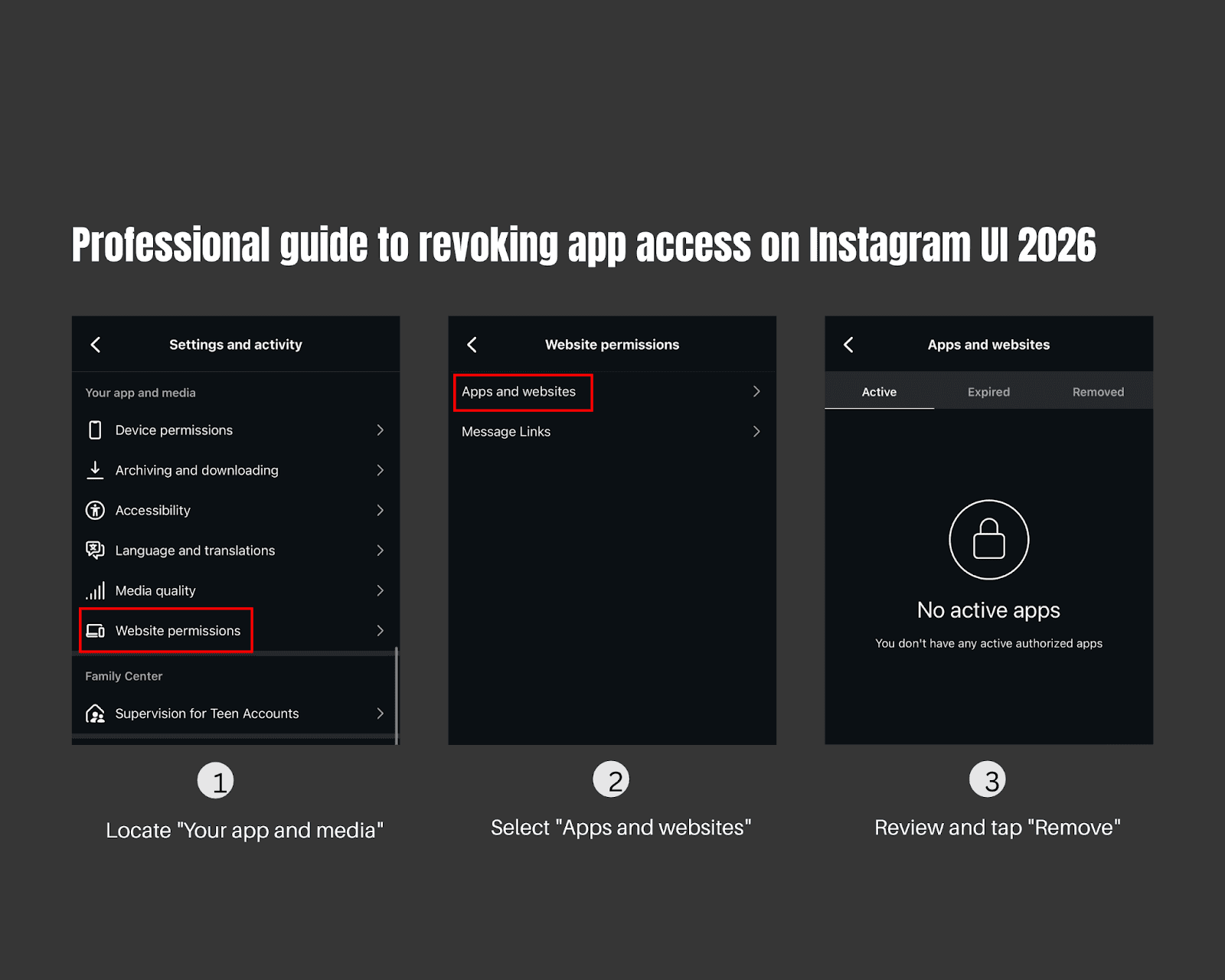
Locate the "Your app and media" section within your Settings and privacy menu.
Select Website permissions and then enter the Apps and websites dashboard.
Under the Active tab, you will find a list of services currently authorized to access your data. Identify any "Follower Checkers," "Auto-Posters," or tools you no longer recognize, and tap Remove.
Pro-Tip: Removing these isn't just about security; it’s about stopping "background pings" that make Instagram believe you are using a bot even when your phone is in your pocket.
How to Automate Safely on Instagram in 2026
Automation remains essential for businesses, but the "old way" of using rigid bots is obsolete. To scale in 2026, you must utilize AI-native automation that mimics human logic.
Why Traditional Bots Trigger Warnings
Legacy tools rely on fixed response times and repetitive templates. They send the same message to 100 people at exactly the same speed. These predictable patterns are the easiest for Instagram’s AI to identify and block.
What Safe Instagram Automation Looks Like
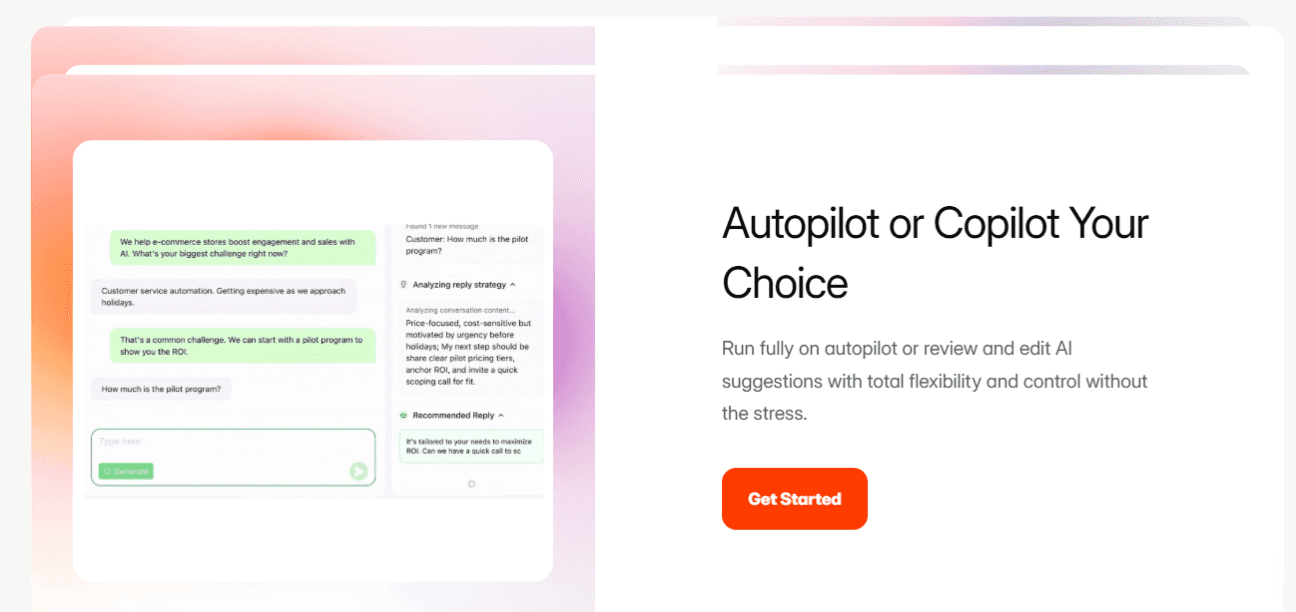
Modern, compliant automation focuses on authenticity. Tools like Dealism.ai are designed to bridge the gap between efficiency and safety. Unlike mass-action bots, Dealism focuses on conversational AI for DMs.
Smart Delays: Dealism mimics human typing speeds and "thinking" time, creating an irregular pattern.
Dynamic, Context-Aware Replies: Using Large Language Models (LLMs), Dealism generates unique responses for every lead based on the "Vibe" of the conversation.
Brand Voice Learning: The system learns from your past successful chats, ensuring the automated behavior feels like a natural extension of your brand voice.
Instagram Suspected Automated Behavior: Common Questions
Q: Does using a VPN cause automated behavior warnings?
A: It can. Frequent IP changes across different countries can flag the "unusual login location" as a sign of account hijacking.
Q: Should I delete and reinstall the Instagram app?
A: This helps clear the local cache and cookies, which may sometimes resolve minor glitch-related flags.
Q: Can Instagram ban my account permanently for this?
A: Yes, repeated violations regarding automation can lead to permanent disablement. However, following a 48-hour reset and switching to safe tools like Dealism.ai usually avoids this.
Conclusion
An Instagram automated behavior warning is a signal—not a sentence. It indicates that your activity patterns need adjustment to align with 2026 security standards.
By pausing activity, securing your credentials, and removing risky integrations via the Website permissions menu, you can recover your account’s health. Moving forward, sustainable growth depends on automation that enhances real human interaction. Choosing sophisticated, AI-driven partners like Dealism.ai allows you to stay responsive 24/7 while keeping your account safe, professional, and profitable.
