Published
Feb 5, 2026

Need to know how to copy WhatsApp messages quickly? You’re definitely not alone. Millions of users search for this exact solution every month, and for good reason. WhatsApp has become a central place for sharing important information—addresses, verification codes, meeting links, and personal notes.
Whether you want to copy text from WhatsApp to share elsewhere or save important details for later, the process is surprisingly simple once you know the right steps. In this guide, we’ll walk you through how to copy WhatsApp messages on Android and iPhone, so you can do it effortlessly on any device.
How to Copy WhatsApp Messages on Android
Tap and hold the message text.
Tap

> Copy.
The entire text will be copied to your clipboard where it can be pasted into another chat or app on your device.
Note:
You can’t copy media or voice messages.
You can’t copy specific parts of a message.
Try turning your device off and on again if you experience any issues. Make sure to keep your device updated to the latest version of WhatsApp.
How to Copy WhatsApp Messages on iPhone
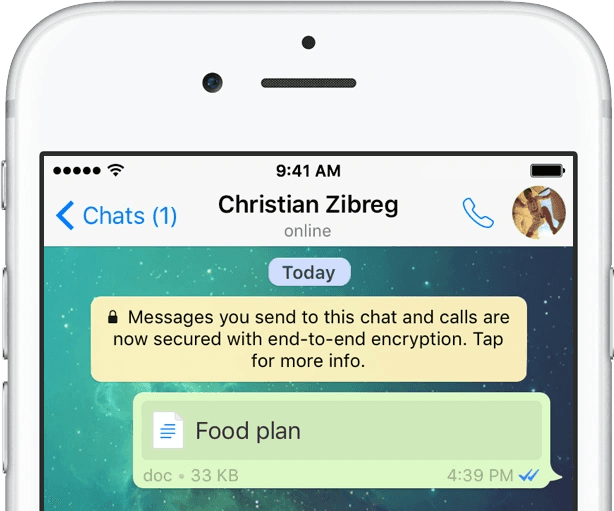
iPhone users have some unique options for copying WhatsApp messages. The basic method requires just a few taps:
You can copy an entire message or parts of a message.
Copy a message
Tap and hold the message text.
Tap Copy.
Copy part of a message
Tap and hold the text you want to copy.
Tap and hold again to adjust what text is selected.
Alternatively, double tap to select a word.
Tap Copy.
The text will be copied to your clipboard where it can be pasted into another chat or app on your device.
Note:
You can’t copy media or voice messages.
You can’t copy specific parts of a message.
Try turning your device off and on again if you experience any issues. Make sure to keep your device updated to the latest version of WhatsApp.
Common Issues When Copying WhatsApp Messages
Here are a few quick fixes if things don’t work as expected:
Restart your device
Update WhatsApp to the latest version
Check your clipboard permissions
Reopen the chat and try again
Most issues are temporary and easy to resolve.
Frequently Asked Questions (FAQs)
Can I copy WhatsApp messages without the sender knowing?
Yes. Copying a message does not notify the sender.
Can I copy deleted WhatsApp messages?
No. Once a message is deleted, it can’t be copied unless you have a backup.
Can I copy WhatsApp messages to email or notes?
Absolutely. Once copied, you can paste the text into any app.
Why can’t I copy voice messages?
Voice notes are audio files, not text, so they can’t be copied as text.
Is it safe to copy WhatsApp messages?
Yes, as long as you’re copying your own messages and respecting privacy.
Can I copy messages from archived chats?
Yes. Archived chats work the same way as regular chats.
Final Thoughts
So, is there a way to copy WhatsApp messages? Absolutely—and now you know exactly how to do it on any device. Whether you’re using Android, iPhone, or desktop, copying WhatsApp messages is quick, easy, and incredibly useful once you get the hang of it.
With these simple steps, you’ll never lose important information again.