
ManyChat Messenger is a conversational automation tool that connects directly to your Facebook Page, allowing you to automate replies, capture leads, and manage customer conversations at scale.
It is one of the earliest use cases of ManyChat, originally built around Messenger before expanding to other channels.
Businesses typically use it to:
Respond instantly to incoming messages
Convert comments into private conversations
Build automated funnels for lead generation
Send follow-ups within Messenger policies
How ManyChat Messenger Works
ManyChat integrates with your Facebook Page and listens for user interactions such as:
Direct messages
Comments on posts
Button clicks
Conversation starters
Once triggered, it runs predefined flows built inside its visual automation builder.
These flows allow you to:
Guide users through structured conversations
Collect user data
Route conversations based on logic
Trigger follow-ups or broadcasts
However, all interactions still rely on predefined paths rather than real-time reasoning.
Step-by-Step: How to Connect ManyChat to Facebook Messenger
Before building automation, you need to connect your Facebook Page to ManyChat.
The steps below are aligned with both official documentation and actual product flow, so you can match screenshots easily.
Reference:
how to connect manychat to facebook messenger
Step 1: Start connection inside ManyChat
Go to ManyChat and click Get Started or log into your account. Then choose Facebook Messenger as your channel.
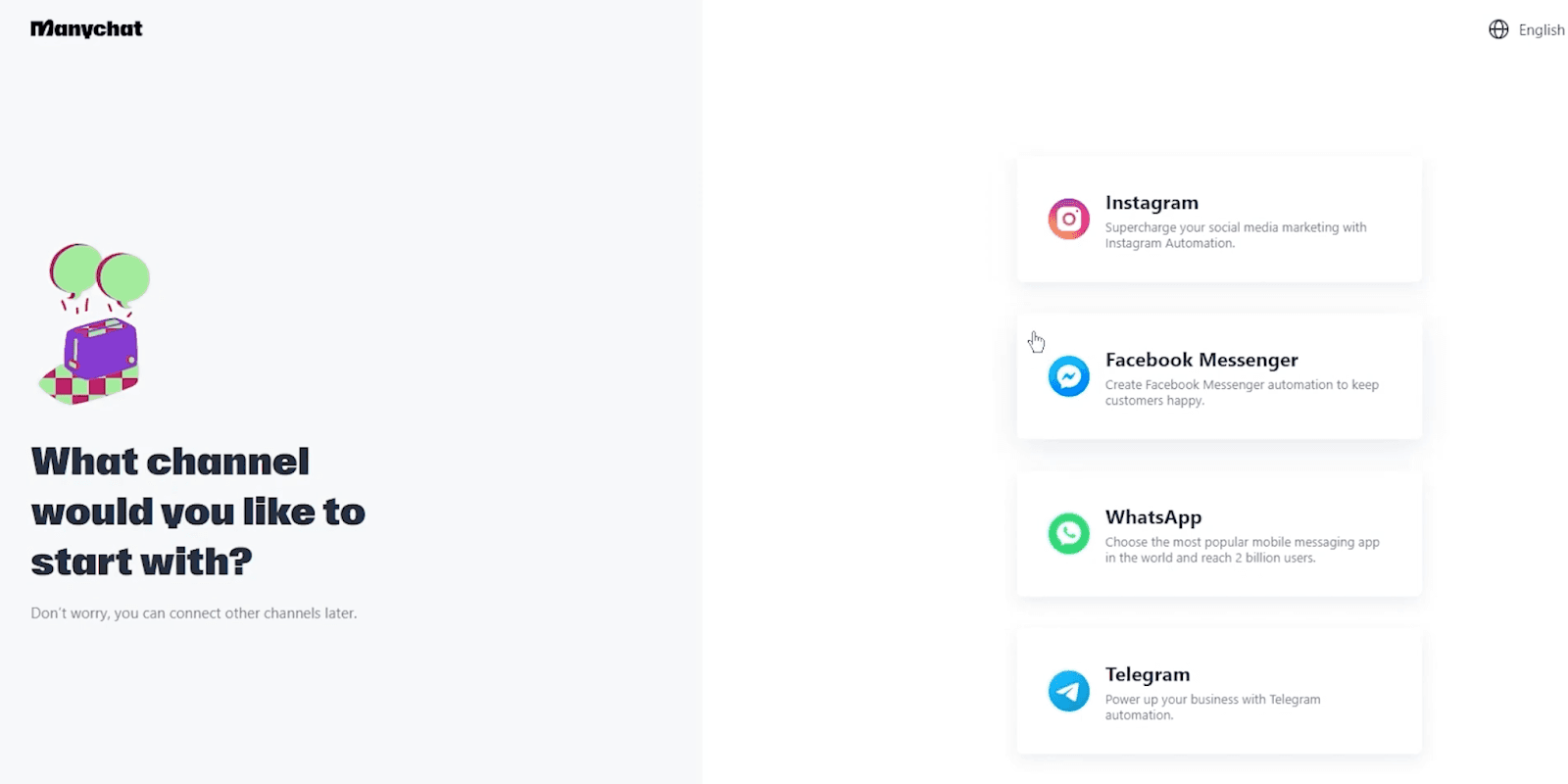
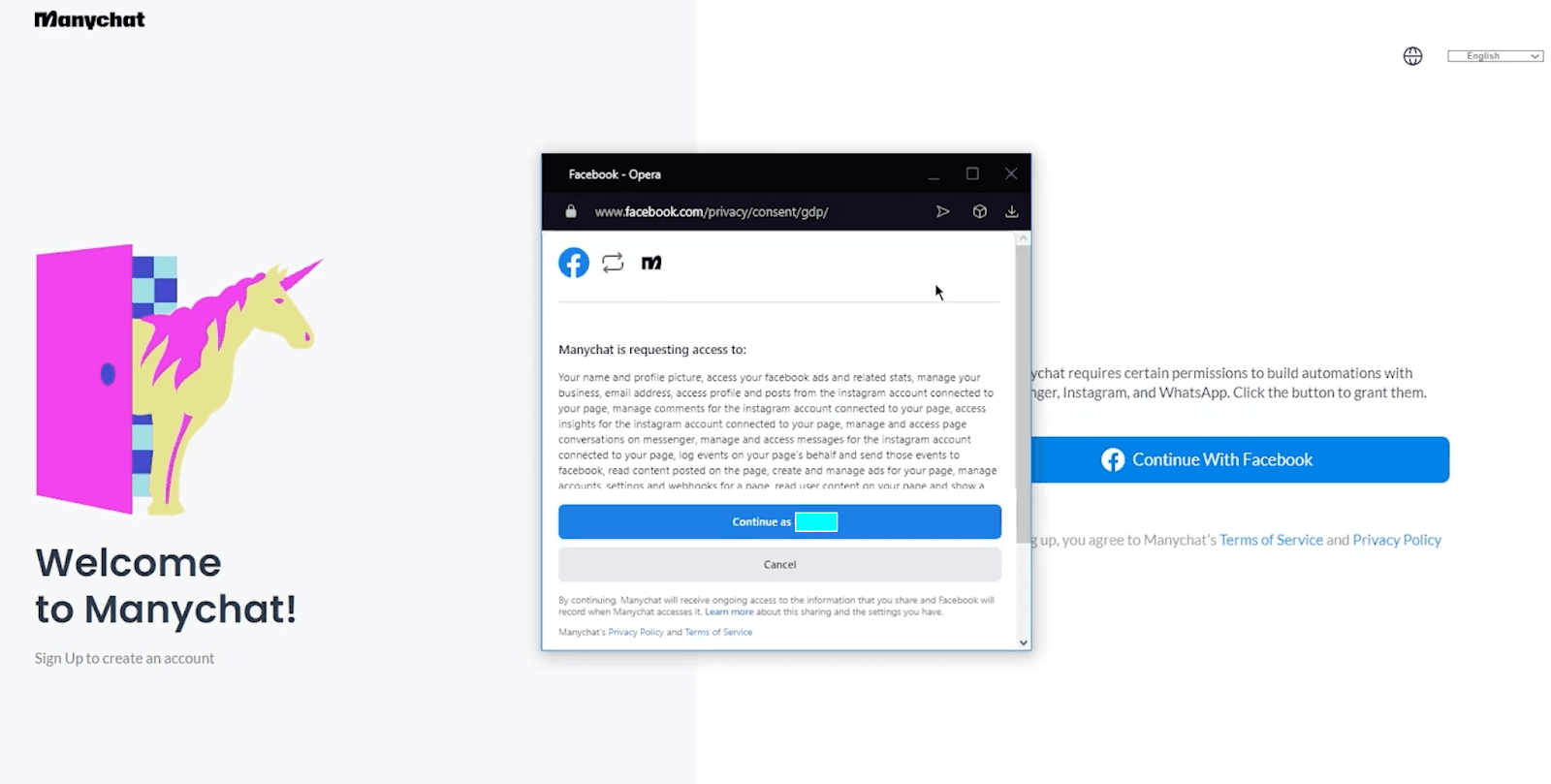
Follow the guided onboarding, which includes:
Logging into your Facebook account
Granting access to ManyChat
Allowing permissions for messaging and Page management
Step 2: Select your Facebook Page
After authentication, ManyChat will display all Pages linked to your account, choose the Page you want to connect.
Each ManyChat account can connect to only one Facebook Page.

Step 3: Complete onboarding and enter the dashboard
After selecting your Facebook Page, ManyChat will guide you through a short onboarding process before taking you into the main dashboard. This typically includes:
Answering a few questions about your business and goals
Selecting how you plan to use ManyChat
Confirming basic setup preferences
Once completed:
Your account is fully set up
Your Facebook Page is connected
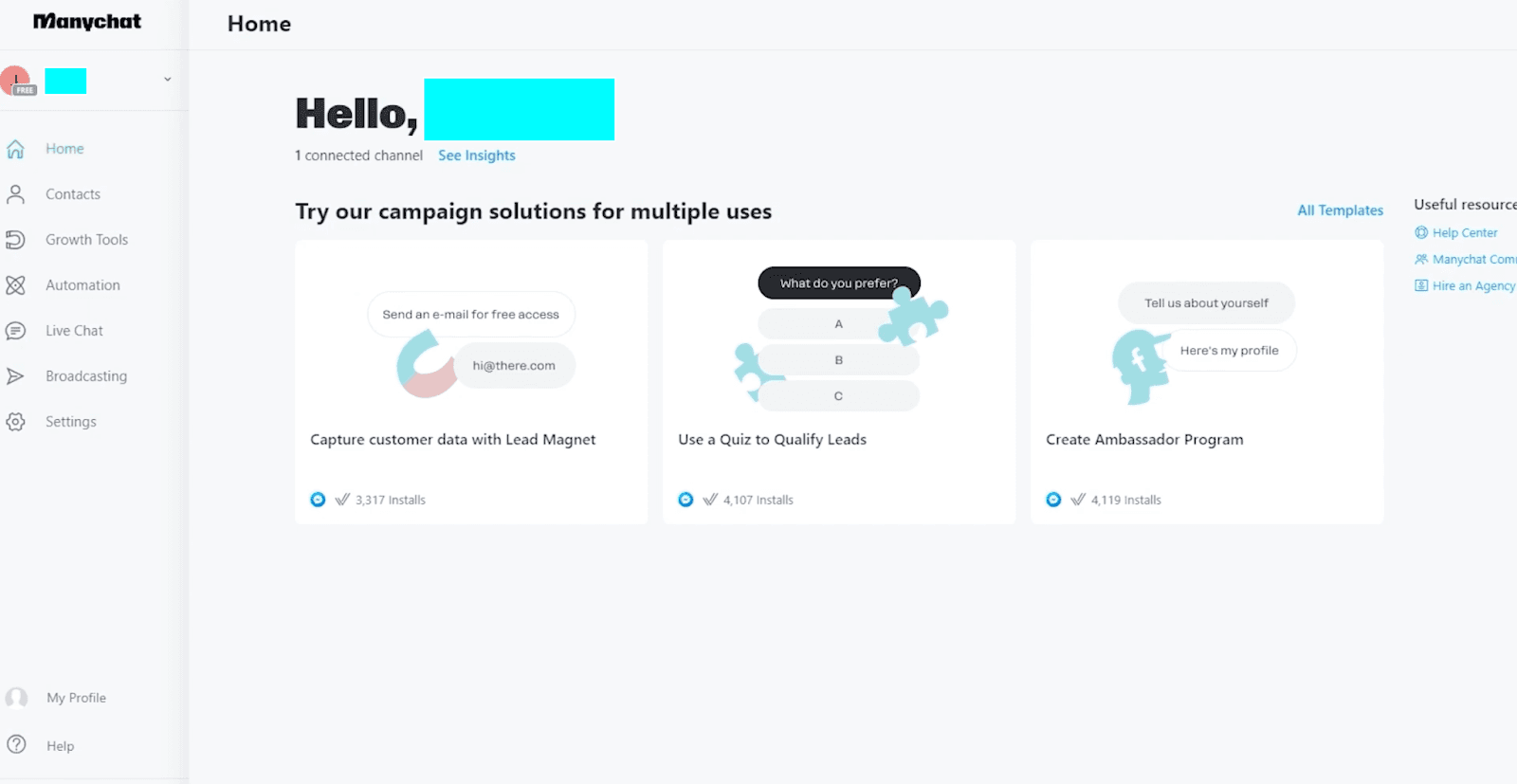
You are redirected to the ManyChat dashboard
Step 4: Get familiar with the ManyChat dashboard
After onboarding, you will land inside the ManyChat dashboard, where all automation and messaging activities are managed.
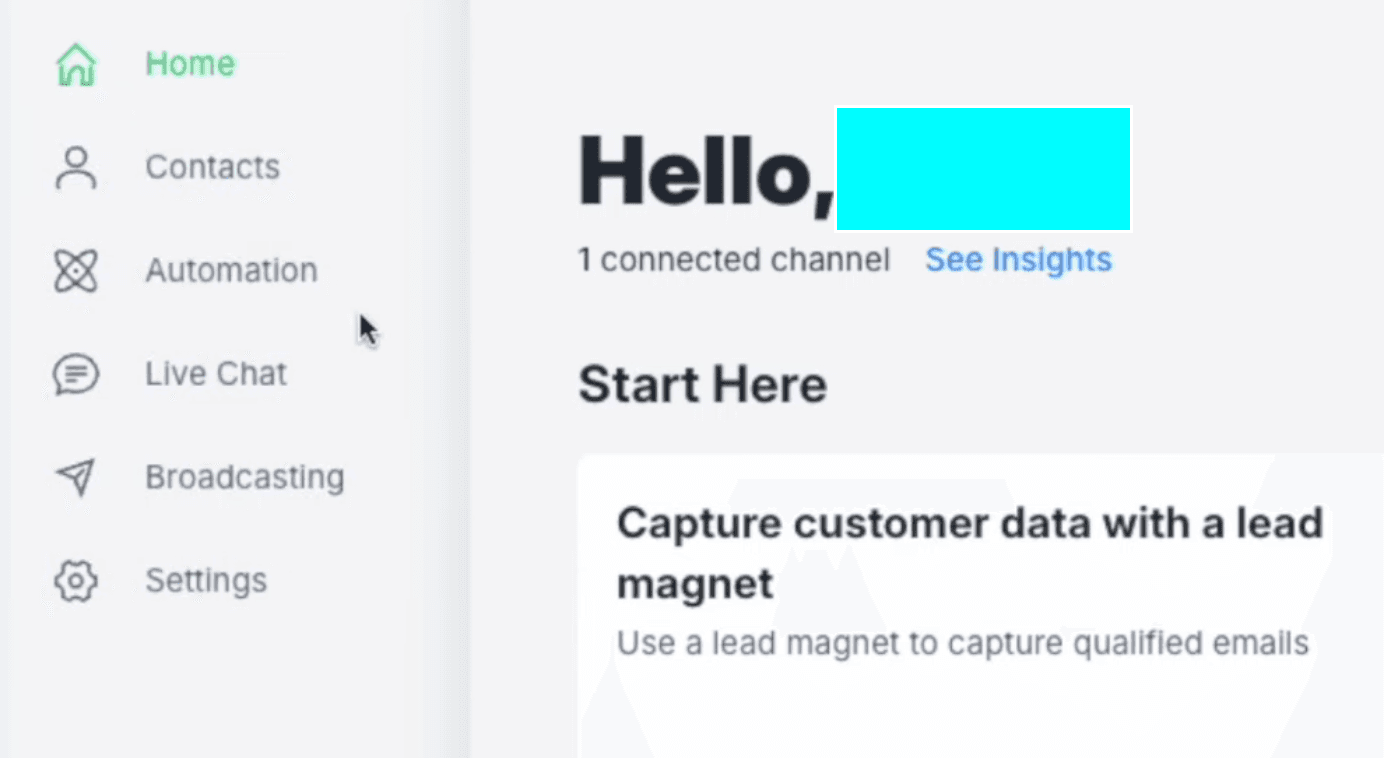
The left-side menu is the most important area and includes:
Contacts: View and manage your subscribers and user data
Automation: Build and manage flows, triggers, and conversation logic
Live Chat: Handle real-time conversations manually
Broadcasting: Send messages to your audience
Settings: Configure channels, integrations, and account details
This is where you will spend most of your time when using ManyChat for Facebook Messenger automation.
How to Use ManyChat on Facebook Messenger
Once connected, you can begin building automation workflows.
Common use cases
Auto-reply to new messages
Comment-to-DM automation
Lead capture flows
Appointment booking
Promotional messaging
Messenger automation is especially effective because it feels conversational and immediate.
Understanding Messenger Automation Rules (Important)
One key limitation comes from Meta policies.
Messenger automation operates under a 24-hour messaging window, meaning:
You can send automated messages within 24 hours of user interaction
After that, restrictions apply to prevent spam
This directly impacts how you design follow-ups and campaigns.
Limits of ManyChat Facebook Messenger Automation
While ManyChat Messenger is powerful for structured automation, it has clear limitations.
1. Predefined flow dependency
All conversations must be manually designed in advance.
2. Limited flexibility in real conversations
Unexpected questions often break the experience or lead to irrelevant replies.
3. Messaging policy constraints
The 24-hour rule limits long-term automation strategies.
4. Reactive rather than goal-driven
The system responds but does not actively guide users toward outcomes.
5. Increasing complexity at scale
As flows grow, managing them becomes harder and more fragile.
These limitations become more noticeable when businesses try to use Messenger for sales rather than just support.
A More Adaptive Approach: Dealism for Messenger Conversations
Messenger conversations are often unpredictable. Users ask open-ended questions, change topics, and explore options before making decisions. This makes rigid, flow-based automation difficult to maintain.
Dealism approaches this differently through the idea of Vibe Selling. Instead of forcing users through predefined paths, it focuses on understanding intent and guiding decisions in real time. A question about pricing, for example, is not just informational. It may signal hesitation, comparison, or readiness to buy.
Rather than relying on keywords and fixed logic, Dealism adapts dynamically during conversations.
For businesses comparing modern AI sales platforms with traditional chatbot builders, this comparison of best ManyChat alternatives for AI-powered sales automation explains how AI agents differ from rule-based automation.
How Dealism works differently
Interprets user intent beyond surface-level questions
Adapts responses based on context, not predefined flows
Handles objections like price concerns or hesitation naturally
Guides users toward decisions instead of just providing answers
This reduces the need to design and maintain complex flows while creating a more natural conversation experience. On Messenger, where interactions are less structured and more exploratory, this approach allows businesses to move beyond simple automation and support how customers actually make decisions in real time.
From Auto Replies to Real Conversion Systems
Facebook Messenger automation is no longer just about answering messages faster.
The real value lies in turning conversations into actions such as capturing leads, booking appointments, or closing sales.
ManyChat provides a strong foundation for structured workflows. But as conversations become more complex, businesses need systems that can adapt in real time, understand customer intent, and guide users toward outcomes.
If you're evaluating whether rule-based automation is enough for your business, exploring the best ManyChat alternatives for AI-powered sales automation can help you understand how newer AI sales agents support more natural and conversion-focused conversations.
The difference is no longer automation versus manual work. It is structured replies versus intelligent execution.


