
WhatsApp has become one of the most important customer communication channels for local services, e-commerce, and service-based businesses. With high open rates and real-time messaging, many businesses are exploring tools like ManyChat to automate conversations.
This guide explains how ManyChat WhatsApp works, how to set it up, and where it falls short when your business needs more than simple automation.
What Is ManyChat WhatsApp?
ManyChat WhatsApp refers to using ManyChat’s automation platform to manage and automate conversations through WhatsApp Business. It allows businesses to create automated replies, flows, and basic chatbot experiences.
Unlike traditional SMS or email automation, WhatsApp automation focuses on conversational engagement, helping businesses respond faster and handle higher volumes of inquiries.
How ManyChat WhatsApp Automation Works
ManyChat connects to your WhatsApp Business account via the WhatsApp Business API. Once connected, you can build automated workflows that respond to user messages based on triggers and predefined logic.
Core Components
Triggers: Keywords, user actions, or incoming messages
Flows: Pre-built conversation paths you design manually
Conditions: Logic rules that determine what message comes next
Templates: Pre-approved WhatsApp message formats required by Meta
In practice, this means every conversation must be designed ahead of time. The bot follows the structure you create, rather than dynamically understanding user intent.
Step-by-Step: Setting Up ManyChat for WhatsApp
Before setting up ManyChat WhatsApp automation, the first step is choosing the right connection method. This decision affects your setup process, number ownership, and long-term flexibility.
Choosing the Right ManyChat WhatsApp Setup Method
Method | Best For | Pros | Cons | Key Tradeoff |
Migrate your existing number | Businesses with an existing WhatsApp audience | Keep your number, brand continuity, access to automation | Lose WhatsApp Business App access, no chat history transfer | Keep your number, but move fully to API |
Create or buy a new number via ManyChat | Businesses starting fresh | Clean setup, no migration issues, fully optimized for automation | Extra cost, new number for customers | Simplicity vs rebuilding audience |
Coexistence (app + automation) | Businesses that still rely on WhatsApp Business App | Keep app usage + add automation | Limited availability, feature restrictions | Flexibility vs full capability |
How to Choose the Right Method
Think of this as a business decision, not just a technical setup:
If your number already has customer value → migrate your existing number
If you want the simplest and cleanest setup → use a new number
If you still rely heavily on the WhatsApp app → consider coexistence (if available)
Method 1: Starting Fresh with a New WhatsApp Setup
Guide:
manychat whatsapp business connection guide
Best for: New businesses or those without an existing WhatsApp number
Step-by-step process
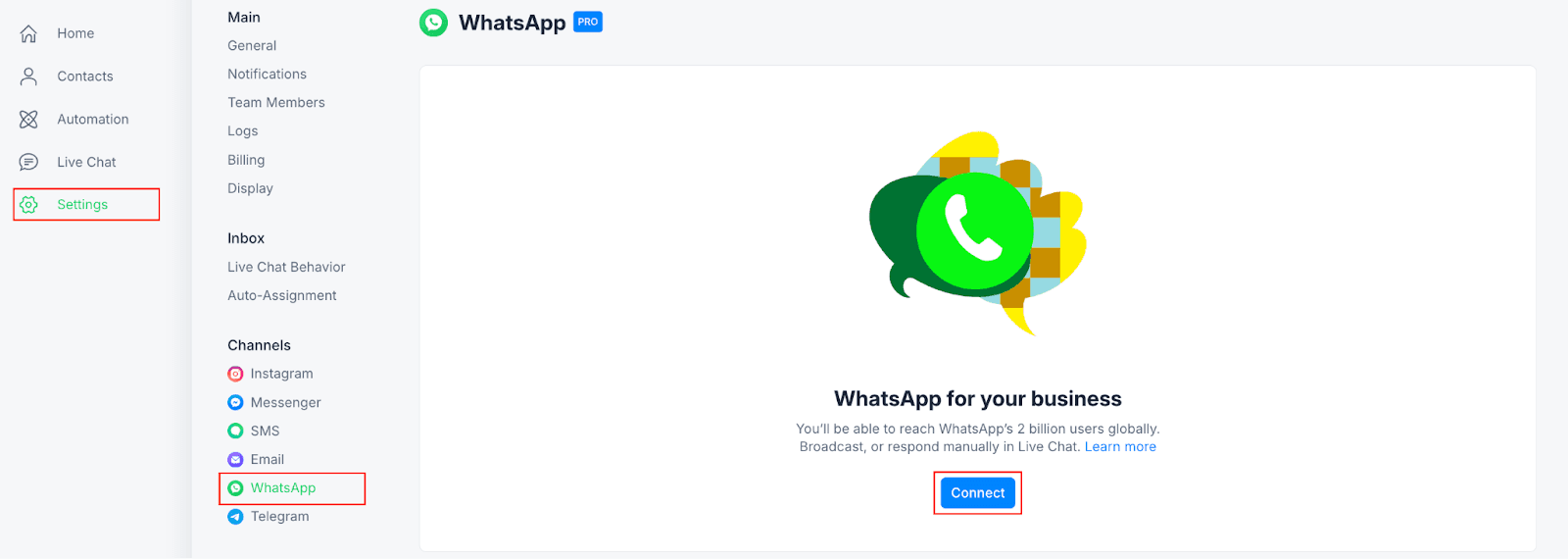
Step 1: Start WhatsApp connection inside ManyChat
Go to Settings → WhatsApp → Connect, then follow the guided setup to create and connect a new number.
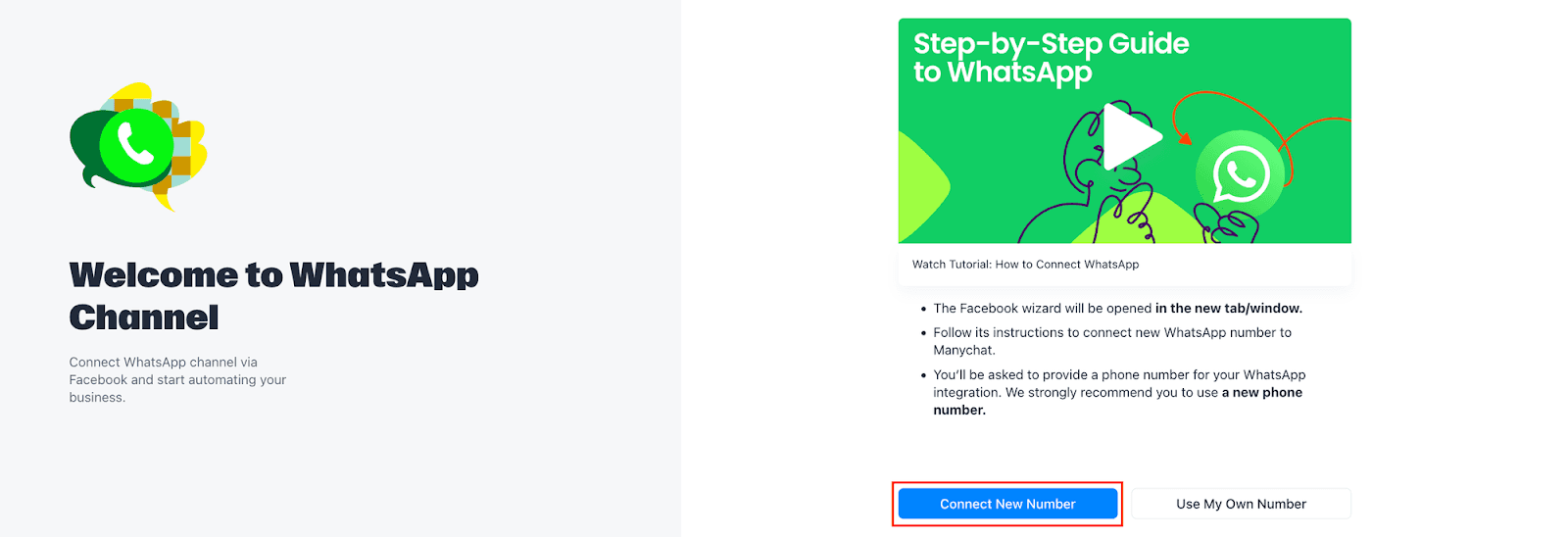
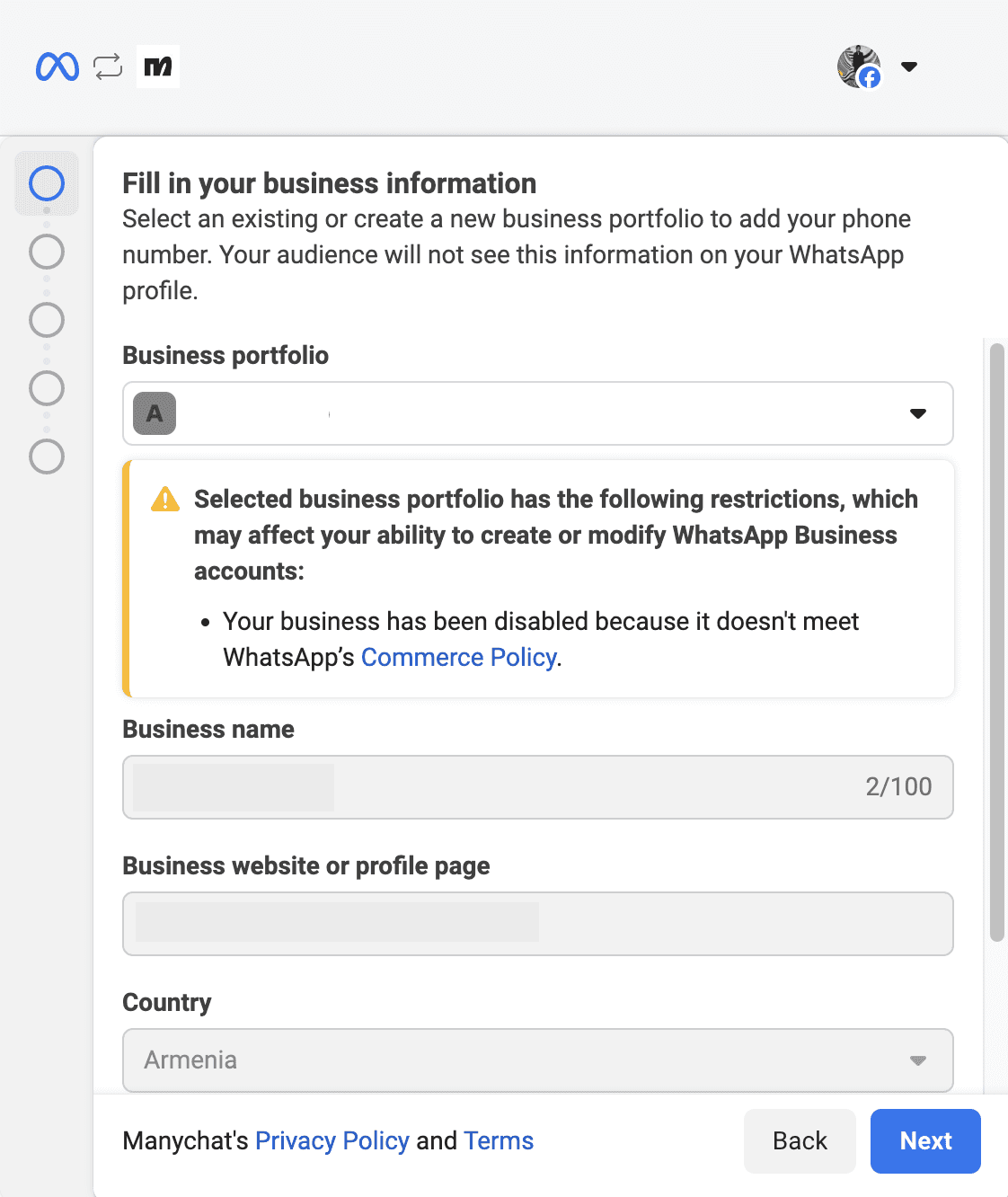
This typically includes:
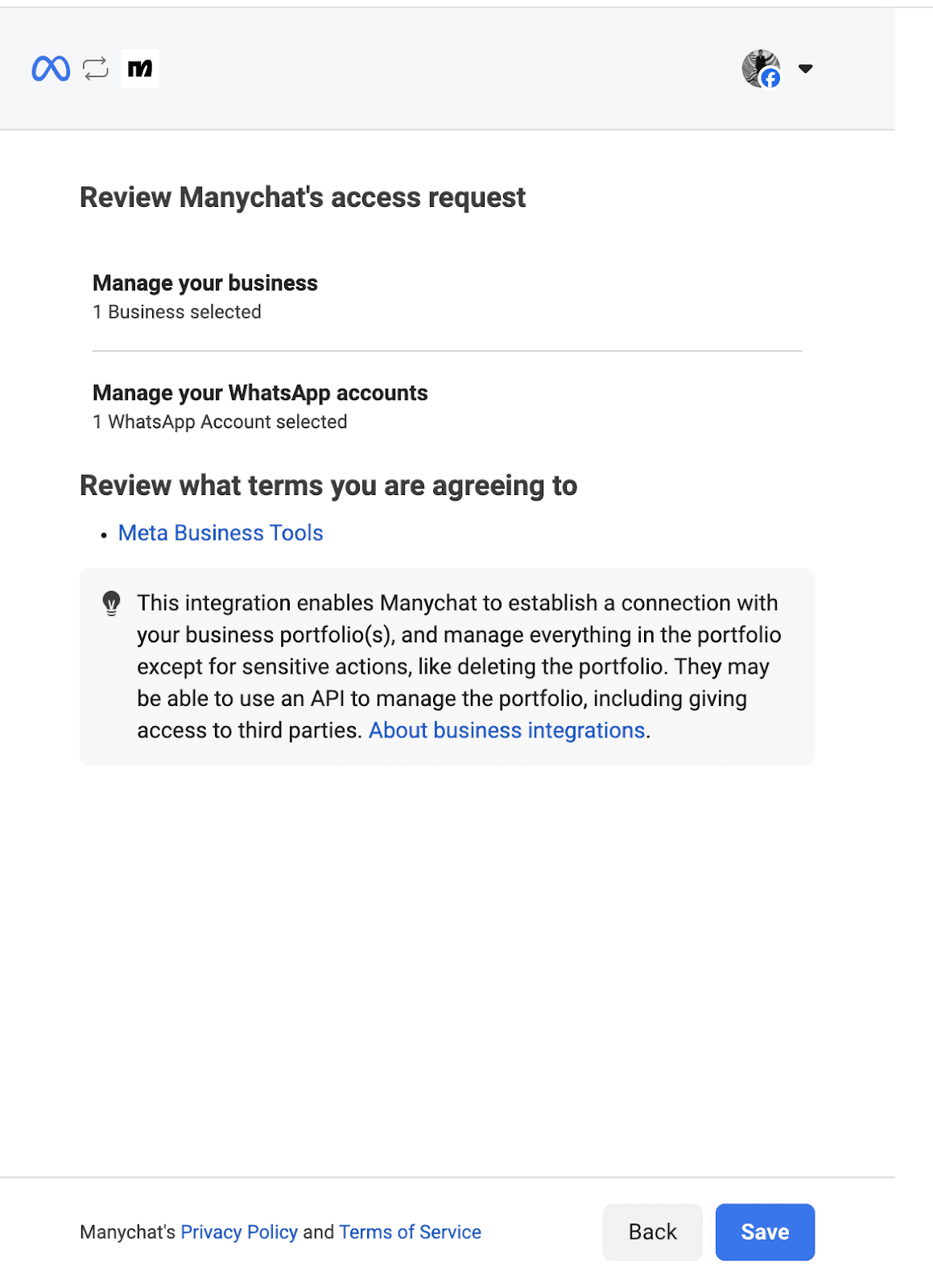
Logging into your Meta Business account
Creating a WhatsApp Business profile
Selecting your business category and time zone
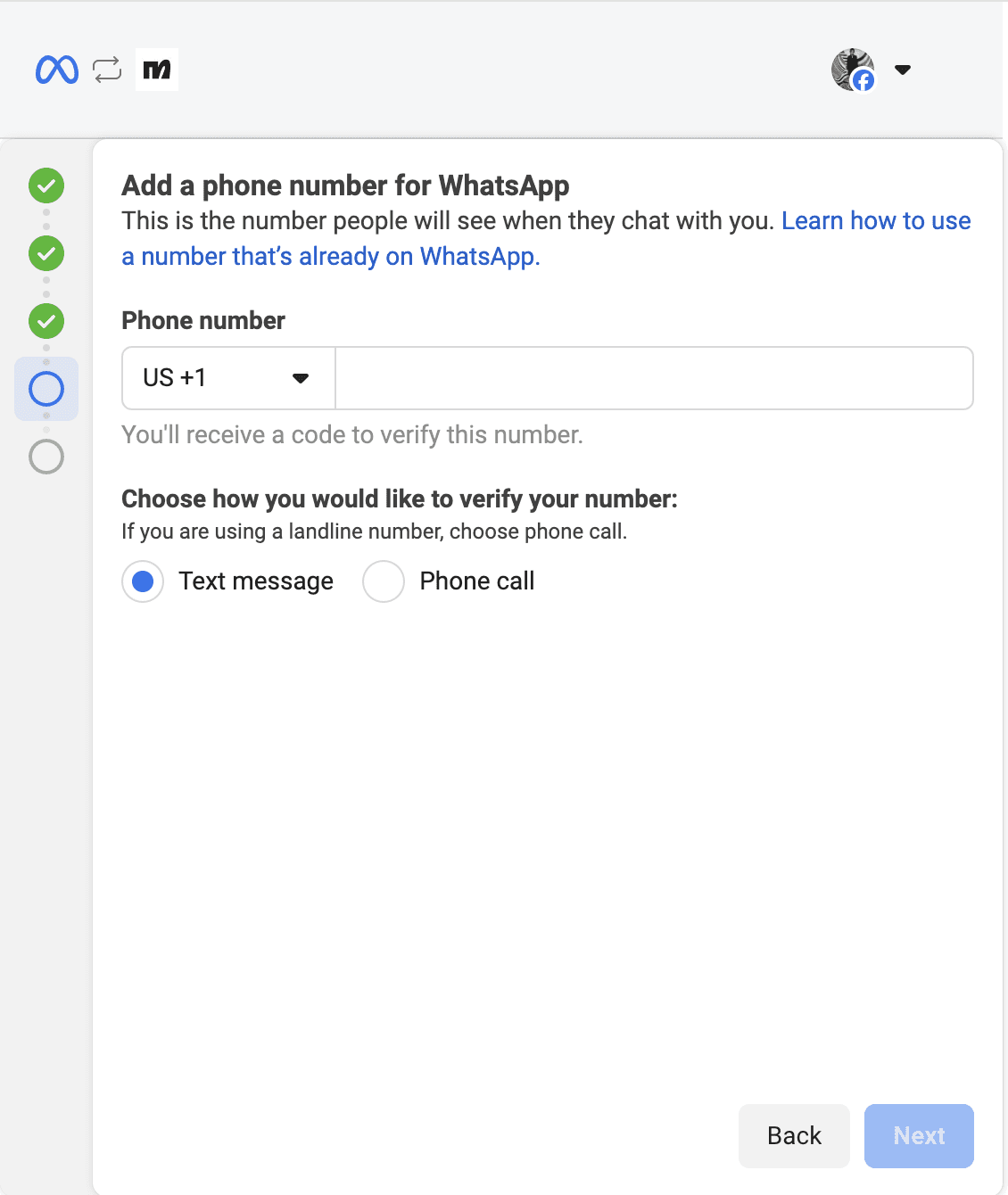
Step 2: Add and verify your phone number
Enter a phone number that has not been used on WhatsApp before, then complete verification:
Input your phone number
Choose SMS or phone call verification
Enter the OTP code received
Step 3: Complete setup and connect to WhatsApp API
After verification, finalize the setup inside ManyChat:
Confirm business details
Submit for WhatsApp approval (if required)
Complete connection
Method 2: Migrating an Existing WhatsApp Number
Guide:
manychat for whatsapp number migration
Best for: Businesses that want to keep their current WhatsApp number
Step-by-step process
Step 1: Start the migration flow inside ManyChat
Go to Settings → WhatsApp → Connect, then choose the option to use an existing number. The guided flow will walk you through:
Selecting “connect existing number”
Entering your current WhatsApp number
Preparing the number for migration
Step 2: Confirm number eligibility and ownership
Before migration, ensure your number meets the requirements:
You have full access to the number
The number can receive OTP verification
It is not actively locked by another provider
Step 3: Verify and complete migration
Follow the verification process to transfer the number:
Receive OTP via SMS or call
Enter the verification code
Confirm migration to WhatsApp API
Important:
After migration, the number is managed via WhatsApp API and may no longer be usable inside the WhatsApp Business App.
Method 3: Using a Number Provided via ManyChat
Guide:
manychat whatsapp new number setup
Best for: Businesses that want the fastest and simplest setup
Step-by-step process
Step 1: Choose or purchase a number inside ManyChat
Go to Settings → WhatsApp → Connect, then select the option to get a number through ManyChat. The setup flow will guide you through:
Selecting an available number
Choosing region (if applicable)
Confirming number assignment
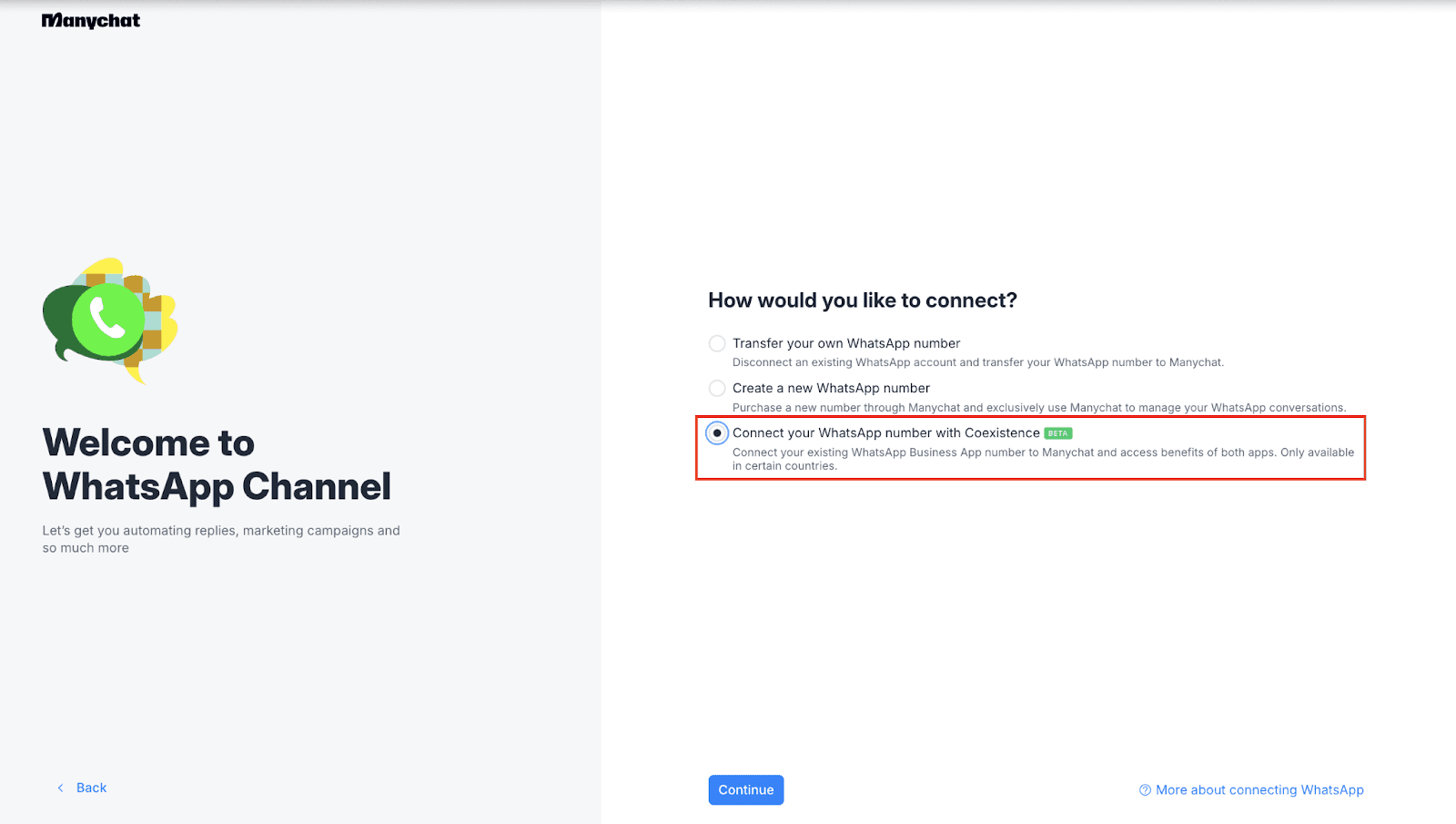
Step 2: Complete guided setup inside the platform
Unlike other methods, most steps are handled within ManyChat:
No external registration required
No need to disconnect existing apps
Built-in onboarding flow
Step 3: Automatically connect to WhatsApp API
Once setup is complete:
The number is provisioned automatically
WhatsApp API connection is established
You can immediately proceed to automation setup
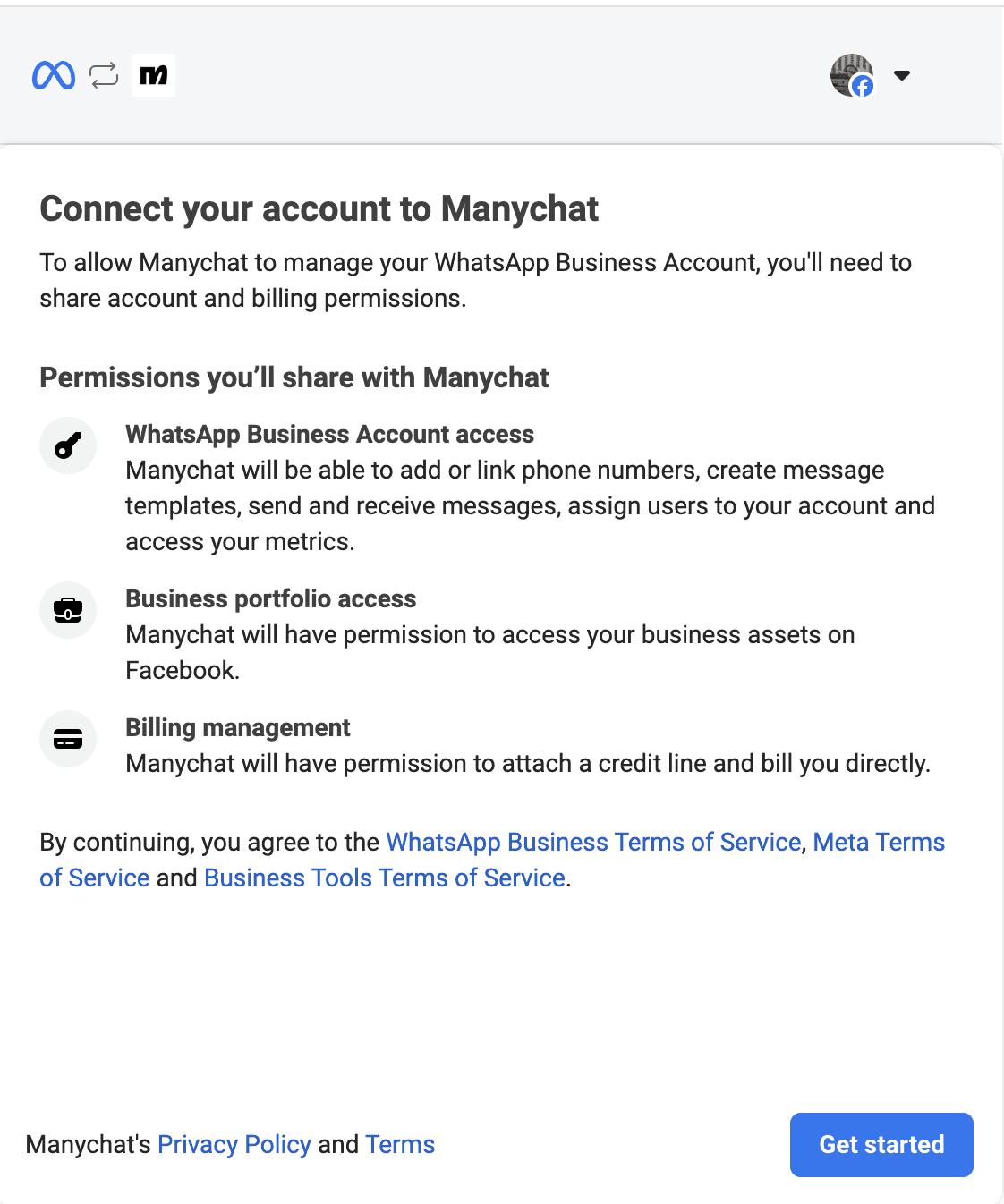
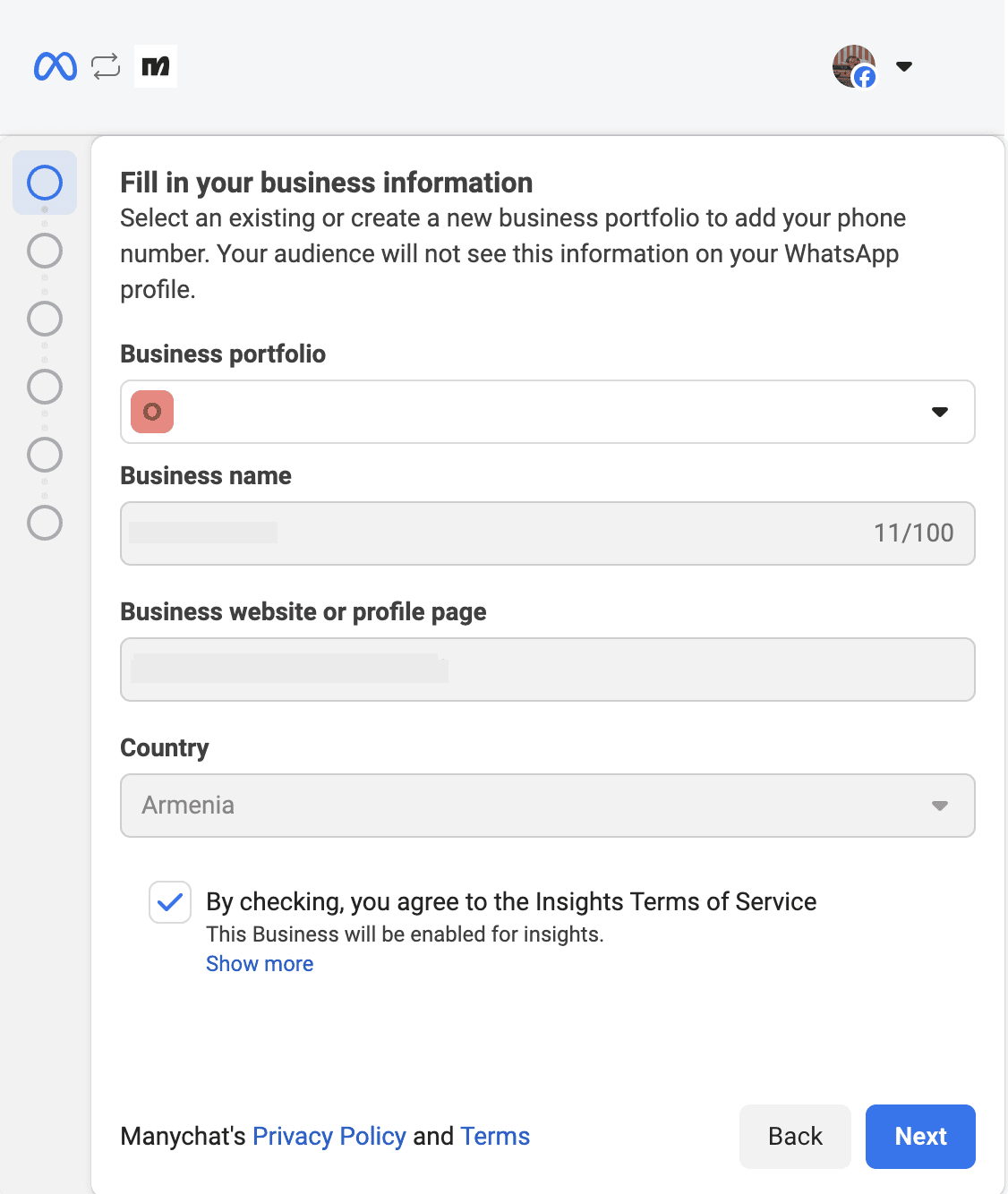
Step 4: Configure your business profile
Finalize your WhatsApp presence:
Add business name and description
Set profile details
Create message templates
What Happens After Setup
No matter which method you choose, the next steps are the same:
Build automation flows
Set up triggers and keywords
Create and submit message templates
Test conversations before going live
This is where ManyChat WhatsApp automation begins, and where its strengths and limitations become more apparent.
Common Use Cases for ManyChat WhatsApp Bot
ManyChat WhatsApp bots are typically used for:
Lead capture and qualification
Appointment booking flows
FAQ automation
Order updates and notifications
Basic customer support
These use cases work well when conversations are predictable and structured.
Limits of ManyChat WhatsApp for Growing Businesses
ManyChat WhatsApp automation works well for simple scenarios, but limitations become clear as your business scales or conversations become more complex.
1. Rigid Flow-Based Logic
Every conversation path must be designed in advance. If a user asks something outside the expected flow, the bot may fail or provide irrelevant responses.
2. Limited AI Understanding
Although ManyChat has introduced AI features, they still operate within predefined structures rather than fully understanding user intent.
3. No Real-Time Decision Making
The system cannot evaluate context deeply or adapt dynamically. It reacts based on rules instead of guiding conversations toward outcomes.
4. Increasing Maintenance Complexity
As more flows are added, managing and updating them becomes time-consuming and error-prone.
5. Not Built for Conversion-Focused Conversations
ManyChat helps automate replies, but it does not actively move conversations toward closing deals or completing actions.
For businesses with simple needs, ManyChat WhatsApp Business can still be effective. However, for companies aiming to turn conversations into revenue, these limitations can become a bottleneck.
A Smarter Alternative: Dealism for WhatsApp Conversations
Dealism is an AI messaging product with automated flows and a 24/7 AI Customer Agent for Instagram, WhatsApp, and Live Chat.
The Agent can use approved business knowledge and conversation context to answer open-ended questions, qualify intent, recommend a next step, book, and support follow-up. Automated flows remain available for predictable entry points.
How Dealism works differently:
Understands user intent instead of relying on keywords
Responds dynamically based on conversation context
Guides users toward decisions, not just answers
Executes actions like booking, qualification, and follow-ups
Where Dealism can be used beyond WhatsApp:
Website Live Chat
Unified Inbox and core CRM
One trained Agent can keep knowledge and reply style consistent across supported Instagram, WhatsApp, and Live Chat connections. Dealism’s free plan includes unlimited active contacts, unlimited workflows, one AI Customer Agent, core CRM and 50 AI credits you can claim every day.
Learn more here:
best manychat alternatives for ai-powered sales automation
Choosing the Right Tool for WhatsApp Growth
WhatsApp automation is no longer just about replying faster. The real opportunity lies in turning conversations into decisions and actions.
ManyChat is effective for structured automation and getting started quickly. But as customer expectations evolve, businesses need tools that can adapt, understand, and execute within conversations.
The right choice depends on whether you want to automate messages or actually drive business outcomes through them.


