Published
Mar 2, 2026
If you’re struggling with a ManyChat login error, you’re not alone. Issues related to manychat.com login are among the most searched support topics for users running Messenger and Instagram automations.
In this updated 2026 guide — aligned with official ManyChat support documentation — we’ll cover:
The real reasons login errors happen
Official troubleshooting steps
Platform-specific access problems
When to contact support
And a stable ManyChat alternative if access issues disrupt your sales workflow
What Causes ManyChat Login Issues?
ManyChat primarily uses Facebook authentication for account access. That means most login problems are not caused by ManyChat itself — but by Facebook permissions, browser conflicts, or account restrictions.
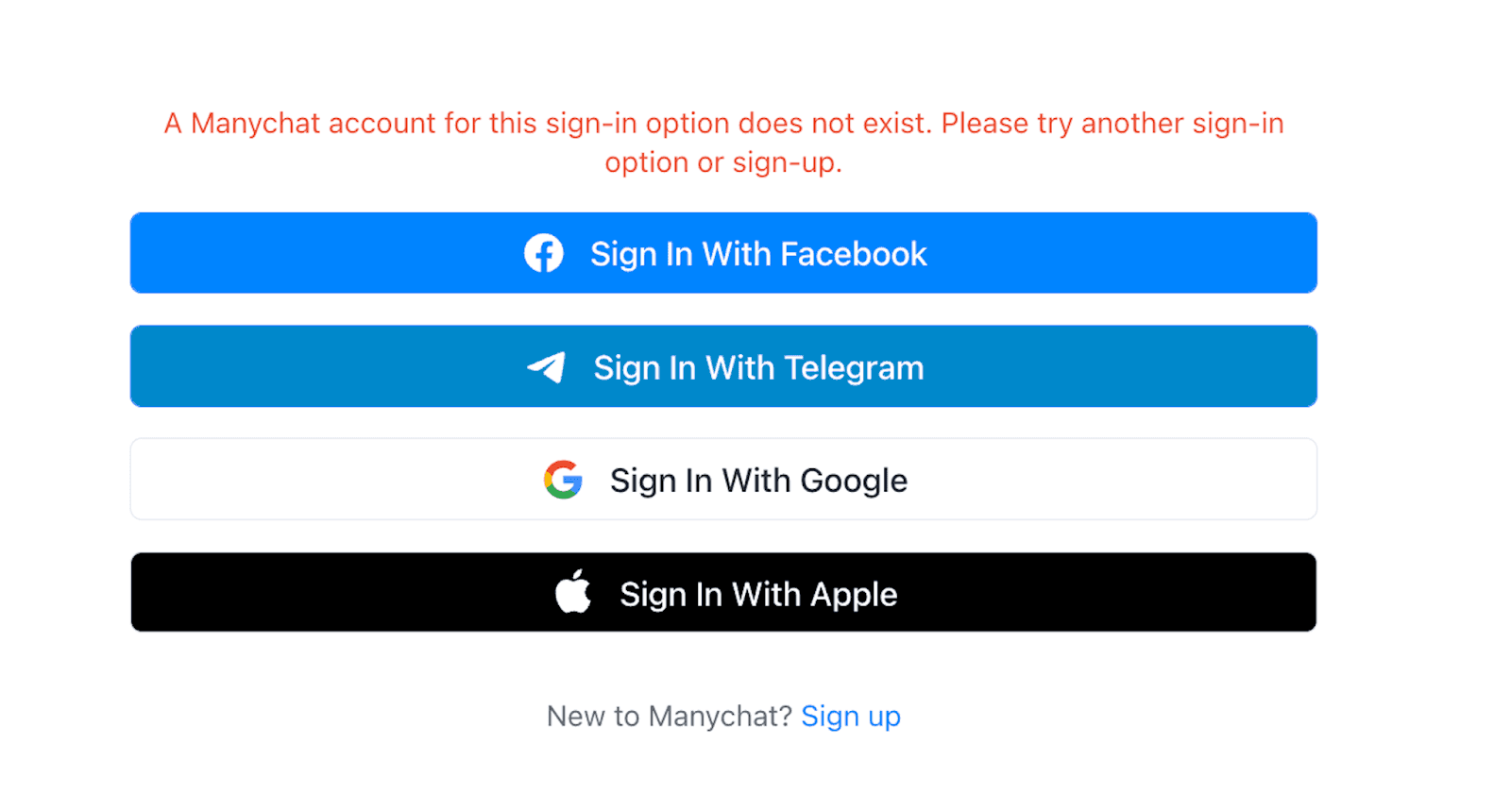
According to the official ManyChat Help Center, common causes include:
Incorrect Facebook account
Missing Page Admin permissions
Expired browser sessions
Disabled cookies
Account restrictions
Business Manager role conflicts
Official reference:
ManyChat Help Center – Can’t log in? Here’s how to fix it
You can also access the login page directly here:
1. Logging Into the Wrong Facebook Account
This is the most common cause of ManyChat login failure.
ManyChat accounts are tied to the specific Facebook profile that originally created or manages the connected Page.
Fix:
Log out of all Facebook accounts
Log back in with the correct profile
Then access manychat.com login again
If you have multiple Facebook accounts, this often causes silent login conflicts.
2. You Don’t Have Page Admin Access
If you see errors like:
“You don’t have permission”
“Access denied”
Page not appearing in dashboard
It likely means your Facebook role is insufficient.
Required Role
You must be a Page Admin, not just Editor or Moderator.
To verify:
Go to your Facebook Page
Open Page Settings
Check “Page Access”
Confirm you are listed as Admin
If the Page is inside Business Manager, also verify your role there.
Official Facebook help, after permissions are updated, log out and back in to ManyChat.
3. Browser Cookies or Cache Issues
ManyChat requires cookies and third-party authentication tokens to work properly.
If cookies are disabled, the ManyChat login process may fail.
Fix Steps:
Enable cookies in browser settings
Clear cache and cookies for:
manychat.com
facebook.com
Restart browser
You can test login in Incognito mode to confirm whether extensions are causing interference.
If Incognito works, disable:
Ad blockers
Privacy extensions
VPN tools
4. Facebook Account Restrictions
If your Facebook account is restricted, ManyChat login will not work.
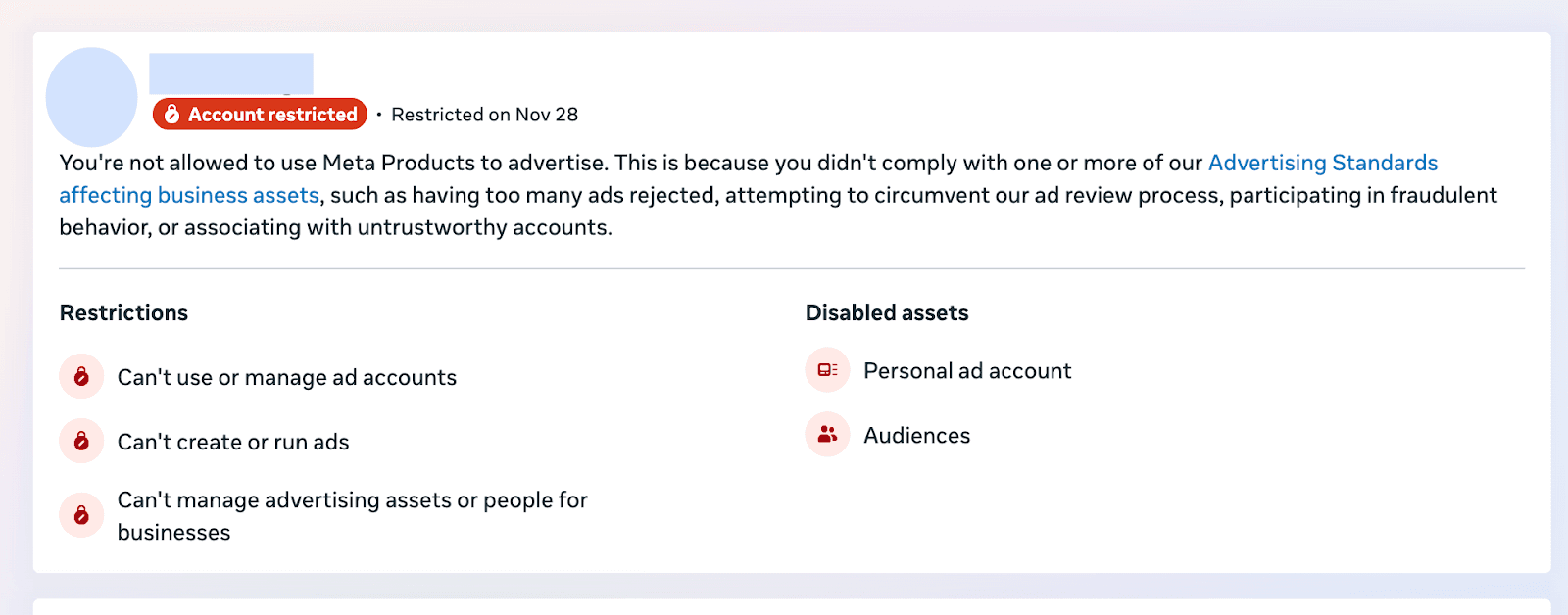
Common triggers include:
Policy violations
Suspicious activity
Identity verification required
Click here to check account status
If restrictions appear, resolve them directly in Facebook before attempting to log in again.
5. Business Manager Ownership Issues
If your Page ownership was transferred, or Business Manager settings changed, ManyChat access may break.
This often happens when:
Agencies are removed
Page ownership transfers
Roles are downgraded
Fix by:
Verifying Business Manager roles
Ensuring your profile has full Page access
Reauthorizing ManyChat
If necessary, the Page owner can re-invite you as Admin.
6. Two-Factor Authentication (2FA) Conflicts
If 2FA is enabled on Facebook, login may fail if:
Authenticator app is out of sync
SMS code not delivered
Backup codes expired
Solution:
Sync your authenticator app
Generate new backup codes
Complete Facebook login first
Then retry ManyChat login
7. manychat.com login Page Not Loading
If the login page itself doesn’t load:
Check internet connection
Disable firewall temporarily
Flush DNS cache
Try another browser
Chrome and Edge typically perform best for ManyChat access.
When Should You Contact ManyChat Support?
If you’ve confirmed:
Correct Facebook account
Admin permissions
Cookies enabled
No Facebook restrictions
And you still cannot log in — contact ManyChat Support directly through their Help Center.
Be prepared to provide:
Facebook profile link
Page link
Screenshot of error
Browser information
How to Prevent Future ManyChat Login Problems
To reduce recurring access issues:
Use a dedicated admin Facebook profile
Avoid frequent Page ownership transfers
Keep only necessary Admins
Regularly verify Business Manager roles
Maintain at least two Admin users as backup
If your revenue depends on chat automation, access stability is critical.
Looking for a More Flexible ManyChat Alternative?
If repeated ManyChat login issues disrupt your business operations, it may be worth exploring alternatives.
One emerging option is Dealism.
Dealism positions itself as a next-generation AI sales agent rather than a traditional flow-based chatbot builder.
Why Businesses Consider Dealism
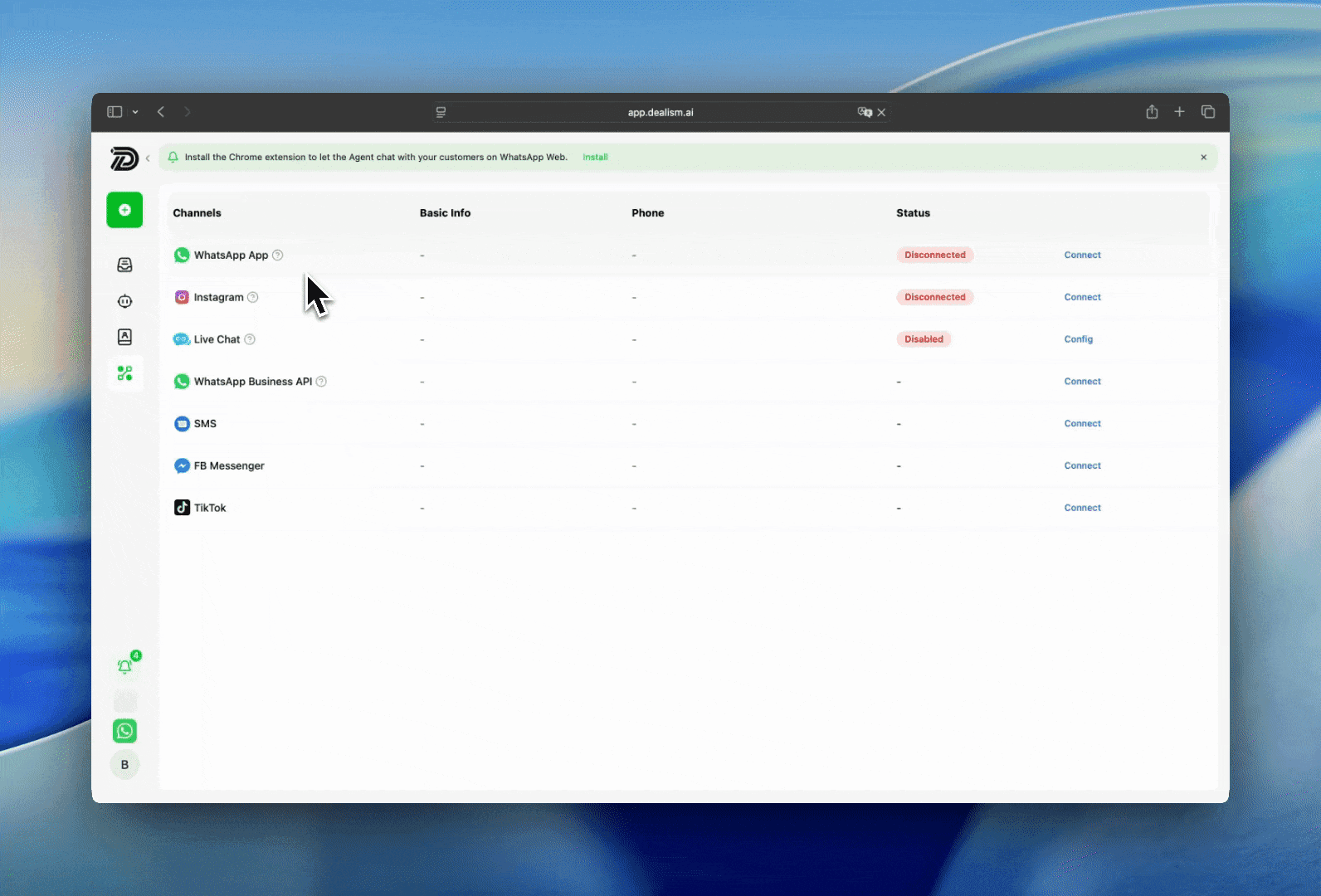
Unlike ManyChat, which relies heavily on Facebook authentication, Dealism supports multi-channel communication including:
Key Differences from ManyChat
Feature | ManyChat | Dealism |
Flow Builder | Rule-based | AI-driven |
Platform Dependency | Heavy on Facebook | Multi-channel native |
Conversation Style | Scripted | Adaptive |
Sales Focus | Automation | Execution + Conversion |
Learning Ability | Static flows |
Instead of static automation flows that require constant manual optimization, Dealism’s AI:
Learns from real conversation patterns
Adapts responses based on user intent and tone
Improves objection handling over time
Refines qualification logic automatically
Optimizes conversation paths toward higher conversion rates
This self-learning capability reduces the need for constant flow rebuilding and minimizes operational bottlenecks when platform rules change.
Dealism also offers a 7-day free trial for businesses that want to test its AI-driven approach before committing.
Final Thoughts: Fix First, Then Optimize
Most ManyChat login issues are fixable within minutes — clearing cache, checking permissions, reconnecting integrations, or resolving Facebook conflicts.
However, if you find yourself repeatedly troubleshooting manychat.com login problems, it may indicate a structural dependency issue rather than a technical glitch.
Automation tools should accelerate growth — not slow you down.
If login friction is affecting productivity or revenue, consider:
Fixing current access issues
Strengthening permission control
Testing a ManyChat alternative like Dealism with a 7-day free trial
The goal isn’t just logging in. It’s turning conversations into conversions — reliably, across every channel your customers use.