

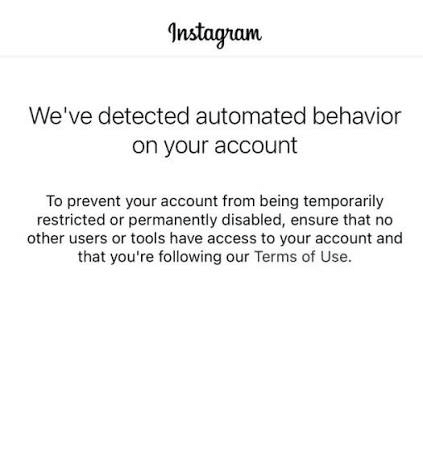
You open Instagram and, instead of your feed, see this:
“We’ve detected automated behavior on your account.”
That message is unsettling. It tells you less than you might think.
An Instagram automated behavior warning means Instagram has associated your account with activity that may look automated or unauthorized. It does not prove that one particular tool caused the problem, and it does not automatically mean your account is suspended.
Your job now is simple: stop the questionable activity, check who and what can access the account, and follow the instructions Instagram gives you.
The short answer: pause, check, then decide
Do not respond to the warning by testing another 50 likes, comments, or DMs. That only creates more activity while you are trying to understand the first problem.
Instead:
Screenshot the complete warning.
Pause the workflow or activity that happened before it appeared.
Review recent logins and connected apps.
Secure the account if you see unfamiliar access.
Complete any verification Instagram requests.
Check Account Status for restrictions or review options.
There is no official “wait exactly 48 hours” rule. Follow any date, deadline, or review button shown on your account.
And make sure you are solving the right problem. A warning, an action block, a suspension, and a disabled account require different responses. This Instagram account status comparison shows how to tell them apart.
What the warning does—and does not—tell you
The warning says Instagram noticed something worth checking. It does not give you the diagnosis.
It may be time to review | Do not assume |
Account access and unfamiliar sessions | Every connected tool is prohibited |
Repetitive or unusually fast activity | One link or message definitely caused it |
Automations running across several tools | The account is already permanently disabled |
Recent changes in volume or behavior | A drop in reach automatically means a shadowban |
Instagram does not publish the formula behind this warning or a universal safe number of actions. “Stay below 50 actions per hour” sounds reassuring, but it is not an Instagram rule.
What to check first
1. Who has access to the account?
Start with security. A former employee, an old follower-tracking app, a browser extension, or a service that stores your password may still be active.
Open Accounts Center and review where you are logged in. Sign out devices you do not recognize. If you shared your password with a service or suspect a compromise, change it and enable two-factor authentication. Instagram’s account recovery flow is the right place to start when access looks suspicious.
Then audit connected apps. Remove anything you no longer use or cannot verify—especially tools that ask for your Instagram password or promise “undetectable” likes, follows, or scraping.
If you are reviewing a business platform, look beyond a security badge. Check how it connects, what permissions it requests, and whether your team keeps control. Dealism publishes its approach on the security and data protection page.
2. What happened immediately before the warning?
Write down what happened instead of guessing:
Which action were you performing?
Was it manual or automated?
Did a post suddenly go viral?
Were several people or tools using the account?
Did public replies and DMs contain the same text?
Did the workflow respond to a clear keyword—or to every comment?
An official connection method matters, but it is not a magic shield. The tool and the behavior it produces are two separate questions. Our analysis of whether ManyChat is safe for Instagram explains that distinction.
When “helpful automation” starts to feel like spam
Imagine that a Reel takes off overnight. Hundreds of people comment. Your automation posts the same “Sent! Check your DMs” reply under every comment, then sends everyone an identical first message with a link.
The automation works exactly as configured. The experience still looks repetitive—from Instagram’s side and from the user’s side.
That combination brings several risks together:
a sudden jump in activity;
repeated public comments;
similar private messages;
messages sent to people whose intent may be unclear;
more non-followers receiving Message Requests;
more chances for messages to be ignored, deleted, or reported.
This pattern appeared in the account cases behind our research. It does not prove that one sentence, vendor, or link caused the warning. It shows why the whole workflow matters.
Meta’s Instagram Community Guidelines explains the difference.
Why a “missing DM” is not always a blocked DM
ManyChat community cases add another lesson: delivery problems are easily confused.
A comment-triggered DM may fail because the trigger was ineligible, Meta returned an error, or the recipient does not accept messages from strangers. It may also land in Requests or Hidden Requests.
Those are different problems. Your logs should tell you which one happened.
Record whether the trigger arrived, whether safety rules suppressed it, what Meta returned, and whether the message was sent. A generic “automation ran” status is not enough.
A better way to automate Instagram in 2026
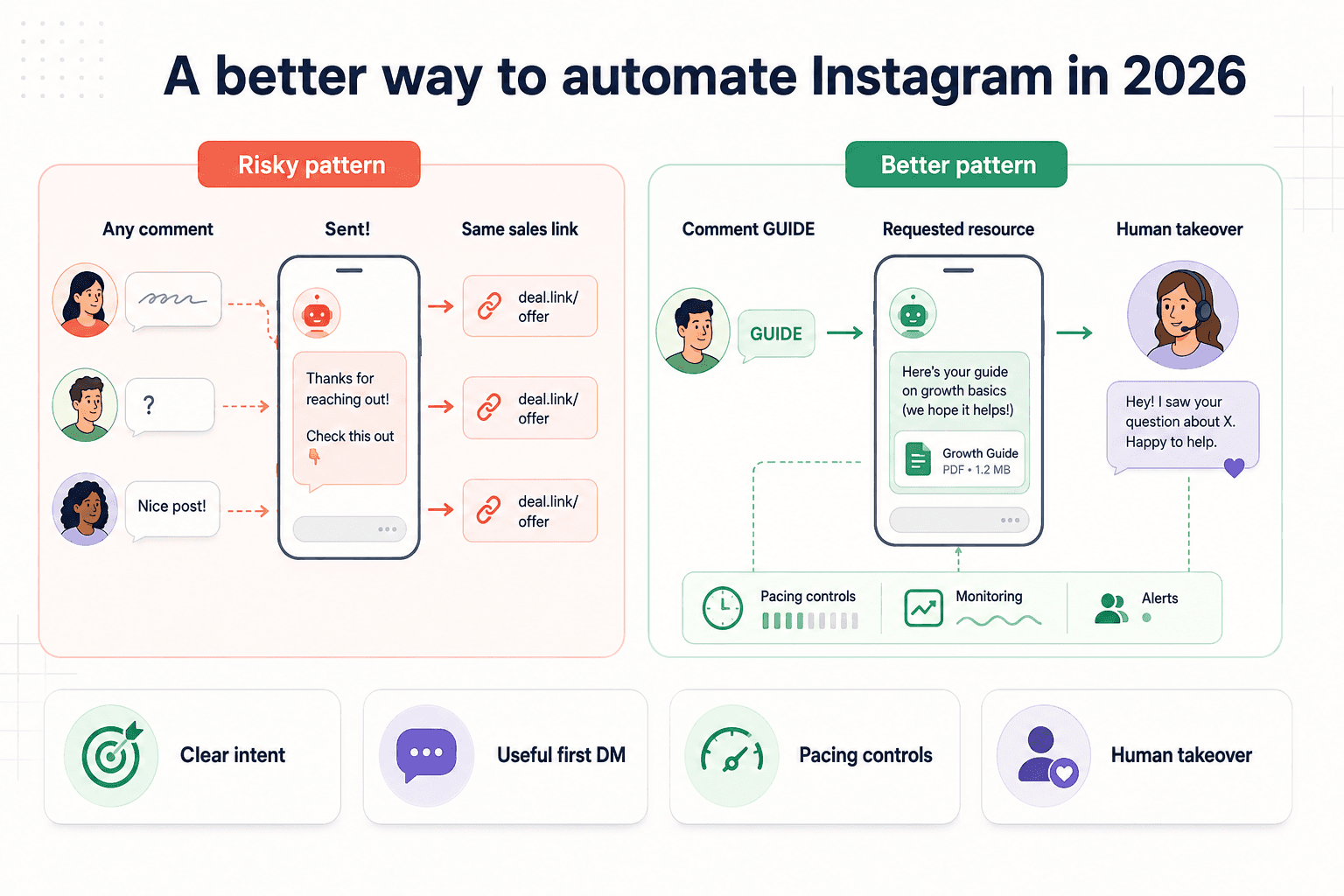
Good automation respects why the person interacted.
Start with a clear invitation
“Comment GUIDE and I’ll send the checklist” is clear. Automatically messaging everyone who leaves any comment is not.
A focused Comment-to-DM workflow documents one private reply within seven days of an eligible comment. More messages require the recipient to reply, after which the standard 24-hour window applies.
Make the first message useful
If someone asked for a guide, send the guide. Do not turn the first DM into a seven-message sales sequence.
Community members sometimes recommend moving links to the second or third message. That can be a useful design choice, but it is not a Meta rule. A requested link differs from an unsolicited promotion; intent, relevance, and repetition matter more than a made-up “safe message number.”
Prepare for the viral version
Before switching on a high-volume post:
write 5–10 meaningful public-reply variations;
avoid emoji-only or identical “sent” comments;
use a specific keyword for offers and links;
throttle activity when volume or failures rise;
pause public replies before they become a wall of duplicate text;
make sure two tools are not answering the same event.
These controls reduce avoidable risk. They cannot guarantee that an account will never be restricted. A practical Instagram DM automation strategy should include permissions, pacing, useful copy, logs, and human control.
Automate the repeatable part—not every relationship
Automation is good at delivering requested resources, answering common questions, and collecting details. A person should take over when the question is sensitive, unusual, or ready for a real sales conversation.
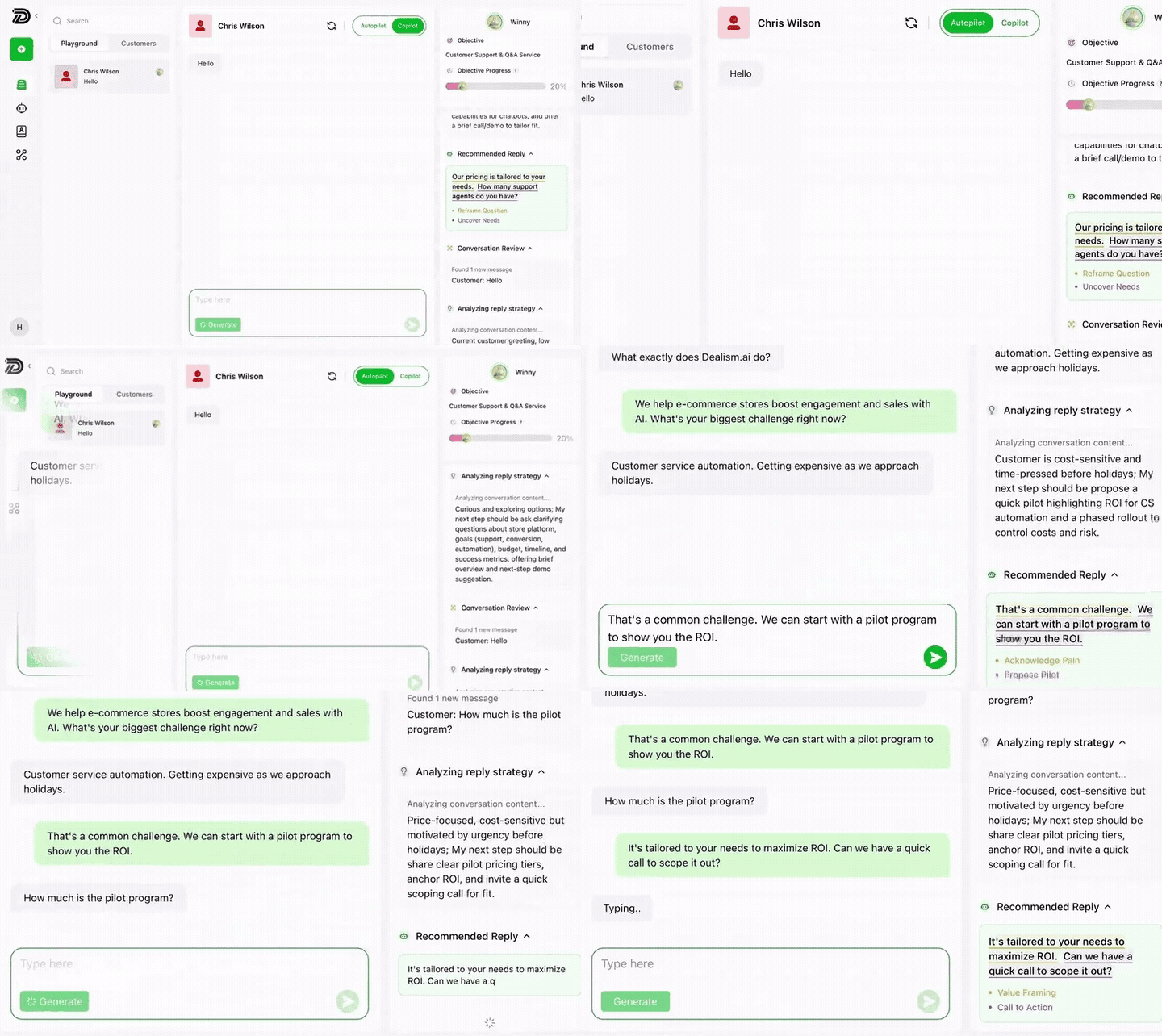
Dealism’s Instagram automation platform can analyze an inbound conversation, prepare a contextual response, and keep human review available. It should still be configured around clear user intent and monitored like any customer-facing workflow.
Frequently asked questions
How long does an Instagram automated behavior warning last?
Instagram does not publish one duration for every warning. Follow the notice shown to your account and use the available verification or review process.
Can repeated Comment-to-DM replies trigger the warning?
The notice does not reveal its exact trigger. Large volumes of identical public replies and similar DMs can nevertheless resemble repetitive commercial activity, especially when user intent is weak.
Is a link in the first DM unsafe?
Meta does not publish a “second-message link” rule. Sending a resource someone requested is different from pushing an unsolicited promotional link to every commenter.
Can an official API tool guarantee account safety?
No. Supported access is preferable to password-based or browser-simulated automation, but no third party can promise that an account will never receive a warning or restriction.
Treat the warning as a chance to clean up the experience
An Instagram automated behavior warning is serious, but it is not a verdict on your account or proof against one tool.
Pause first. Secure access. Find the repetitive or unwanted part of the workflow. Then rebuild around one question: did this person clearly ask for the message they received?
If the answer is yes—and your automation stays relevant, observable, and easy for a human to take over—you are building something more useful than a bot that simply sends more messages faster.


