

Businesses want to find a WhatsApp CRM because their customer interactions are already occurring within WhatsApp. Leads inquire about prices, availability, services, follow-ups and orders via chat. The issue is that these messages can be easily lost as they're spread across phones, inboxes, spreadsheets, and manual notes.
A WhatsApp CRM can be used to further structure those conversations, but even that doesn't necessarily solve the issue for small businesses. There is no need for a strong database system first for many WhatsApp-first businesses. They require a means of understanding customer intent, qualifying leads, following up at the right time and advancing conversations to booking, purchase and/or resolution of support.
What Is WhatsApp CRM?
A CRM, or Customer Relationship Management system, helps businesses manage customer information, communication history, sales stages, and follow-ups. When that logic is connected with WhatsApp, it becomes WhatsApp CRM.
In simple terms, WhatsApp CRM means using WhatsApp together with a CRM system or CRM-like workflow, so customer chats can be tracked, searched, assigned, and turned into sales or support actions.
A WhatsApp CRM usually helps businesses with:
Contact sync
WhatsApp chat history
Lead tagging
Follow-up reminders
Pipeline updates
Team visibility
Basic automation
Common Types of WhatsApp CRM Tools
Most WhatsApp CRM solutions fall into two main groups: traditional CRM platforms with WhatsApp integration, and WhatsApp-first automation tools.
Tool Type | Best For | Main Limitation |
CRM platforms with WhatsApp integration | Sales teams, structured pipelines, reporting, multi-person follow-up | Setup can be complex and heavy for small teams |
WhatsApp automation tools | Quick replies, simple routing, FAQ automation, lead tagging | Flows can feel rigid when customer needs are unclear |
In practice:
Traditional CRMs (Salesforce, HubSpot, Zoho): They suit companies with standardized sales processes, supporting teams to track contacts, sales stages and deal results systematically.
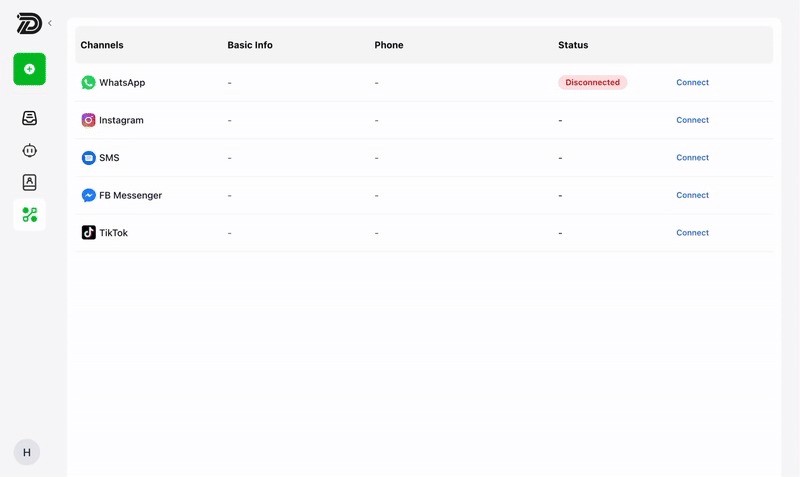
WhatsApp automation tool: Much simpler to deploy. They handle basic auto-replies, business hour queries, message distribution and initial customer response workflows. For businesses that mainly need fast replies, an auto reply tool can help reduce missed inquiries.
The gap exists when the customer is not on the straight and narrow road. They might inquire about the cost, shop around, be tempted, ask for advice, and then cease responding. The chat will be saved in a CRM. A set response can be used in an automation tool. The more important one is – can the system help the business make a decision on what to say next?
Now, it's time to shift from “WhatsApp CRM tools” to a more crucial question: does the tool just handle the chat, or does it aid in customer progression?
Why Traditional WhatsApp CRM Falls Short for Small Businesses
Traditional WhatsApp CRM works better for teams with clear pipelines, sales roles, and reporting needs. But many small businesses sell directly inside WhatsApp. The owner or a small team answers questions, explains options, checks availability, follows up, and closes the deal in the same chat.
For these businesses, the problem is practical:
Saved lead, no reply judgment
Logged chat, no intent clarification
Pipeline stages, rarely updated
Follow-up reminders, still manual
More structure, more admin work
The gap appears when the customer asks a messy question, compares options, hesitates, or stops replying. Traditional CRM can organize the record, but it does not always move the conversation forward.
For example, if a clinic gets 300 WhatsApp inquiries per month and 30% are serious booking inquiries, 90 leads need proper handling. If 20 qualified leads are lost because of unclear replies or weak follow-up, at $80 per appointment, that is $1,600 in possible monthly revenue left unmanaged.
Traditional WhatsApp CRM | Conversation Execution |
Stores records | Understands intent |
Logs chats | Guides replies |
Tracks stages | Moves leads forward |
Sends reminders | Supports follow-up decisions |
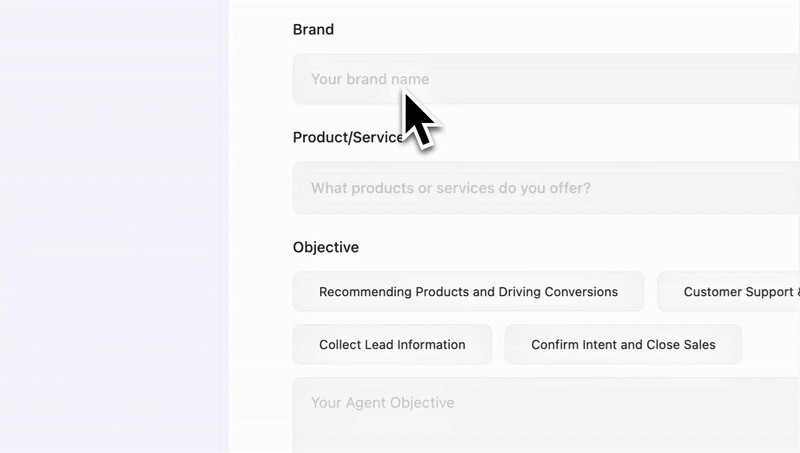
This is where Dealism fits: not as another CRM layer, but as an AI sales agent that helps small businesses turn WhatsApp conversations into clear next actions.
Dealism: A Non-CRM Approach to WhatsApp Sales
Dealism positions itself outside the traditional WhatsApp CRM category. It is an AI sales agent platform for businesses that sell through conversations, especially small teams that need help moving chats toward action.
Traditional WhatsApp CRM focuses on storage and tracking. Dealism focuses on live conversation execution: understanding the customer, using business knowledge, and guiding the next step.
Traditional WhatsApp CRM | Dealism |
Contact records | Customer intent |
Chat history | Context-based replies |
Pipeline stages | Next-step guidance |
Manual follow-up | AI-supported follow-up |
Reporting visibility | Sales action inside chat |
Core Dealism Capabilities
Lead qualification: unclear questions, buying intent, service fit, and booking readiness.
Knowledge base: services, pricing, FAQs, policies, booking rules, product details supported by a self-learning agent.
Next-step guidance: quote, appointment booking, product recommendation, support handoff, or follow-up.
No-code setup: agent built from business information, without complex CRM configuration.
For example, when a customer asks, “How much is it?” Dealism does not only send a price list. It can check what the customer needs, ask a useful follow-up question, match the right service, and move the chat toward booking or purchase. If the business has not clearly defined its offers, customer types, or next-step logic, Dealism response with AI Sales Strategy can help organize the sales path before automation.
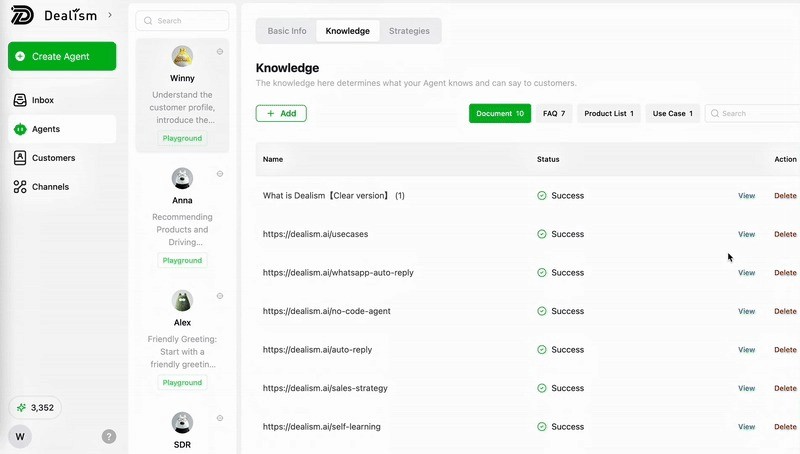
For small businesses, this is the core value: fewer scattered replies, less manual judgment, and a clearer path from WhatsApp inquiry to action.
Conclusion
WhatsApp CRM can help businesses keep their consumer information structured, monitor the history of messages, and handle follow-ups. It is suitable for functional teams that have established processes and reporting requirements. The bigger problem for many WhatsApp-first small businesses is what occurs within its chat. They must qualify leads, explain needs, give next steps, and follow-up before the interest wanes.
Dealism is designed to be used by businesses that require conversation execution over another database layer. It enables you to convert WhatsApp chats into bookings, sales actions and improved customer experiences.
FAQ
What are the number of fields in WhatsApp CRM that a small business should consider?
Begin with fields that impact the action – name, phone number, lead source, service interest, current status, next step, and follow up date. Additional fields should be included only if they facilitate booking, quoting, sales and/or support.
When is basic WhatsApp automation enough?
Simple questions like opening hours, location, basic pricing, delivery area or FAQ answers are sufficient for basic automation. Fixed automation might be too restrictive if customers frequently require recommendations and/or clarification.
Where do fixed rules fail and where is there a need for AI to take over?
Service needs are not clear, product comparison, readiness to book, quote requests, silent leads, follow up timing. These cases are about more than just pre-formulated answers.
When should a human step in?
Human takeover is better for sensitive complaints, complex negotiations, high-value deals, unusual requests, or cases where the customer needs personal reassurance before deciding. For post-sale issues, complaints, or support requests, Dealism acts as the AI Customer Support on WhatsApp, which can help handle routine cases before human takeover.