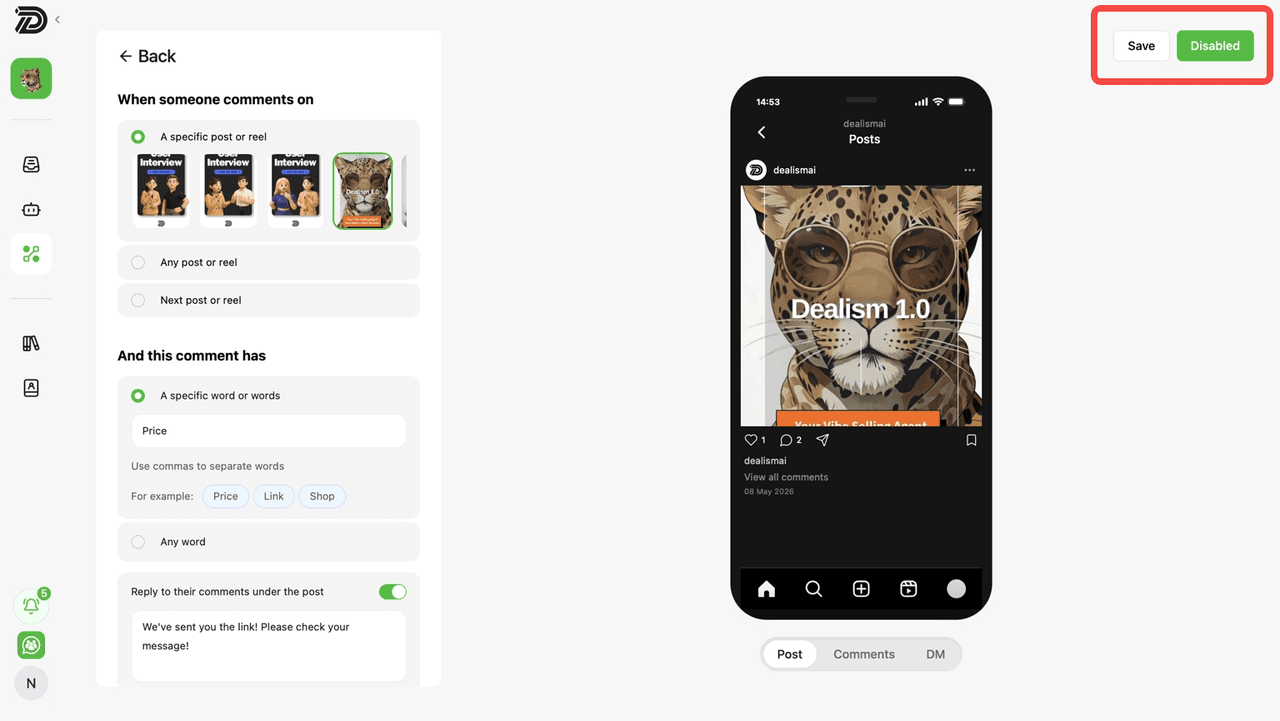
Set up Instagram Comment Auto Reply
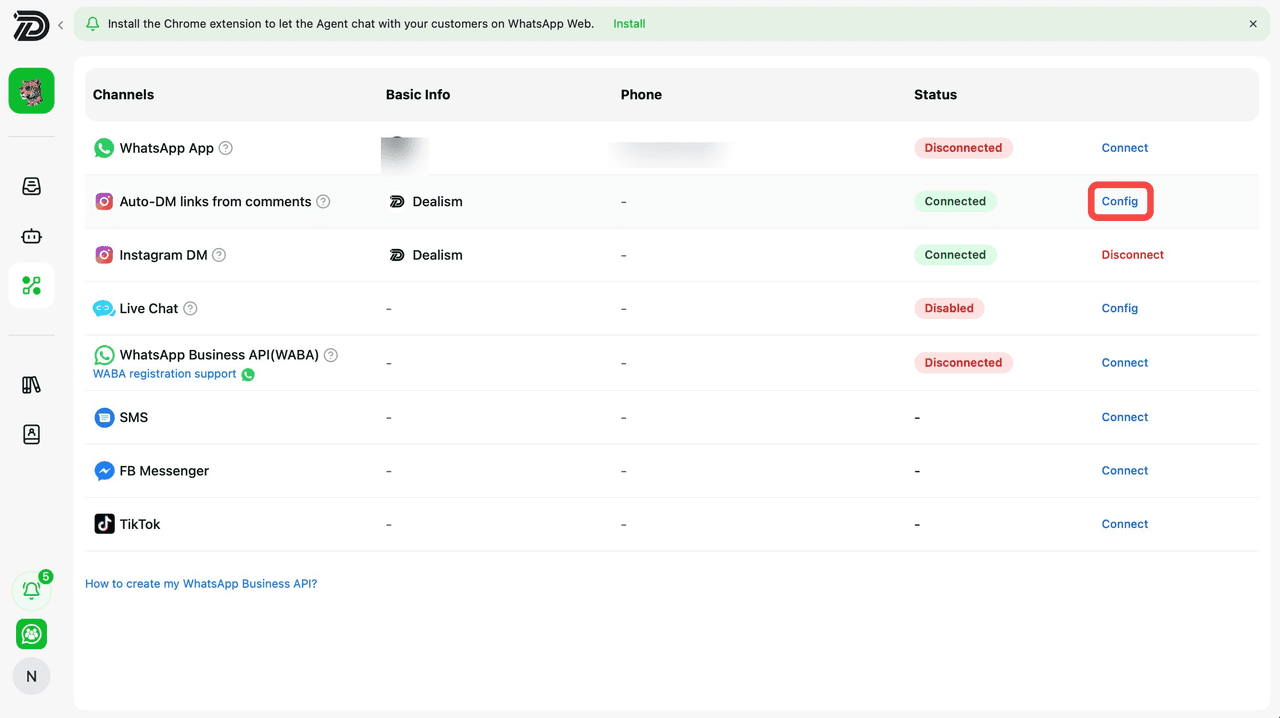
Go to the Channels page and locate Auto-DM links from comments. Click Config to set up automatic Instagram comment replies and DM workflows triggered by customer engagement.
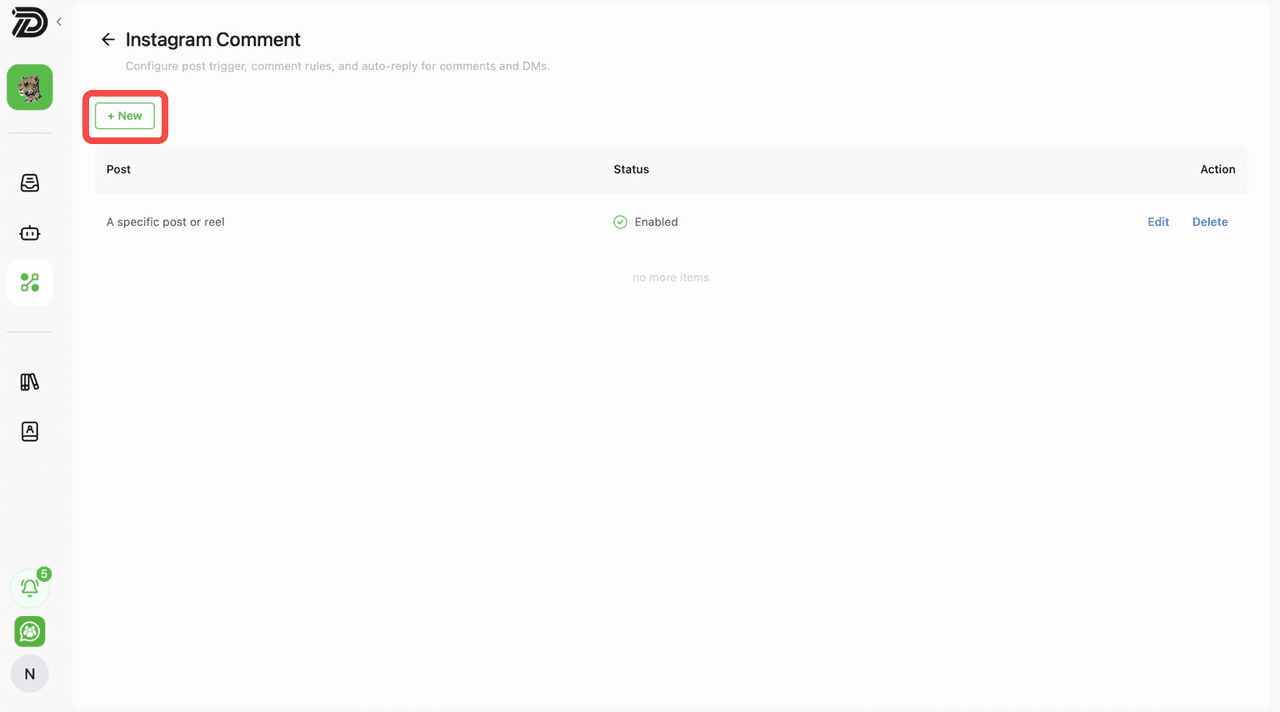
Inside the Instagram Comment configuration page, click the + New button to create a new Instagram Comment Auto Reply workflow.
Choose when the automation should activate. You can apply it to a specific post or reel, any post or reel, or automatically enable it for your next post or reel.
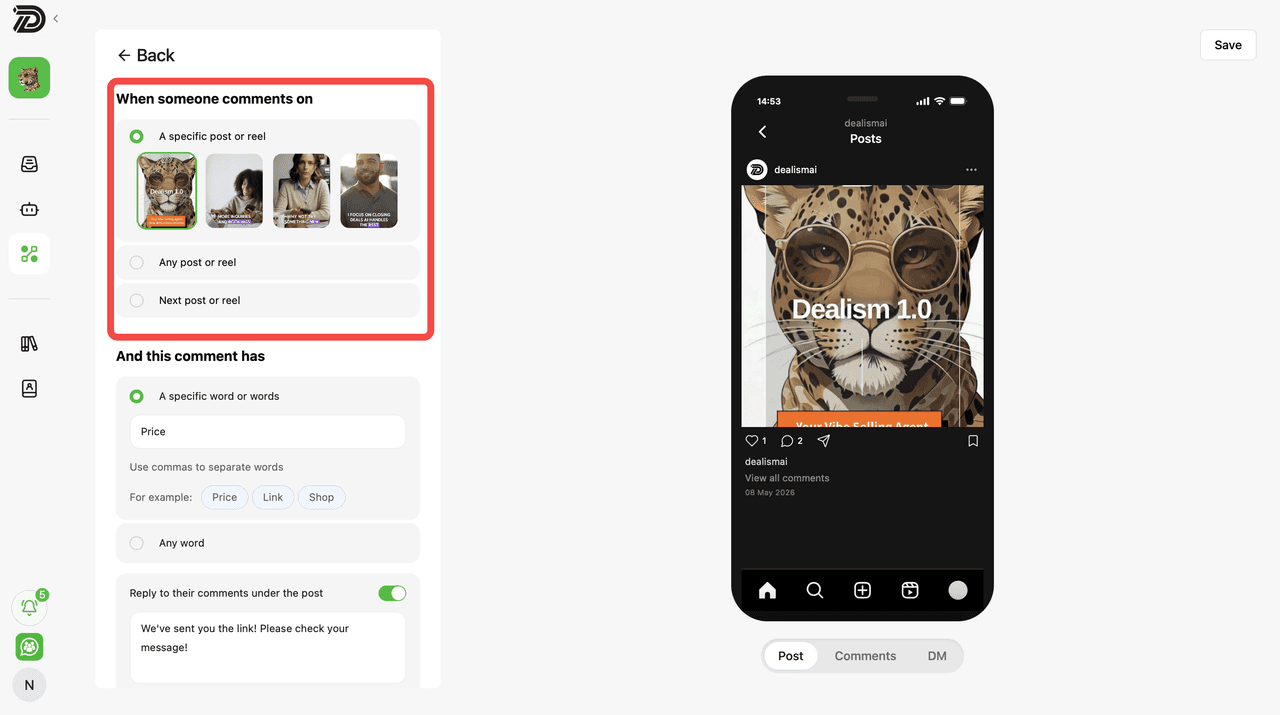
Choose which keywords will trigger the automation. You can activate the workflow for specific words or phrases, or allow it to trigger for any comment.
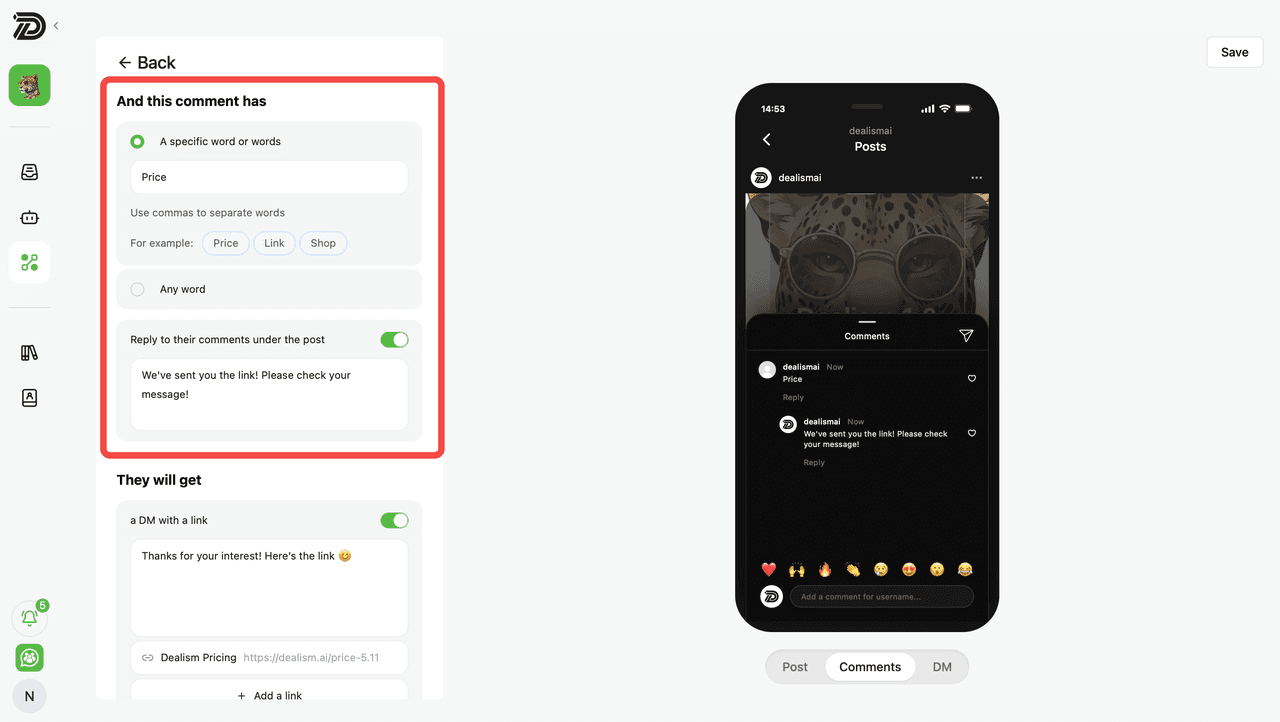
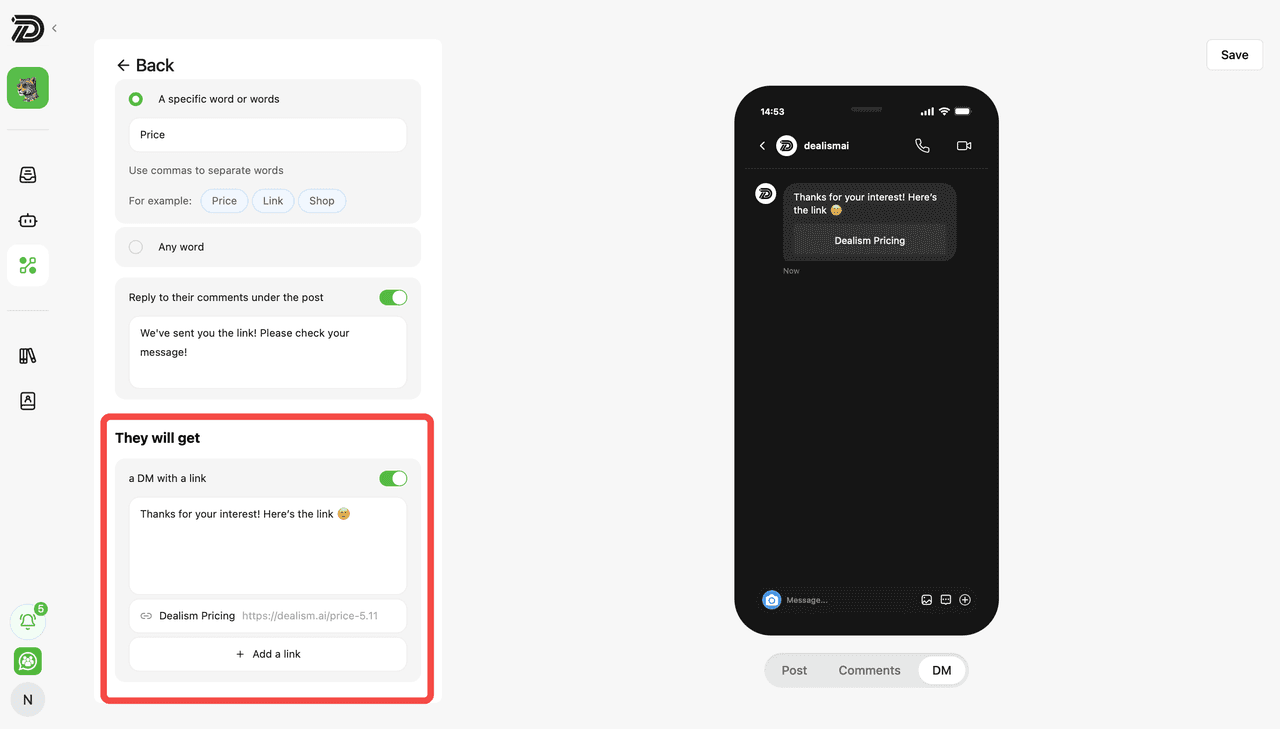
Configure the automatic DM users will receive after interacting with your Instagram post. You can customize the message and attach links to guide customers to product pages, signup forms, or promotions.
Click Save to store your settings, then switch the status from Disabled to active to enable the automation. Once enabled, Dealism will automatically monitor comments, send replies, and deliver direct messages based on your setup.