DealOnca
Updated
4 min read
Good to know
You can ask DealOnca to help structure your Agent’s objective, playbook, tone, and instructions. Review the configuration and test your Agent before using it with real customers.
Overview
DealOnca can help you create and prepare a new AI Customer Agent directly inside Dealism.
Instead of configuring everything manually, tell DealOnca about your business, what you sell, and what you want your Agent to achieve. DealOnca can help structure this information and prepare your Agent for customer conversations.
Create your Agent with DealOnca
Open DealOnca and tell it that you want to create a new AI Customer Agent.
Provide the key information about the Agent you want to build:
Agent name
Company or brand name
Products or services you sell
Agent objective
Playbook or conversation flow
Communication tone
Additional rules or instructions

You can provide this information naturally in your conversation with DealOnca. If you don’t have a playbook yet, you can also ask DealOnca to help you create one.
Review your Agent configuration
Before using the Agent with customers, review the information prepared for it.
Make sure the objective clearly describes what you want the Agent to accomplish. Review its communication tone, playbook, and additional instructions to make sure they match how you want your business to communicate.
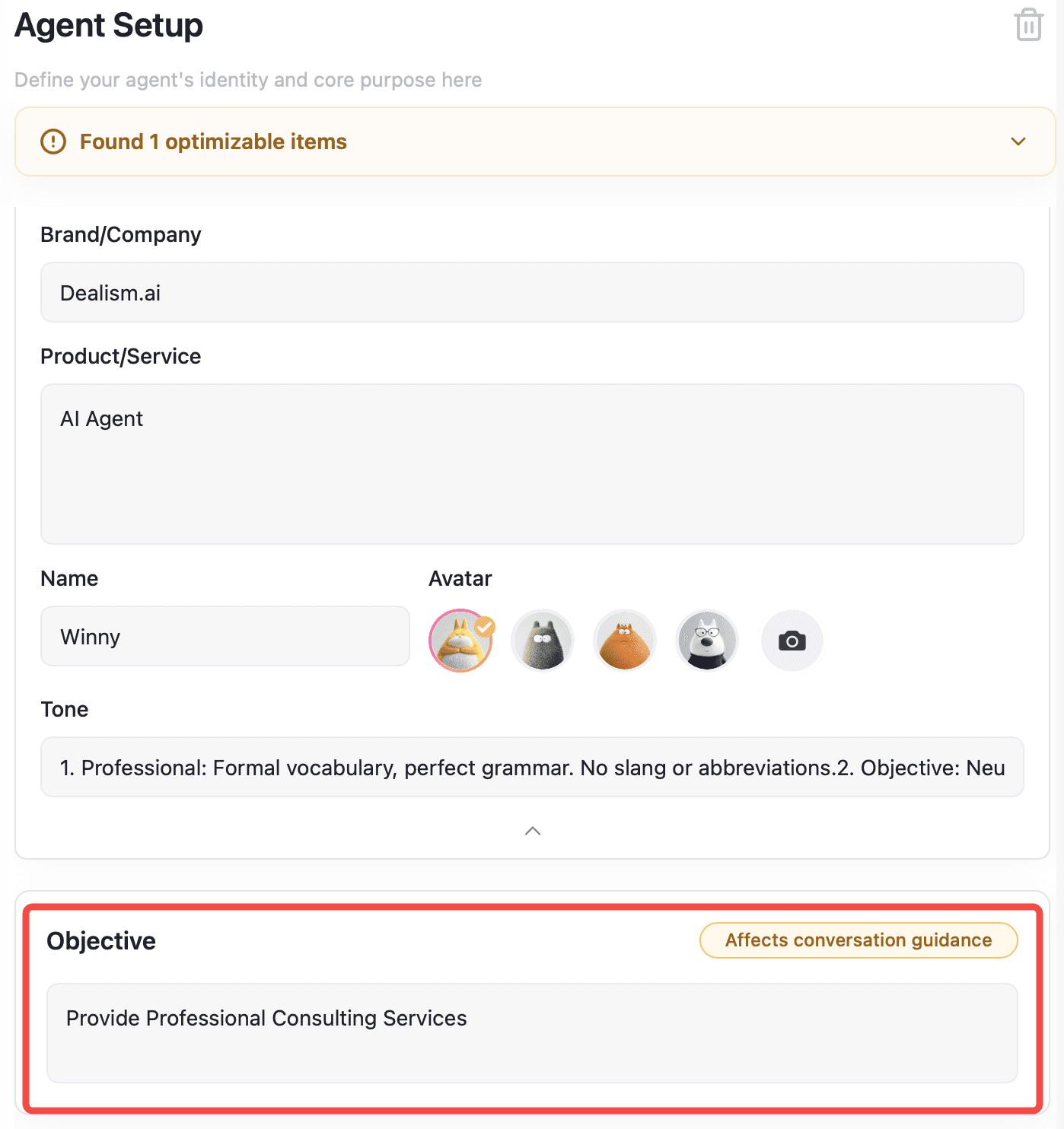
You can update these settings later whenever needed.
Add Knowledge
Give your Agent accurate information about your business.
Go to Knowledge and add relevant materials such as product information, FAQs, pricing, business documents, or website content.
Keeping this information complete and up to date gives your Agent better context when answering customer questions.
Add Strategies
You can also add Strategies for specific customer situations.
Each Strategy includes a Scenario, Strategy, and Script. For example, you can create a strategy that guides your Agent when a customer says a product is too expensive.
Strategies are optional, but they can give your Agent clearer guidance for common customer situations.
Test your Agent
Test your new Agent before using it with real customers.
On web, go to Agents, select your Agent, open Basic Info, and use Try Me.
On mobile, go to Agents and select Test Agent.
Role-play as a customer and test common questions, follow-ups, objections, and other situations your Agent may encounter.
If something doesn’t work as expected, update the Agent configuration, Knowledge, or Strategies and test again.
Go live
When your Agent is ready, connect the channels you want to use, such as WhatsApp or Instagram.
Start with Copilot if you want to review each AI-generated reply before sending it. Once you’re comfortable with the Agent’s responses, switch to Autopilot for automatic replies.
What to do next
Continue testing and improving your Agent as you add new products, update business information, or discover new customer scenarios.
You can return to DealOnca whenever you need help organizing knowledge, refining Agent training, or improving how your Agent handles customer conversations.