AI Customer Agent
Updated
4 min read
Good to know
When your Agent is paused, it switches to Copilot mode. It can still generate suggested replies, but nothing is sent automatically—you review, edit, and send each response yourself.
Pause Your AI Agent
Overview
Pausing your AI Agent means switching from Autopilot to Copilot.
In Autopilot, your Agent automatically replies to customer messages. In Copilot, automatic replies stop, but you can still use the Agent to generate suggested responses that you review before sending.
Pause for one contact
If you only want to pause the Agent for a specific customer:
Go to Inbox.
Open the conversation with the contact.
Select the Autopilot toggle in the top-right corner.
Turn Autopilot off.
That conversation will switch to Copilot mode, and the Agent will no longer send automatic replies to that contact.
Pause for all contacts
You can turn off Autopilot across all customer conversations at once. Disable Contact Auto Reply to stop automatic replies for all contacts. Go to the Inbox and open the Contact Auto Reply settings.
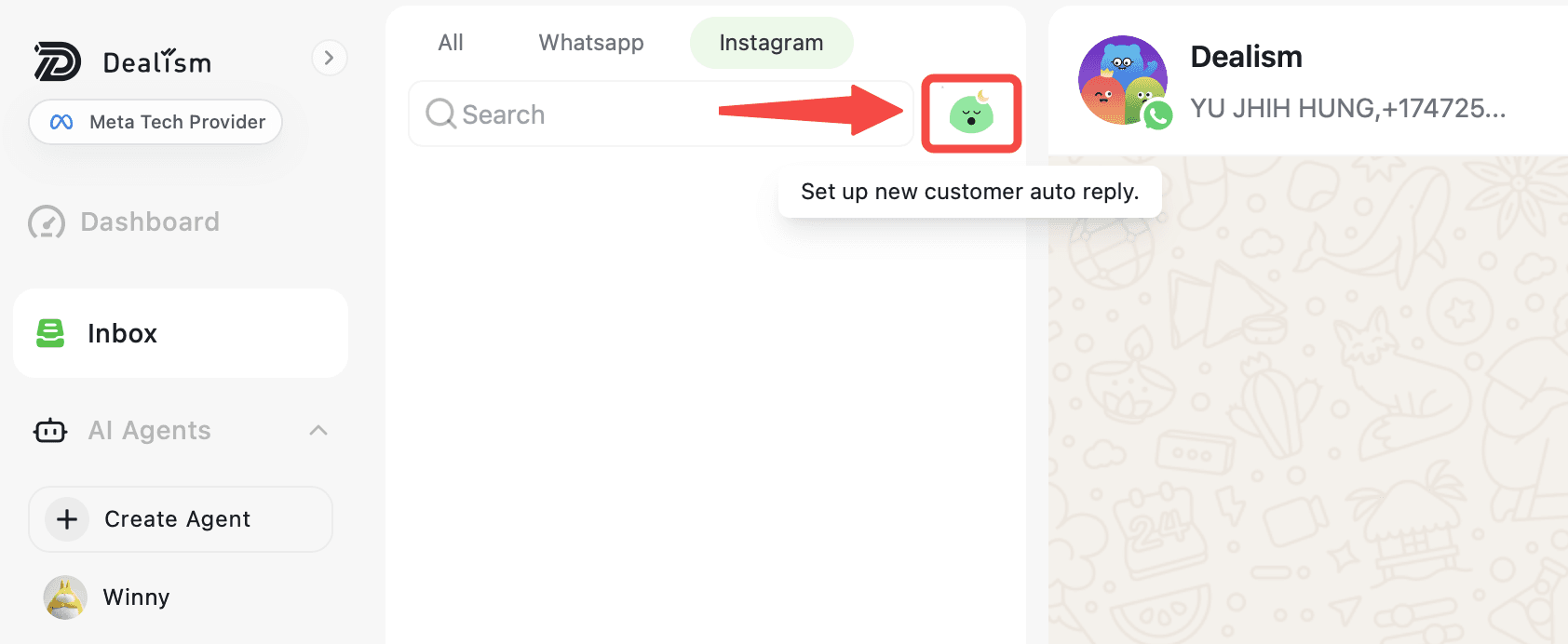
Change the Status from Enabled to Disabled. Click Save to apply the change.
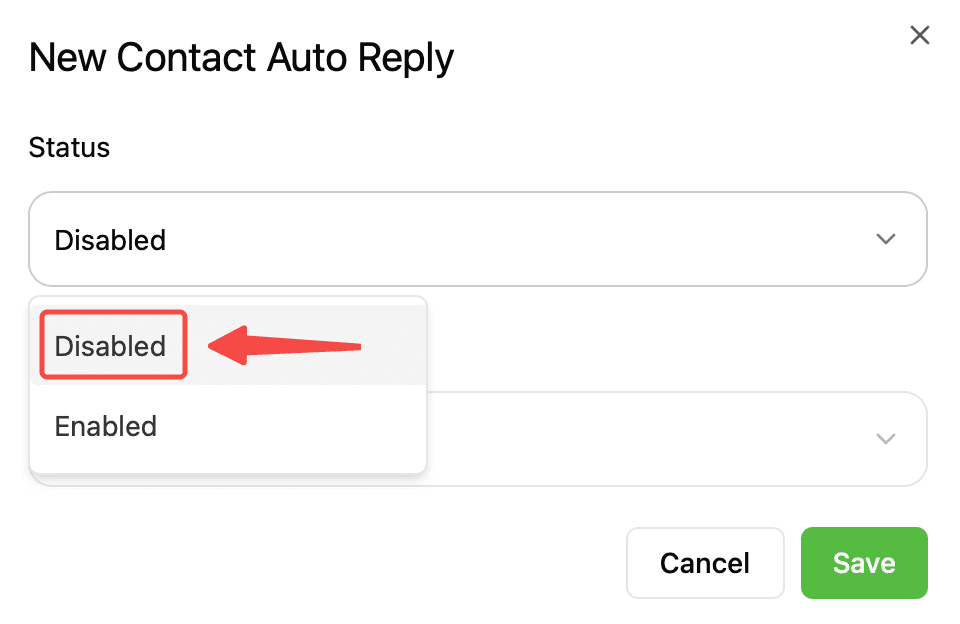
Once disabled, Contact Auto Reply will stop sending automated responses to all contacts. You can enable it again anytime when you’re ready to resume automatic replies.
What happens when your Agent is paused?
Your Agent is still available in Copilot mode. Select Generate to create a suggested response, review or edit the message, then select Send when you’re ready.
No AI-generated replies are automatically sent while the conversation is in Copilot.
If your Agent needs your input, the conversation can also be pinned as Support Needed so you can step in and continue the conversation.
Resume Autopilot
When you’re ready for your Agent to reply automatically again, turn Autopilot back on.
You can enable it for an individual contact or use the global Autopilot control to enable it across all contacts.