AI Customer Agent
Updated
4 min read
Good to know
For the “Test With a Demo Customer” article: Notice Title: Good to know Notice Body: Test your Agent with different customer questions and scenarios before going live. If a response needs improvement, update the Agent’s Knowledge, Strategies, or Basic Info, then test again.
Test With a Demo Customer
Overview
Before using your AI Customer Agent in real customer conversations, you can test how it responds by role-playing as a customer.
Dealism provides a Try Me experience within Basic Info where you can interact directly with your Agent. This helps you evaluate its responses and make adjustments before going live.
Start a test conversation
Go to AI Customer Agent and select the Agent you want to test.
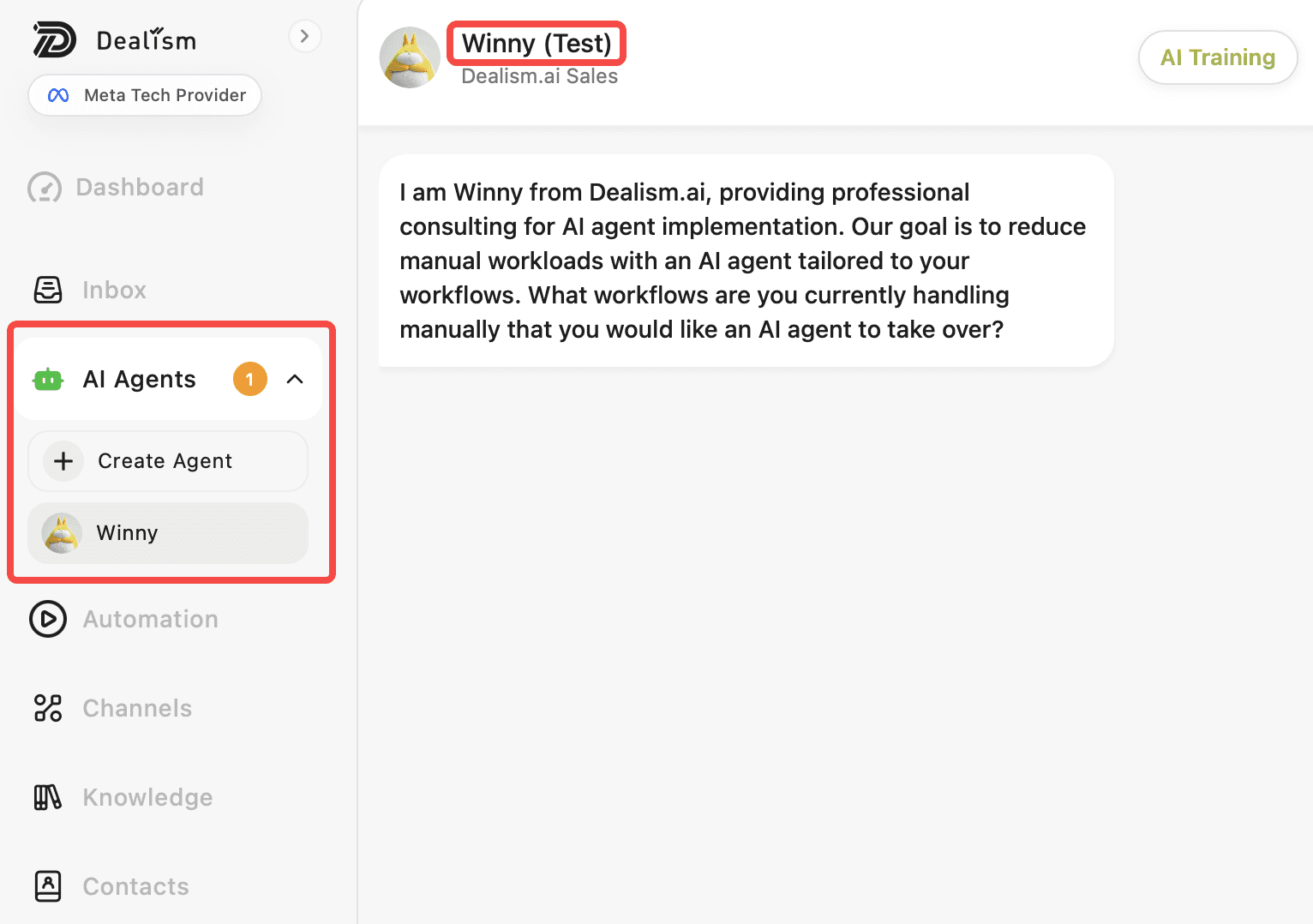
Open Basic Info and use the Try Me experience to start a conversation with your Agent.
Enter a message as if you were a real customer. Try questions about your products, services, pricing, policies, or other information you have added to the Agent.

Your Agent will respond based on its objective, configuration, knowledge, and strategies.
Test different customer scenarios
Use questions that reflect the conversations your business normally receives.
Start with a simple question, then continue with follow-up questions to see how the Agent handles a longer conversation.
You can also test different customer intentions, such as asking for product information, comparing options, requesting recommendations, or showing interest in purchasing.
During conversations, the Agent analyzes the customer’s current progress and selects an appropriate reply strategy before generating a recommended response.
Review your Agent’s responses
Pay attention to whether the Agent gives accurate information, follows the intended communication style, and moves the conversation toward its objective.
If something needs improvement, return to your Agent configuration and update its Basic Info, Knowledge, or Strategies. The AI Customer Agent module lets you manage these areas and supports testing the Agent’s performance.
Test again after making changes to see how they affect the conversation.
What to do next
Once your Agent responds as expected in your demo conversations, you can connect a supported channel and begin using it with customer conversations.
Continue reviewing real conversations and updating your Agent’s knowledge and strategies as your business and customer needs change.