You post a Reel. Someone comments LINK. Nice👍
But a comment is not a buying journey. You still need to send the thing you promised, help that person find the right product, and make the next step feel easy.
That is what Comment-to-DM is good at:
Post → comment keyword → helpful DM → one quick choice → product page
This is a simple setup for creators selling books, physical products, digital products, templates, or curated picks. Let’s keep it useful and not weirdly salesy.
What you are actually building
You are not building a robot that throws checkout links at everyone.
You are building a tiny handoff. Someone raises their hand publicly; you continue the useful part privately.
Here is the whole flow:
Your post promises one useful thing.
The person comments one keyword.
They receive that thing in a DM.
You ask one question that helps them choose.
They get the relevant product link—or a human if they need one.
That is it. Start there.👇
Step 1: Pick one post with one promise
Choose a Reel or post where the next step is obvious. Not your whole shop. Not every offer you have ever made. One useful thing.
Good examples:
“Three books I wish I had read before I started.”
“The template I use before every launch.”
“Which version should you buy if you are a beginner?”
“Everything in my starter kit.”
The rule: one content problem, one promised next step.
If your post is about a book, send a reading guide. If it is about a collection, send the collection. People should not have to guess why the DM arrived.
Step 2: Make the comment CTA painfully clear
Tell people exactly what to comment and exactly what they will get.
“Comment BOOK and I’ll send you the full reading guide.”
“Comment LINK and I’ll send you the product details.”
“Comment LIST and I’ll send you my complete picks.”
“Comment START and I’ll send you the beginner bundle.”
Short keywords win. They are easier to remember, easier to type, and easier to map to one offer.
Your public reply can stay tiny:
Sent it—check your DMs ✨
The comment reply is just reassurance. The DM does the actual job.
Step 3: Deliver first. Ask questions second.
This is the bit people often get backwards.
If someone commented for a guide, give them the guide in the first message. Do not make them answer a five-question quiz first.
Try this:
Here’s the guide you asked for ✨ I added the best place to start, too. Want the full collection or help choosing the right one?
Then give them buttons such as:
Show me the book
See the collection
Help me choose
If the link really matters, add a backup link below the button. Tiny detail, very helpful when a button does not load.
Step 4: Ask one useful question
You do not need a form. You just need one signal that makes the next recommendation better.
For books or digital products:
“Are you looking for a quick start, a deeper guide, or a gift?”
“Do you want the book, the template, or both?”
“Are you just exploring, or ready to use this now?”
For physical products:
“Is this for you, a gift, or a specific project?”
“Want the beginner favourite or the full version?”
One answer is plenty. If the person has a more specific question, that is the moment to bring in an AI sales agent or a real person.
TRY IT WITH YOUR BUSINESS
The trigger, first DM, follow-up question, and handoff logic are already mapped. Make it yours, then test it on one high-intent post.
The creators you know are all using the same path
We saw this broad pattern across several creator accounts: a public comment is the hand-raise; the useful detail lives in the next destination.
Jenna Kutcher uses clear DM entry points around education offers.
Jay Clouse / Creator Science makes next-step resources feel connected to the lesson.
Jenny Reimold / This First-Time Creator turns a focused content problem into a simple ask.
Tyler Tometich uses comment-led prompts to move interest toward a follow-up destination.
These are public-path observations, not claims about their private automation, conversion rates, or revenue.
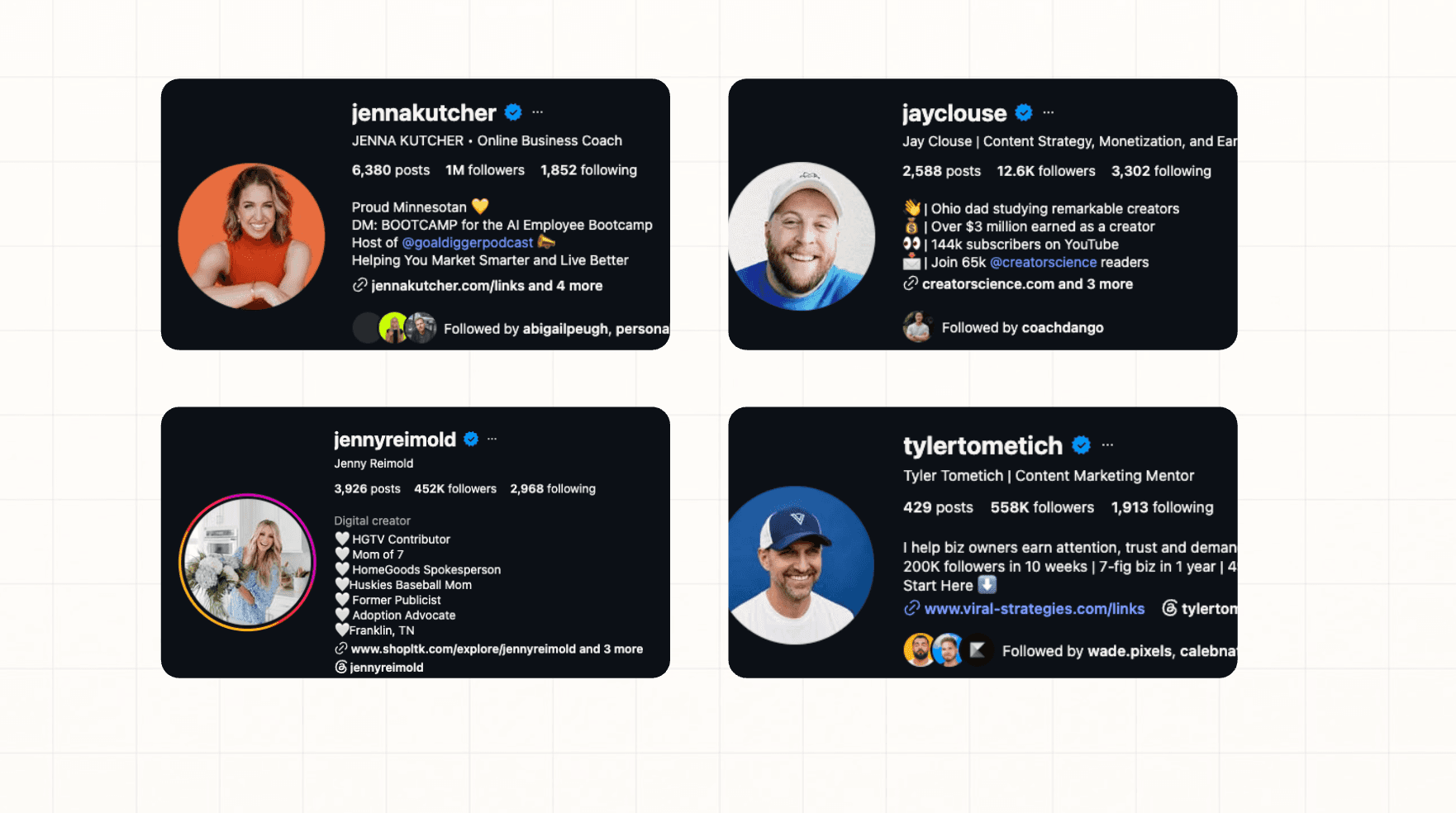
Jenna is especially useful to study because she has two visible ways into a DM conversation. Her bio has a persistent DM: BOOTCAMP prompt for high-intent visitors. Her content can also invite someone to comment for a specific resource, training, or event. That is a nice little system: the bio catches people already looking; a content CTA catches people while one topic is fresh.
How to set it up in Dealism
Start with one high-intent post. You can always expand later.
1. Choose the trigger
Pick the post and add the keyword your caption promised: BOOK, LINK, LIST, or START.
Avoid an “all comments” setup for your first test. A keyword gives you cleaner intent and makes the experience less surprising for the person commenting.
2. Write the public reply and first DM
Public reply
Sent it—check your DMs ✨
First DM
You asked for the guide—here it is. Want the full collection, or help choosing the best option for you?
Add the promised resource, a button, and a backup link if needed.
3. Add one branch
Keep the logic simple:
If they say… | Send them to… |
|---|---|
“Just send the list” | The promised guide or collection |
“Which one should I get?” | A short recommendation path |
“I’m ready” | The relevant product page |
“I have a specific question” | A human teammate when needed |
4. Set the handoff rule
Let automation handle the predictable part: trigger, delivery, buttons, and the first question.
Let your AI agent handle open questions covered by approved product information. Send payment issues, refunds, unusual product-fit questions, complaints, and custom requests to a human.
Check these numbers before you scale
You do not need a giant dashboard on day one. Watch these four handoffs:
Comment → first DM delivered
First DM → button click or reply
Product link → product-page visit
Product-page visit → purchase or human handoff
If people comment but do not click, improve the first DM. If they click but do not buy, look at the product page, the offer, or whether you are sending them to the wrong place.
Your first test
Pick one post. Promise one thing. Use one keyword. Ask one follow-up question.
That is enough to learn whether your audience wants a faster path from “send me the link” to “okay, this is the one I want.”
ABOUT THE AUTHOR
Brenda Liang
Hi, I’m Brenda, a Content & Growth Researcher at Dealism. I research how small businesses use messaging, AI, and better sales processes to turn customer conversations into clear next steps—from qualification and recommendations to booking and conversion. Let's explore! 😉

Every reply is a Deal in the making.
Dealism replies the second they message, sounds completely human, and quietly closes deals in the background.