
ManyChat for Instagram is a DM automation platform that allows businesses to automatically respond to messages, comments, and story interactions using predefined workflows. Instead of manually handling every conversation, ManyChat instagram automation turns engagement into structured messaging sequences that guide users toward specific outcomes such as booking, purchasing, or subscribing.
At its core, ManyChat DM automation works by triggering responses based on user behavior. When someone comments on a post, replies to a story, or sends a keyword in DMs, the system can instantly respond and move the conversation forward. This makes it especially useful for high-volume Instagram accounts where speed and consistency matter.
Key capabilities of ManyChat instagram chatbot include:
Automated replies to DMs, comments, and story mentions
Keyword-triggered workflows for lead qualification
Comment-to-DM funnels that convert engagement into private conversations
Visual flow builder for mapping user journeys
Integrations with external tools like CRMs and email platforms
If you're exploring Instagram automation more broadly, this guide focuses specifically on ManyChat. For a comparison of different approaches and automation strategies, you can also explore Instagram DM automation.
Step by Step Guide to Set Up ManyChat for Instagram
The following setup is structured so it aligns closely with the actual product interface and visuals shown in this guide: ManyChat instagram automation (https://manychat.com/blog/how-to-get-started-with-instagram-DM-automation/).
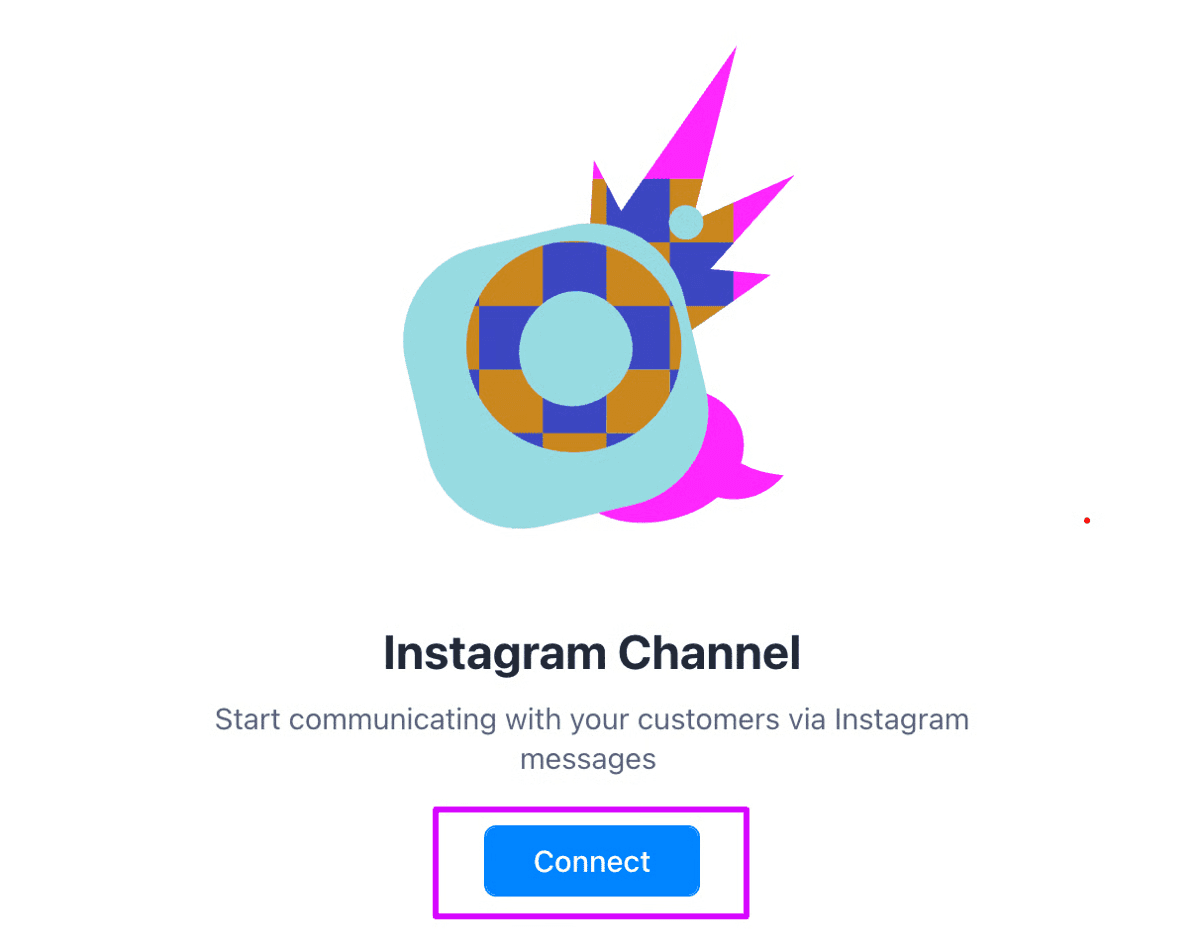
Step 1: Connect Instagram to ManyChat
Start by connecting your Instagram account inside ManyChat.
You will need:
An Instagram Business or Creator account
A connected Facebook Page
ADMin permissions
Inside the dashboard, click “Connect Instagram” and complete the authorization. Once connected, your account is ready for ManyChat instagram automation.
Step 2: Understand the Dashboard and How DM Automation Works
After setup, the ManyChat dashboard becomes your control center for instagram DM automation.
At a high level, it is organized into:
Automation: where all entry points are configured
Flows: where conversations are built
Inbox: where live and automated chats appear
Audience: where user data and segmentation live
The key idea to understand is how DM automation actually works.
In ManyChat, automation is not limited to users sending you a message first. This means:
A comment can trigger a DM
A story reply can trigger a DM
A keyword can trigger a DM
All of these are part of ManyChat instagram chatbot logic because the actual interaction happens in the inbox.
Step 3: Create an Automation Flow (Core Logic Behind All Triggers)
In manychat for instagram, different features like Comments Automation, Keywords, and Story Automation are not separate systems. They all follow the same underlying logic:
Trigger → Flow → DM Conversation
So instead of thinking in separate features, you can understand everything through one unified setup process.
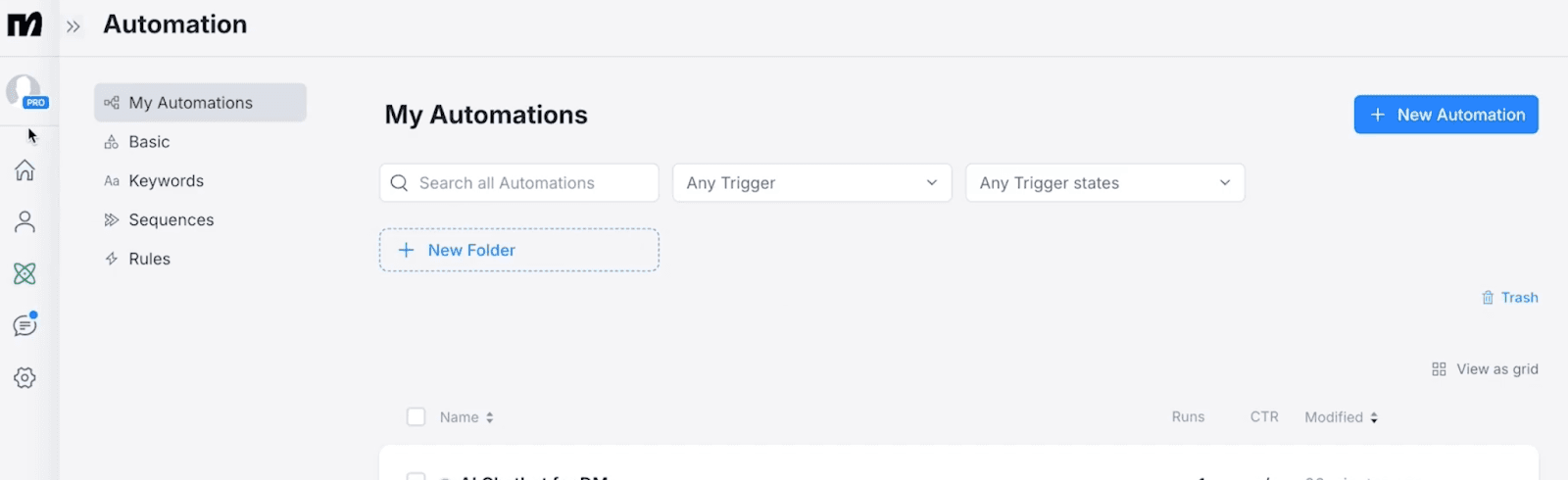
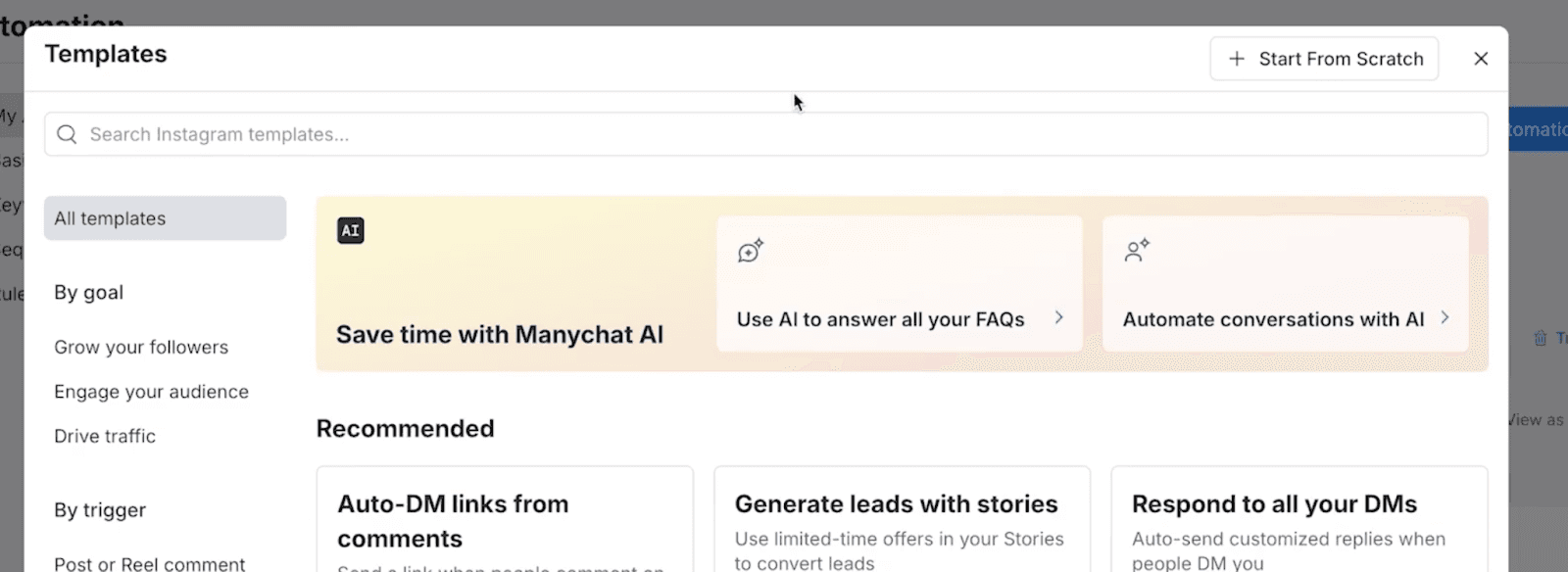
1. Go to Automation and Start from Scratch
Navigate to Automation → New Automation
Click Start from Scratch
This is where every ManyChat instagram chatbot interaction begins.
2. Build the DM Conversation
Inside the flow builder, you define what happens in the DM:
Send messages
Add buttons or quick replies
Ask questions
Guide users to a next step (link, booking, purchase)
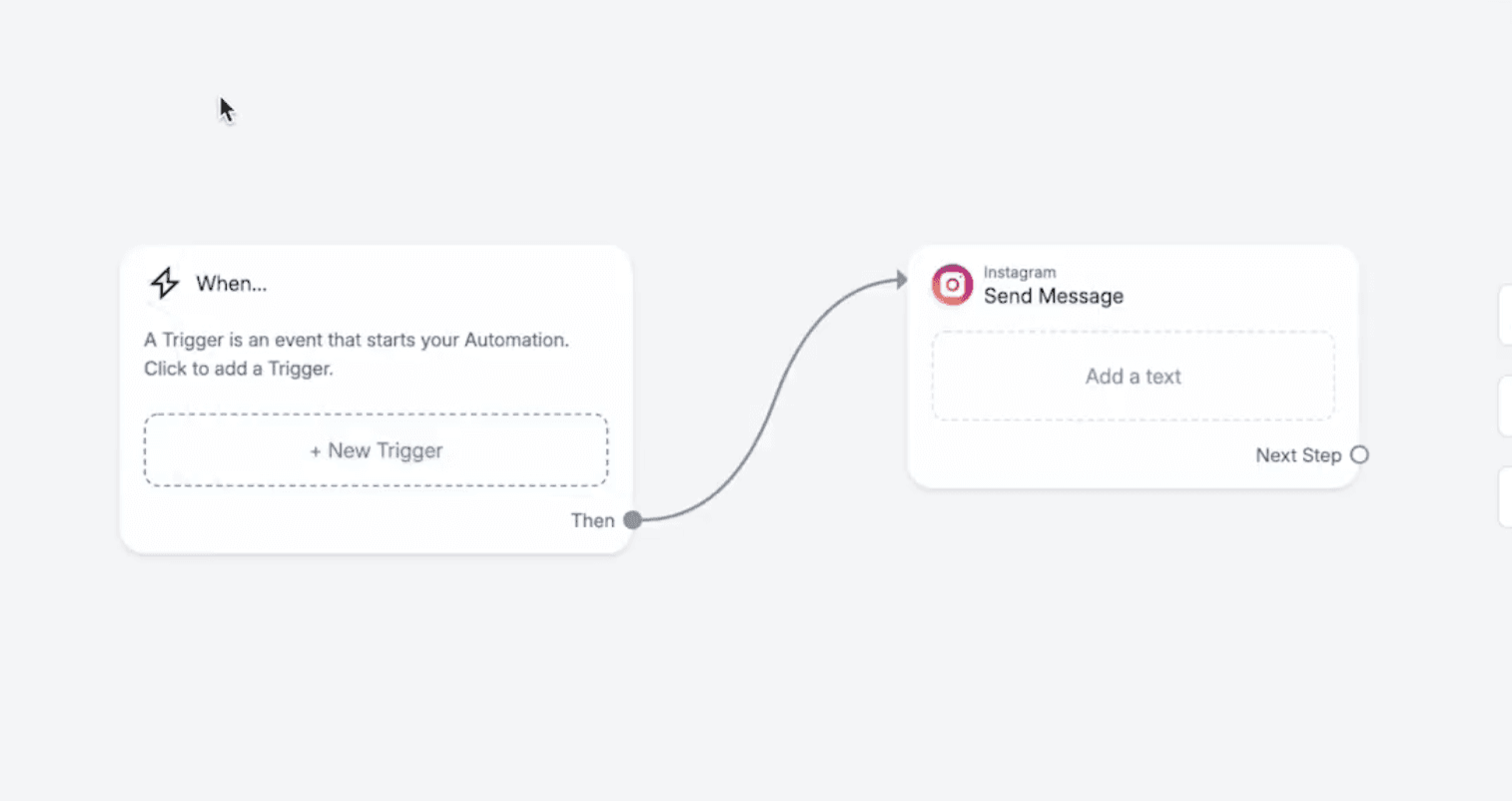
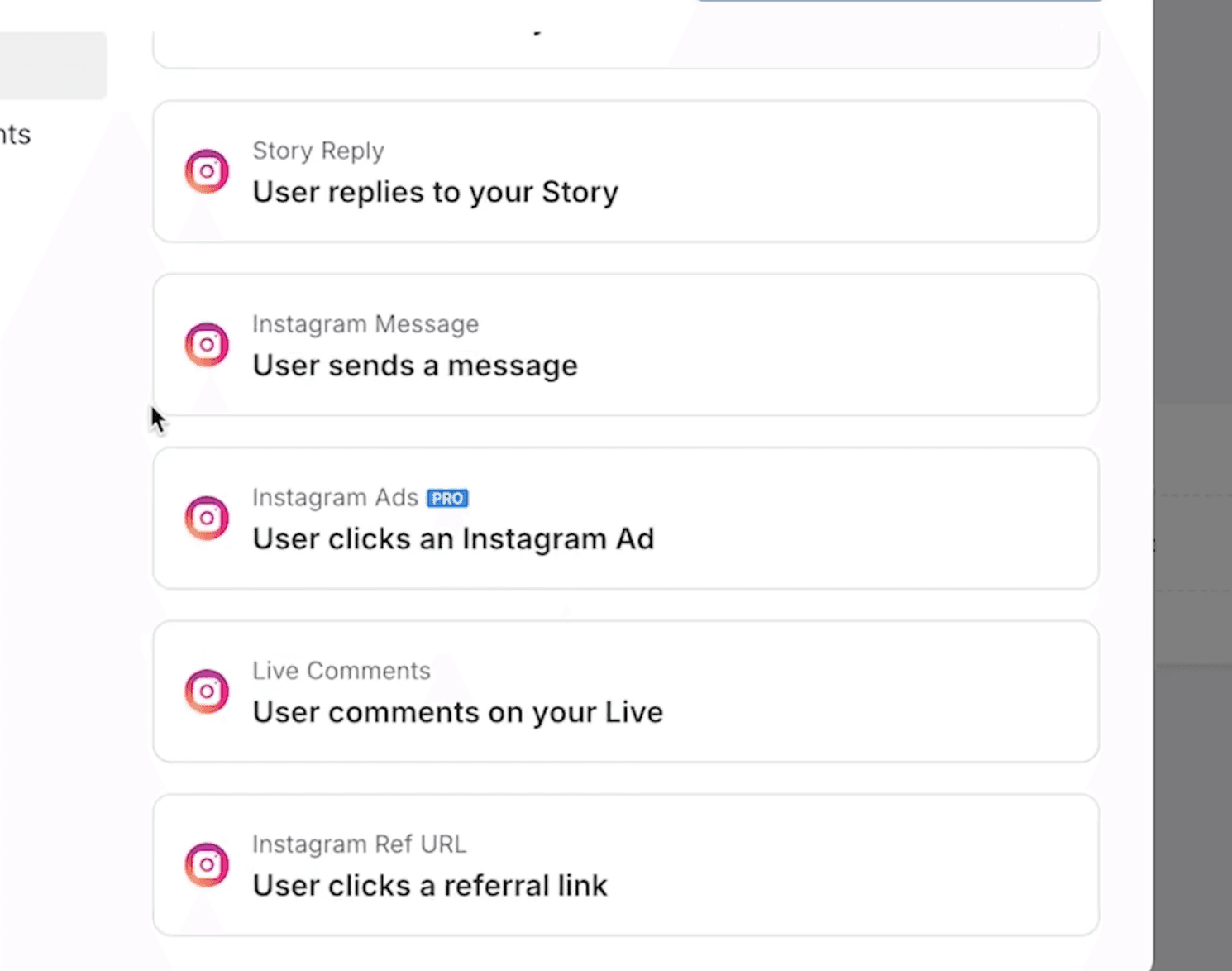
3. Attach a Trigger to the Flow
Once your flow is ready, you connect it to a trigger. This is what brings users into the DM.
Common triggers include:
User sends a keyword → triggers based on intent
User comments on a post → triggers from engagement
User replies to a story → triggers from interaction
4. What Actually Happens (Unified Logic)
No matter which trigger you choose, the system works like this:
A user takes an action (comment, message, story reply)
That action matches a trigger
ManyChat sends a DM automatically
The user enters your flow
The conversation continues inside DMs
This is the core of ManyChat Instagram automation.
5. Why This Structure Matters
Understanding this unified model helps you avoid a common mistake:
Thinking in features (comments vs keywords vs stories)
Instead of thinking in conversation entry points → DM flow
In reality:
Triggers = how users enter
Flows = what happens next
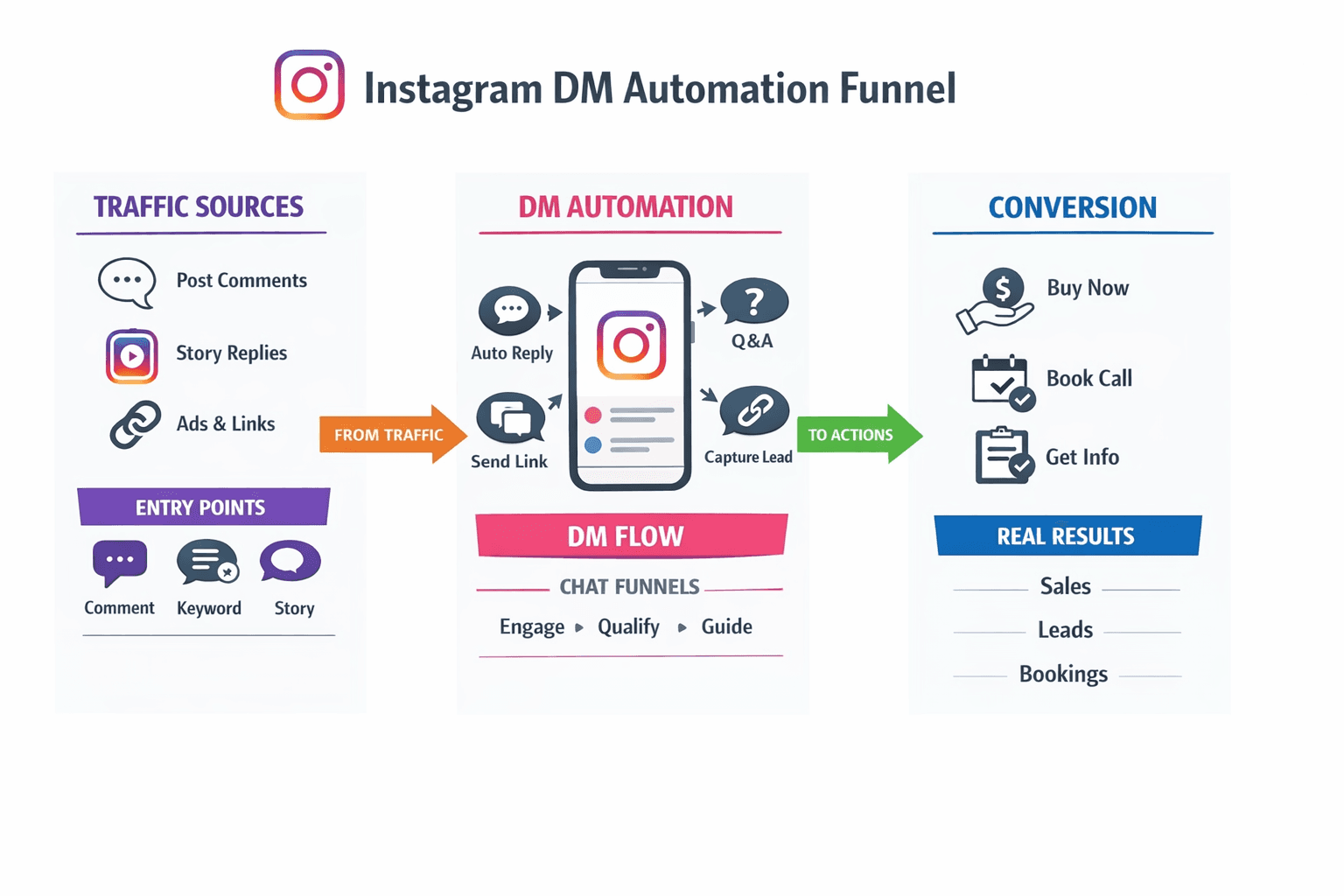
Once you understand this, you can design your manychat instagram dm automation more strategically, focusing on how conversations move forward rather than where they started.
Is ManyChat Safe for Instagram
A common concern is whether ManyChat instagram automation is compliant with platform rules.
ManyChat is an official Meta partner and operates through approved APIs, so it is generally safe to use. However, safety depends on how you use it.
Best practices include:
Avoid sending unsolicited or spammy messages
Follow Instagram’s 24-hour messaging rules
Ensure users opt in before promotional flows
ManyChat is an official Meta partner and generally considered safe when used according to Instagram's messaging policies. However, questions about account safety, API compliance, messaging limits, and best practices deserve a more detailed explanation. If you're evaluating potential risks, our complete guide to Is ManyChat Safe for Instagram covers everything in depth.
Where ManyChat Works Well and Where It Falls Short
ManyChat is effective for:
Structured funnels
Lead capture via comments and keywords
Basic support automation
Pricing is another important consideration when choosing an automation platform. Since plans and feature availability change over time, we've covered the latest costs in our guide to ManyChat pricing.
However, its core limitation is that it relies heavily on predefined logic. Every conversation path must be designed in advance, which creates friction when:
Users ask unexpected questions
Conversations require nuance or context
Emotional intent affects decision making
This often leads to rigid interactions that feel more like forms than conversations.
A More Adaptive Approach to Instagram DM Automation
As Instagram becomes a primary sales channel, automation needs to evolve beyond static flows. This is where platforms like Dealism take a fundamentally different approach.
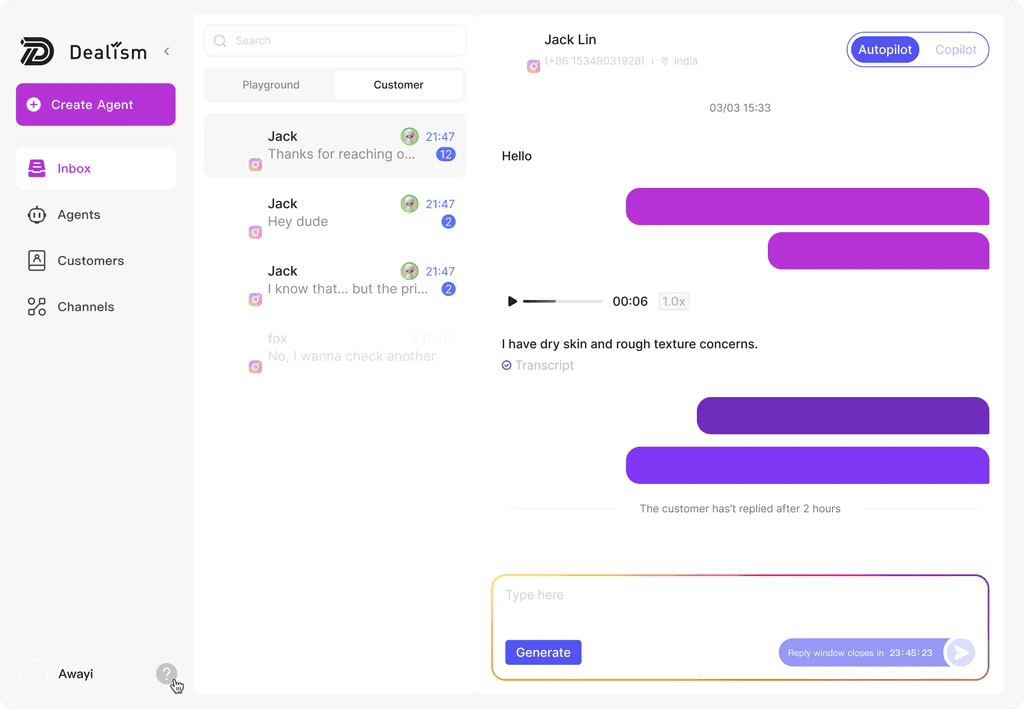
Instead of relying on decision trees, Dealism operates as an AI-driven conversation agent. It does not just respond based on triggers but actively interprets user intent, context, and emotion in real time. This allows conversations to unfold more naturally while still guiding users toward outcomes such as booking, purchasing, or confirming interest.
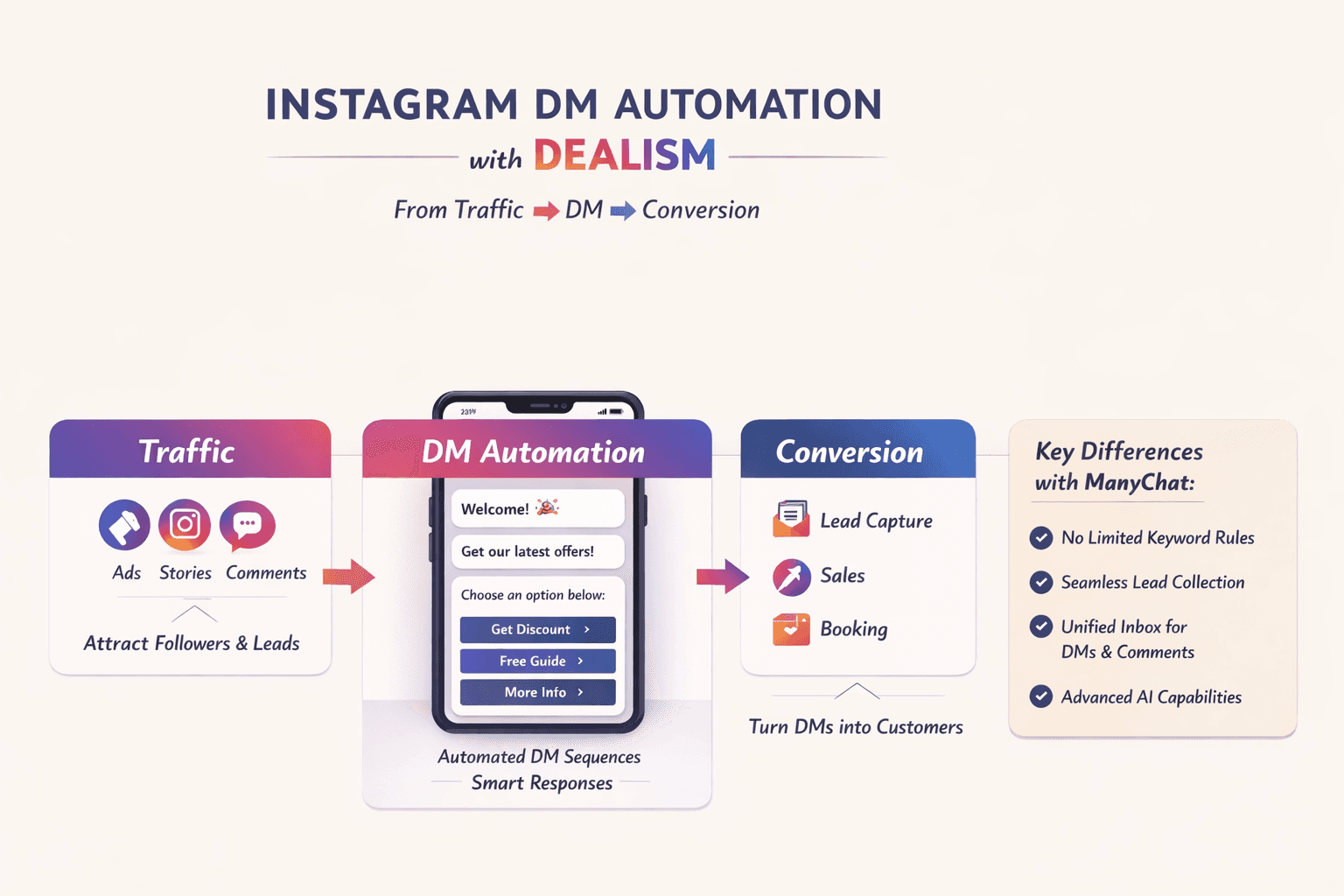
Compared to ManyChat for instagram, the differences are structural:
ManyChat requires predefined flows, while Dealism adapts dynamically
ManyChat focuses on automation logic, while Dealism focuses on conversation progression
ManyChat reacts to inputs, while Dealism proactively moves conversations forward
This shift aligns with the idea behind vibe selling, where the goal is not just to automate replies but to delegate the entire conversation process, from understanding intent to driving action.
In practical Instagram DM automation strategies, this means:
No need to map every possible user path
Conversations feel less scripted and more human
Higher conversion potential because intent is handled in real time
Businesses comparing different solutions should also evaluate whether rule based automation is sufficient for their workflow. Our roundup of the best ManyChat alternatives compares AI powered platforms for sales automation in more detail.
Choosing the Right Instagram DM Automation Platform
Using ManyChat instagram is a strong first step in scaling communication and capturing leads. It helps ensure no message goes unanswered and creates structure in high-volume interactions.
But as competition increases, speed alone is no longer enough. The real advantage comes from how well conversations adapt, qualify, and convert. Whether you start with ManyChat or move toward more adaptive systems, the future of Instagram DM automation lies in turning conversations into decisions, not just responses.
If you're still evaluating automation tools, you may also want to compare today's best free Instagram DM bots before making a decision.
FAQ
Can ManyChat send Instagram DMs automatically?
Yes. ManyChat can automatically send Instagram Direct Messages when users trigger an automation through comments, keywords, story replies, or other supported events.
Does ManyChat work with personal Instagram accounts?
No. You'll need an Instagram Business or Creator account connected to a Facebook Page.
Is ManyChat free for Instagram?
ManyChat offers a free plan with limited features. Advanced automation, higher contact limits, and premium capabilities require a paid subscription. For a detailed breakdown of plans and costs, see our guide to ManyChat pricing.
Is ManyChat safe for Instagram?
Generally yes. ManyChat uses Meta's official APIs and is an official Meta Business Partner. If you'd like a more detailed explanation of compliance, messaging policies, and common misconceptions, read our complete guide to Is ManyChat safe for Instagram.


