You might be here because you’ve asked yourself the same question millions of WhatsApp users have at some point:
“What does WhatsApp no answer mean? Did they block me?”
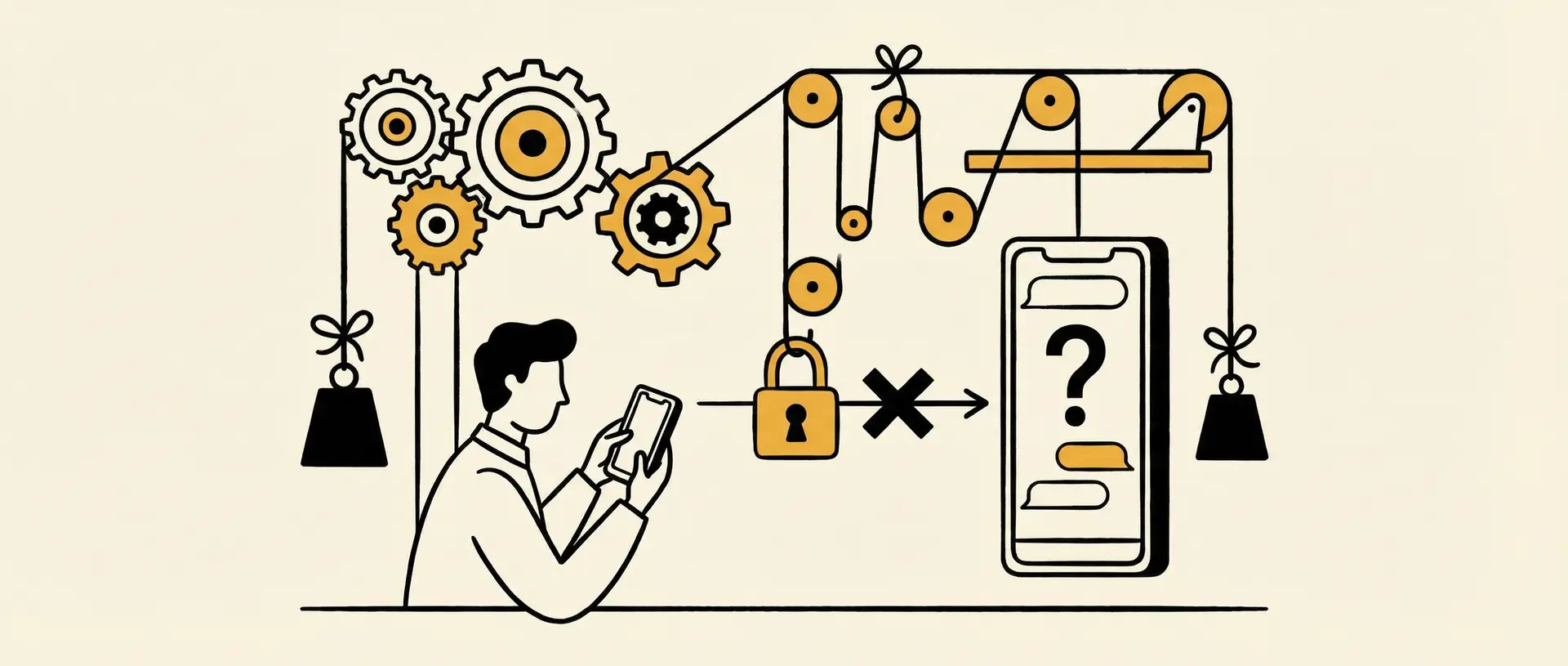
What makes this confusing is that WhatsApp doesn’t notify you directly. There’s no pop-up, no message, and no obvious sign saying you’ve been blocked. That’s by design. WhatsApp deliberately keeps blocked notifications hidden to protect privacy and avoid uncomfortable confrontations. While this design choice protects the person who initiated the block, it often leaves the other side stuck trying to read between the lines.
Although WhatsApp won’t confirm it outright, you can still infer it through signs like
Messages Never Delivered
Last Seen or Online Status Hidden
Profile appears blank or Stops Updating
Calls Fail to Connect.
Can’t add them to a WhatsApp group.
Why Knowing This Matters?
Knowing whether you’ve been blocked helps you stop sending messages that will never be delivered—and saves you from wondering why someone isn’t replying.
If you use WhatsApp to send messages to run a small business, handle customer support, or reach out to potential clients, this happens more often than you might expect. Without a sales background, a dedicated service team, or a structured follow-up system, everything relies on one-to-one chats. When conversations stall or go silent, it’s hard to know whether to wait, follow up, or move on.
The key is noticing it early so you can adjust your next move instead of guessing. Tools like Dealism quietly make a difference by tracking conversation context, following up at the right time, assessing user intent, and keeping interactions organized. It reduces the uncertainty that comes with one-to-one messaging. Even when language is a barrier, Dealism agents can communicate naturally with users from different countries, handling conversations like a local and ensuring nothing important gets lost along the way.
How Do You Know If Someone Blocked You on WhatsApp?
When someone blocks you on WhatsApp, nothing dramatic happens. There’s no notification, no warning — things just start to behave a little differently. Messages don’t go through the same way, profile details change, and interactions feel… off.
Figuring out whether you’ve been blocked isn’t about spotting one single red flag. Any one of these signs could have another explanation. But when several of them appear at the same time, it’s usually not a coincidence.
Here are the five key signs:
Messages Stuck at Single Gray Checkmark
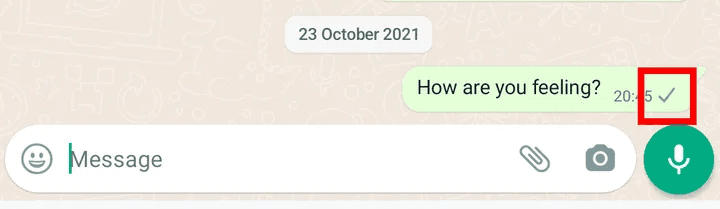
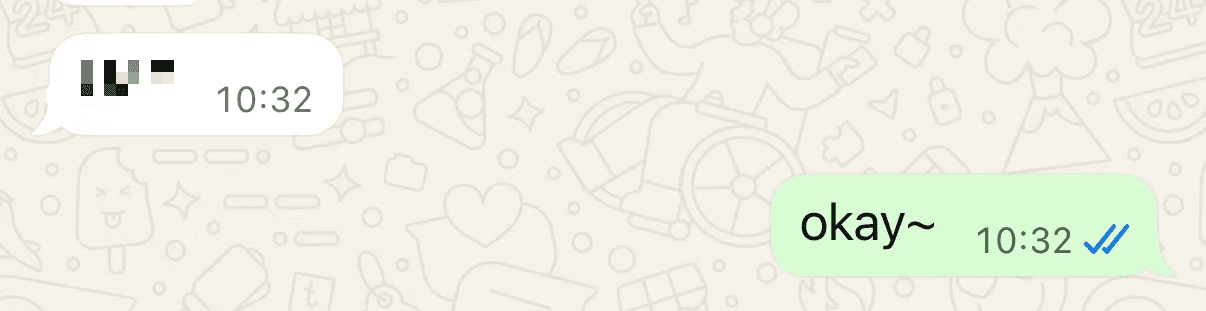
One of the first things people notice is how messages behave. Messages sent to a contact who has blocked you will only display a single grey checkmark, showing that the message was sent. They will never update to the double blue checkmark, which usually indicates the message has been delivered and read.
Blocked Normal
But it doesn’t mean you are blocked. The same situation can happen if the other person’s phone is off, they have no internet connection, or they’ve temporarily uninstalled WhatsApp. Time matters — a single grey checkmark for a few minutes is normal, but hours or days raise suspicion.
For people who rely on WhatsApp for business conversations or client outreach, manually tracking this context can be exhausting. That’s where tools like Dealism help, by keeping a record of conversation status, timing, and follow-up context, so you’re not relying purely on guesswork when a conversation suddenly stalls.
Last Seen or Online Status Hidden
If you used to see someone’s Last Seen or Online status but now you don’t, it could be a sign they’ve blocked you. The same goes for WhatsApp Status updates, sudden absence naturally raises questions.
Still, this alone isn’t conclusive. Users can hide Last Seen/Online status via privacy settings or stop posting Status updates for other reasons. Patterns over time are key.
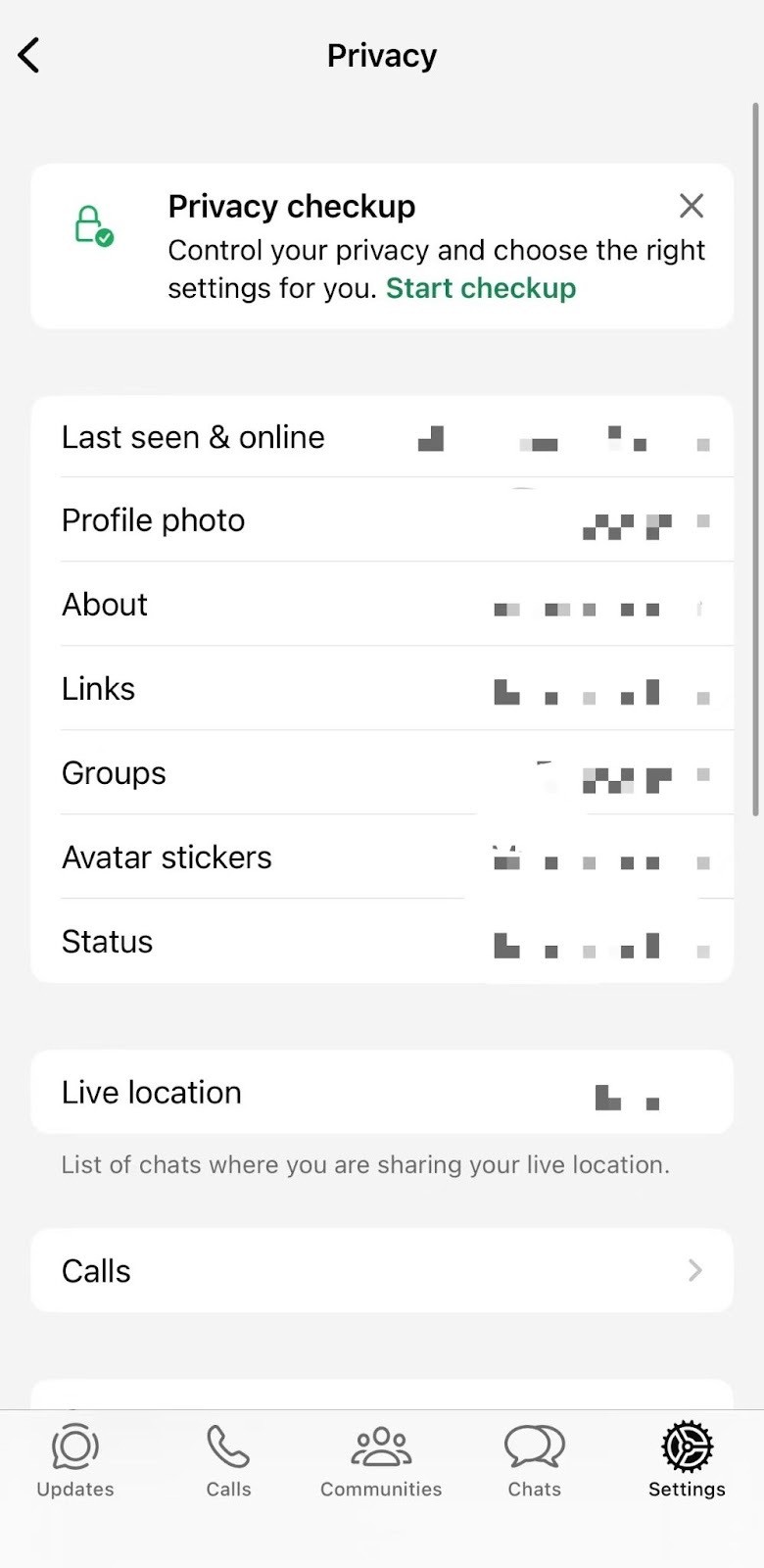
Privacy settings on WhatsApp
Profile Appears Blank or Stops Updating
Another common sign is a profile photo that goes missing — or one that never seems to change.
When this happens, you’ll typically see:
a blank default avatar
or an old cached photo
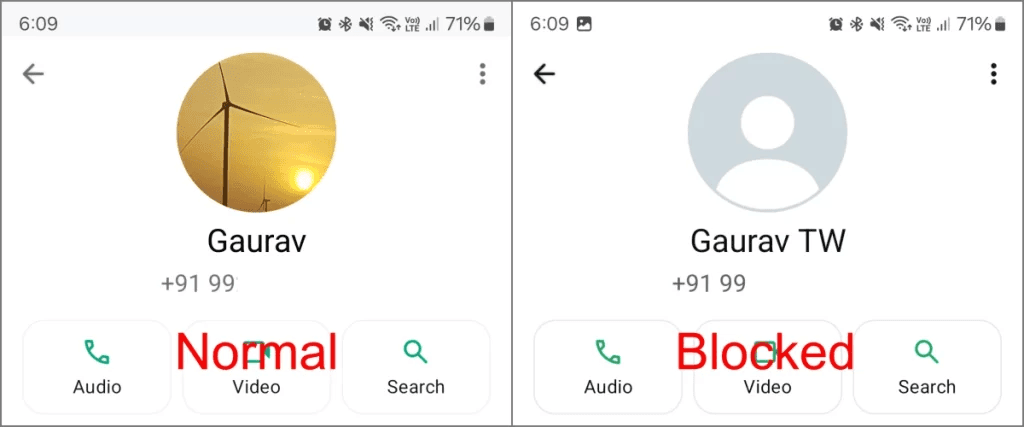
This can suggest you’ve been blocked, especially if the image used to update regularly. To test this, ask a mutual friend to check the profile. If they can see updates while you can’t, it strongly points toward a block.
However, people can simply remove their photo or limit its visibility to contacts only, which produces the same effect.
Calls Fail to Connect.
WhatsApp isn’t just for texting — it also supports voice and video calls. One subtle sign of being blocked shows up when you try to call someone. You may notice that the call doesn't go through or only shows "Calling" but never "Ringing." It may indicate that the person has blocked you. The call simply fails to connect, no matter how many times you try.
But Network issues can prevent message delivery and calls, one sign alone is never enough.
Can’t add them to a WhatsApp group.
Trying to add someone to a group is one of the more reliable checks. If WhatsApp won’t let you, either they’ve blocked you or changed their privacy settings.
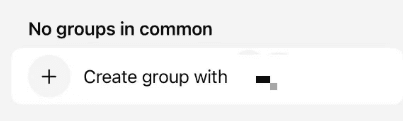
Creat group with someone
Multiple signs appearing together strengthen the likelihood of a block.
What Should You Do If You Think Someone Blocked You?
Double-check the signs
Don’t rely on a single missed message or failed call. Look for repeated patterns over time, such as messages stuck at one grey checkmark or calls that never connect for hours or days.
Respect privacy and avoid intrusive behavior
If someone may have blocked you, repeatedly messaging or calling won’t help. Giving space is often the best option. This is especially important in business contexts, where pushing too hard can damage trust and leave a lasting impression you can’t easily undo.
Review your own messages before reconnecting
Being blocked is often a reaction to the conversation itself, rather than random chance. Before trying to contact the person again, take a moment to reflect on your communication. Were your messages clear, well-timed, and respectful? Small changes in tone, timing, or frequency can prevent conversations from stalling.
Handling outreach without a structured follow-up process often leads to stalled conversations. Dealism helps by managing communication tailored to your business and users, while anticipating customer needs and emotions in advance, ensuring auto reply and interactionsstay respectful, responsive, and productive instead of stalling silently.
How To Contact a Blocked Number On Whatsapp
If you believe someone has blocked you on WhatsApp, there are a few possible options you could attempt:
Refreshing the contact
Deleting and re-adding the contact can help "refresh" your connection with them on WhatsApp, forcing the app to check your current access level to their profile, though it doesn’t guarantee that messages will go through.
Using another number or account
Contact the person who blocked you through a new WhatsApp number or a friend’s account. Technically, it can work, but it can violate personal privacy.
Recreating your WhatsApp account
Deleting your WhatsApp account and setting it up again gives you a fresh identity, but it also removes you from all groups and may not work every time. This method should be used with extreme caution. Remember, attempting to contact someone who has blocked you on WhatsApp can be risky and unsuccessful. It's always better to respect their decision and move on.
FAQ
Q: IS there a way to unblock yourself on WhatsApp?
A: No. Only the person who blocked you can unblock you. There’s no method for bypassing this on your own.
Q: How to tell if someone blocked your number through text?
A: Signs include messages stuck at a single grey checkmark, a missing profile photo, a hidden Last Seen or online status, unanswered calls, and being unable to add the person to a WhatsApp group. None of these alone confirms a block, but observing multiple patterns over time gives a stronger indication.
Q: How to call someone who blocked you?
A: While technically you could try using another number, creating a new WhatsApp account, or using VoIP apps like Google Voice or Skype, these methods can be intrusive and may violate privacy. Another option is to politely ask a mutual friend to include both of you in a group, which could allow communication, but proceed carefully.
Final Thoughts
Network issues happen. Privacy settings change. People go quiet. But when multiple signals appear at the same time, that’s when it stops feeling random and starts to look intentional.
Spotting these patterns early helps you stop guessing and decide how to move forward instead of waiting for replies that may never come. At the same time, respecting someone’s decision and their privacy is key. For those who manage multiple conversations, Dealism always serves as an AI sales agent to help you grab the opportunities.