Automation
Updated
4 min read
Good to know
Pausing Autopilot switches conversations to Copilot, so your Agent can still generate suggested replies without sending them automatically. You can turn Autopilot back on at any time.
Overview
Dealism lets you manage your automations from the Automation page. You can edit how an automation works, pause or resume it, view its history, rename it, or delete it.
Edit an Automation
Go to Automation and find the automation you want to update. Click Edit to open its settings.

In Trigger Setup, update which posts activate the automation and choose whether it responds to all comments or only comments with specific keywords. Click Next when finished.
In They will get, edit the opening DM customers receive. You can also add buttons and enable public replies under the Instagram post.
In Agent Handoff, choose whether an AI Sales Agent should take over the conversation after the automation finishes. Select your Agent, then click Save Automation to apply your changes.
Pause an Automation
Go to Automation and find the Status toggle next to the automation. Turn the toggle off to pause it.
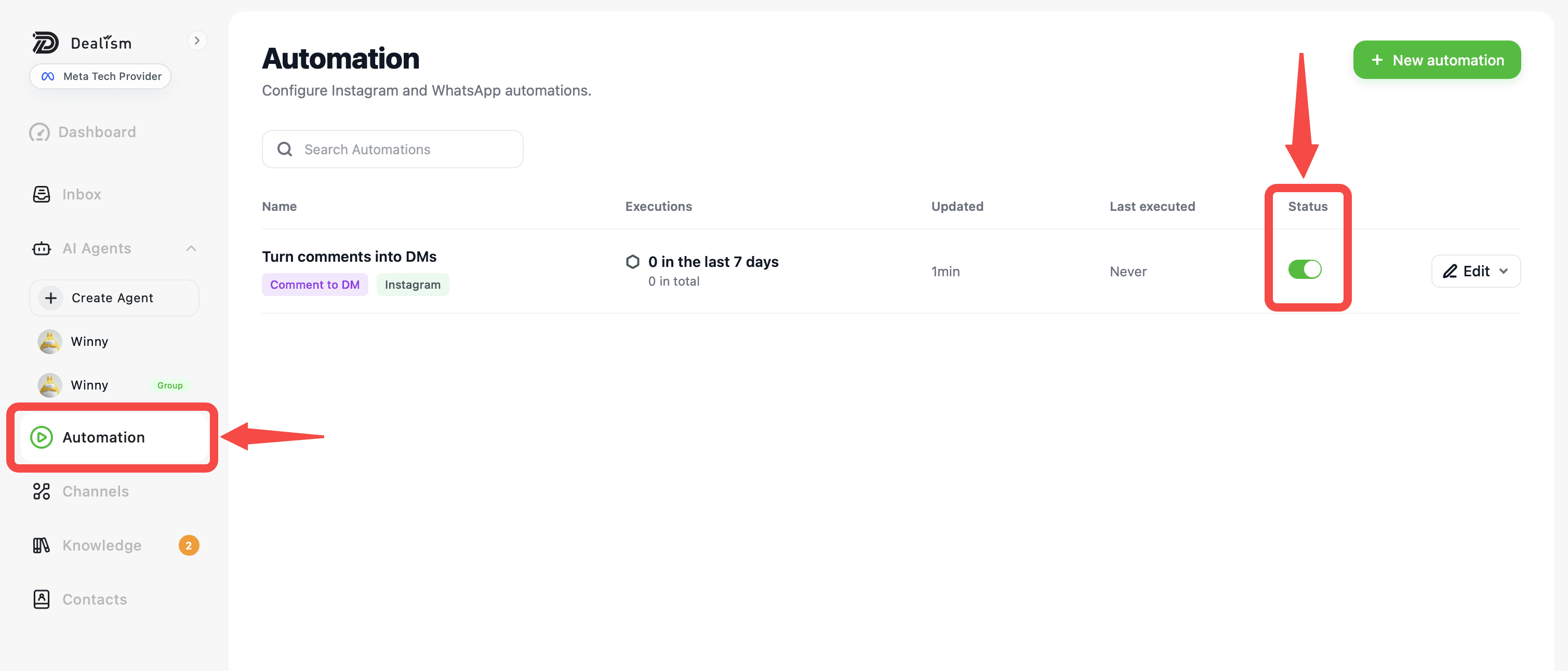
While paused, the automation will stop running when customers meet its trigger conditions. Turn the Status toggle back on whenever you want to resume it.
Manage an Automation
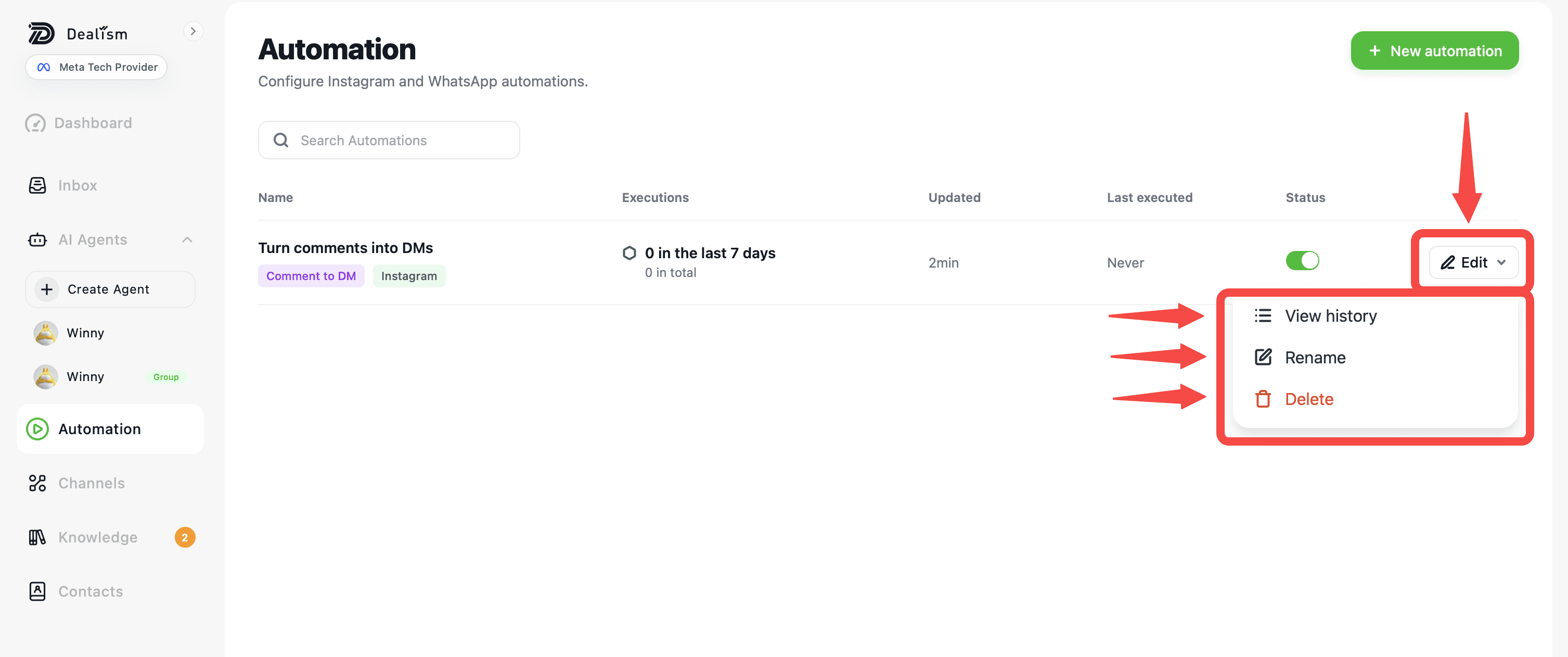
Click the dropdown next to Edit for additional options. From here, you can view the automation history, rename the automation, or delete it.
Resume an Automation
To resume a paused automation, return to the Automation page and turn its Status toggle back on. The automation will then begin responding to new matching triggers again.