Account & Billing
Updated
3 min read
Before deleting your account
Deleting your account is permanent and removes the account and its associated data. Only continue when you are sure you no longer need the account.
Open your account settings
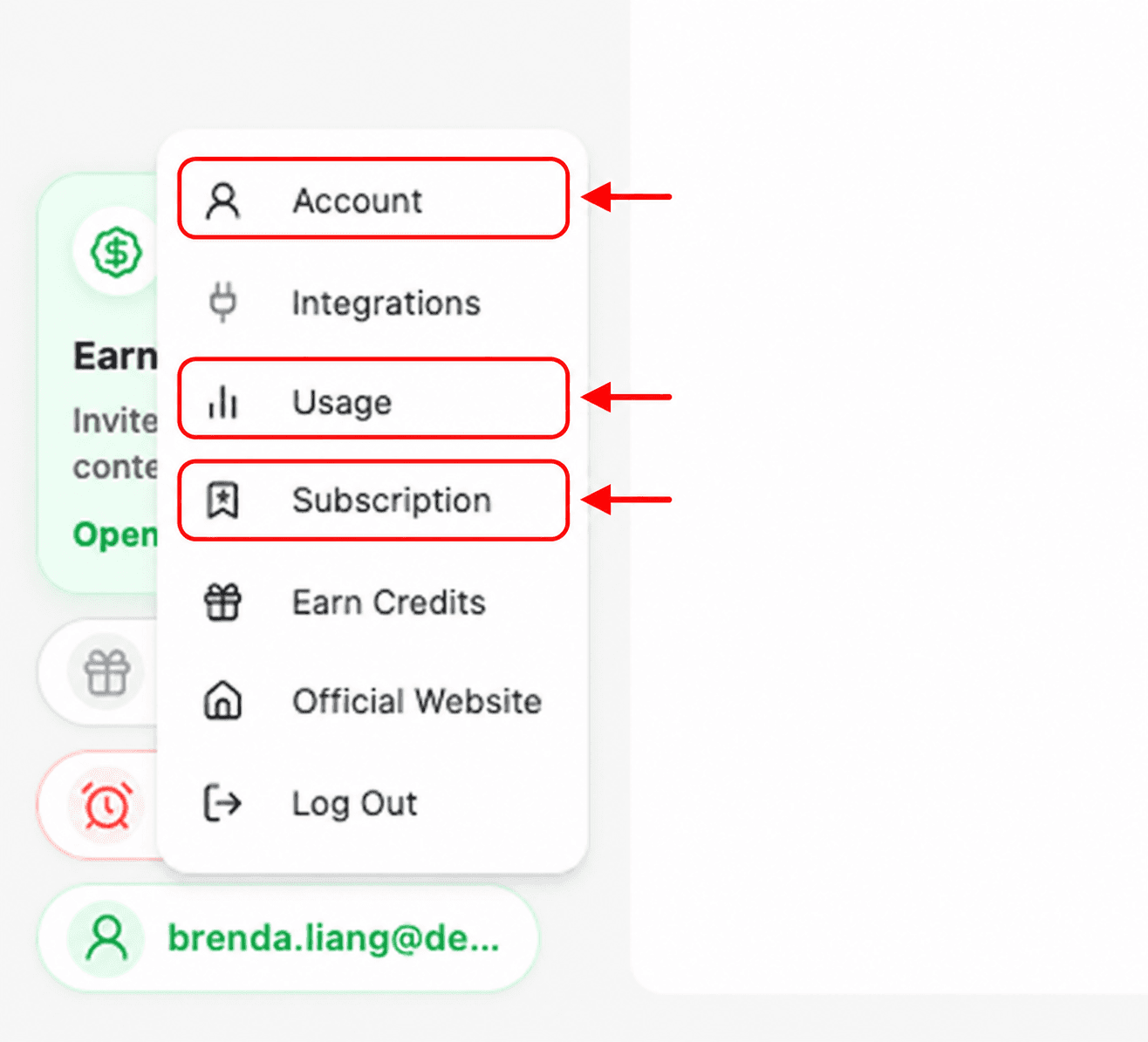
Your Dealism profile menu is the starting point for account, usage, subscription, and sign-out controls.
Select your profile button in the lower-left corner of the workspace.
Select Account.
Review your profile
The Account tab shows the name and email address associated with your Dealism account. It also summarizes your current plan and credit balances.

Log out
To end your current session, open the profile menu and select Log Out. You will need to sign in again to return to the workspace.
Delete your account
In the Account tab, scroll to Delete Account and select Delete. Read the confirmation carefully before continuing. Account deletion is permanent and removes associated data.
If the Delete button is unavailable or you did not intend to remove the entire account, contact Dealism support before taking further action.