AI Human Handoff

Hand Off AI Conversations Without Losing the Thread.

Transfer an AI-handled conversation when human help is needed. Keep the earlier exchange available, and choose Autopilot, Copilot, or human handling for each contact.

Meta Business PartnersContext stays visibleHuman control included
Dealism

Dealism Inbox

Ana Torres · Website Live Chat

Autopilot
Can you match a custom package from another provider?
I can explain our approved options. A custom match needs someone from the team to review the details.
Human attention needed

Custom offer · Approval required · Earlier messages available

B

Brenda joined

Taking over with conversation context

Brenda · Team

I have the package details you shared. I’ll review what we can tailor and confirm the next step with you here.

Boundary reached

AI pauses before approval

Thread intact

Team continues from here

The moment the conversation changes

The Best Next Reply Is Sometimes a Person

Human handoff is not a failed conversation. It is a controlled change of ownership when the request moves beyond the Agent’s role or the customer asks for someone from the team.
  1. 1Routine Question

    The Agent answers from approved business knowledge and continues the exchange.

    Routine Question

  2. 2The Request Changes

    A custom decision, exception, negotiation, sensitive issue, or direct request for a person appears.

    The Request Changes

  3. 3AI Makes Room

    The conversation follows the handoff boundary instead of forcing another automated answer.

    Intent
    Known
    Missing

    AI Makes Room

  4. 4Team Continues

    A team member steps into the same conversation with the earlier thread available.

    AnswerRoute

    Team Continues

One contact, three ways to work

Change Who Speaks Without Changing the Conversation

Choose the right level of AI participation for the active contact. The mode changes; the customer thread remains the place where the work continues.

Maya Chen · Instagram

Choose who speaks next.

M

Maya Chen

Active customer conversation

Autopilot

Agent replies

Let the Agent continue supported conversations.

Use the selected Agent for repeatable questions and early discovery within the knowledge, role, and boundaries you provide.

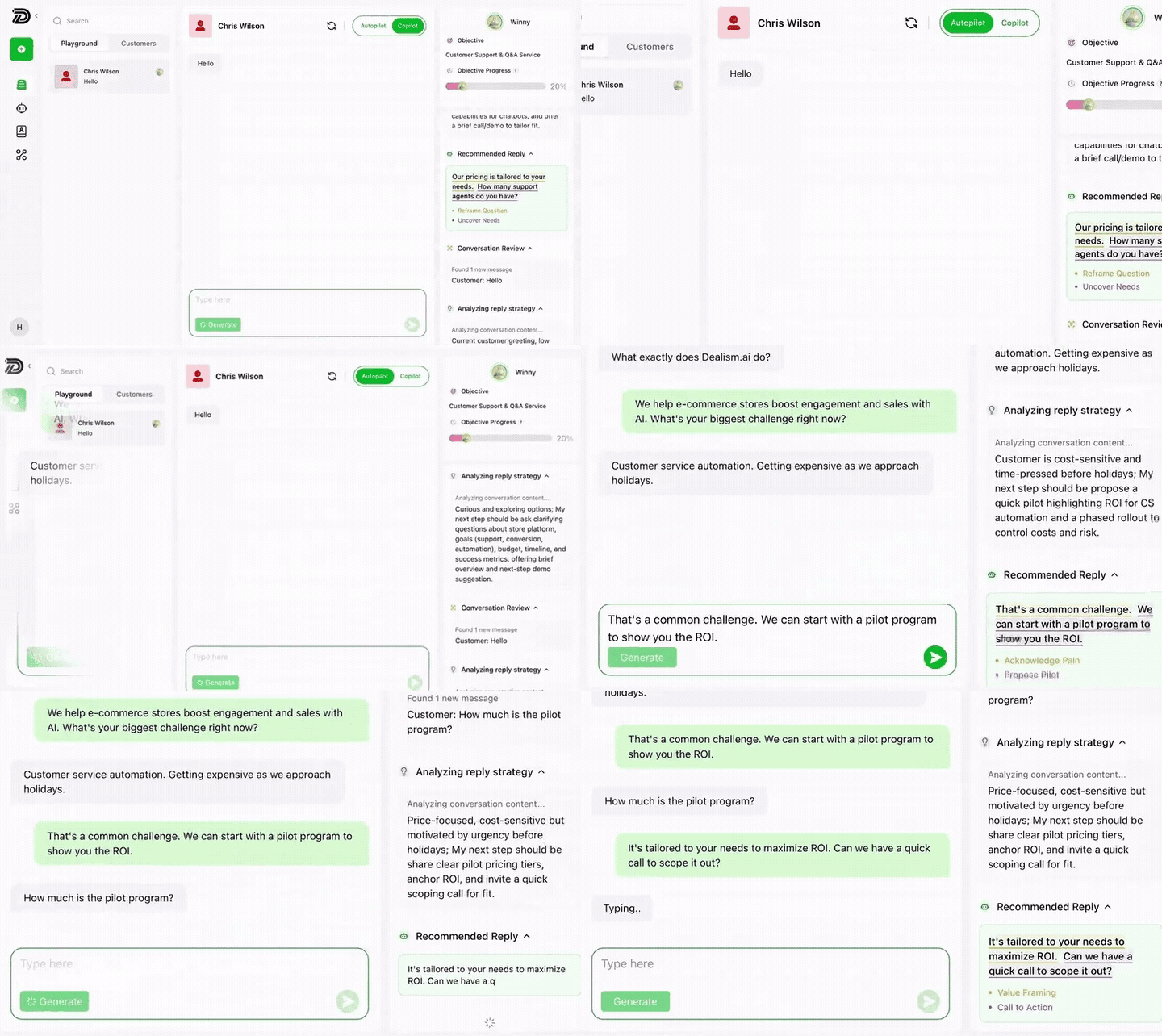
Dealism product interface showing an AI Customer Agent analyzing an active conversation and preparing a reply

Current Dealism product interface · Looping

Customer: “Can someone review a custom option before I decide?”

Agent continues within its role

Nothing starts over

Your Team Enters With the Conversation Already in Hand

A useful handoff preserves what has already happened: the customer’s request, the Agent’s replies, the reason a person is needed, and the next decision waiting for the team.

Customer request

What the customer asked and clarified

Earlier replies

What the Agent already explained

Reason for handoff

The boundary, approval, or judgment required

Next move

Where the team can continue without restarting

B

Ready for Brenda

The customer does not need to repeat the request

Context available

The boundary is yours

The Agent Steps Back Where You Tell It To

Human handoff works best when it is part of the Agent’s job description—not an improvised response after something goes wrong.

Real Dealism Agent setup

Set the role before the conversation begins.
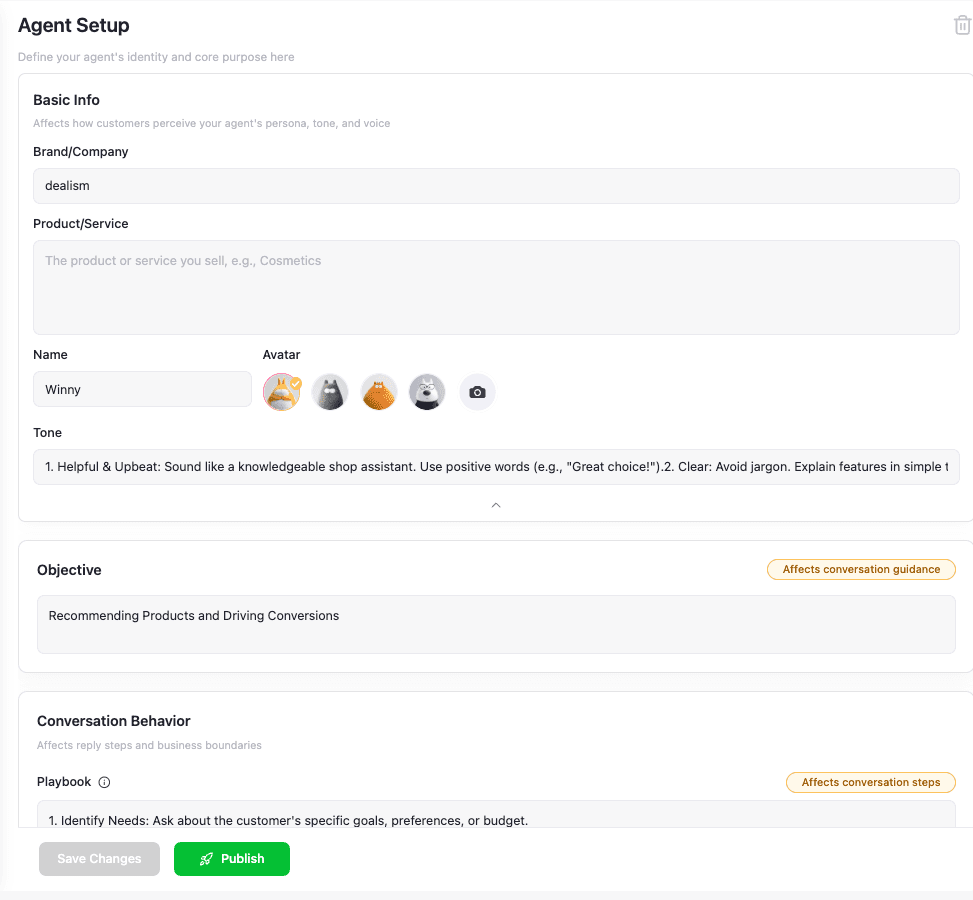
Dealism Agent Setup interface for setting an Agent’s instructions and conversation rules

Example boundary

Explain approved plans. Never approve a custom discount.

Can you make an exception on the annual price?
Handoff: pricing exception needs team approval.
Configure each Agent independently

Bring people into the moments that change the deal

Automate the Repeatable Work. Protect the Human Decisions.

Your Agent can keep routine conversations moving while your team stays available for the moments that depend on authority, experience, or a real relationship.

Custom approvals

A customer asks for a price, package, or policy exception that only your team may approve.

Direct human request

The customer says they want to speak with someone. The request becomes the next action—not another loop.

Negotiation

The facts are available, but the decision needs commercial judgment and a person who can commit.

Sensitive or unusual needs

The Agent leaves room for empathy, discretion, account access, or a situation outside its approved information.

Test the switch before customers need it

A Handoff Is Only Ready When the Whole Transition Works

Test more than the Agent’s last sentence. Confirm the boundary, the change of control, the visible context, and the team’s first reply.

Test conversation

I need a custom agreement. Can someone approve it today?
I’ll make room for a team member to review that with you.

Boundary follows

The Agent does not invent an approval.

Control changes

Your team can take ownership of the active thread.

Reply continues

The first human response uses what is already known.

The conversation can change hands where it already happens

Keep Human Help Ready Across Supported Channels

Use the same handoff discipline where customers already write. Connection and channel rules differ, but the goal stays consistent: preserve context and make the next owner clear.

Frequently asked questions

AI Human Handoff FAQ

AI human handoff is the transfer of an active customer conversation from an AI Customer Agent to a team member when the request needs human judgment, approval, negotiation, access, or personal attention.
Yes. A direct request for a person is an important handoff case to include when you define and test the Agent’s conversation boundaries.
The team can continue from the active conversation with the earlier exchange available, so the customer does not need to begin the request again.
Autopilot lets the selected Agent continue supported conversations automatically within the guidance you provide. Copilot prepares a response while a person reviews, edits, and sends it.
Yes. Dealism is designed to let you choose how the Agent participates in a contact’s conversation: Autopilot, Copilot, or human handling.
Useful boundaries can cover custom approvals, exceptions, sensitive issues, negotiations, missing access, uncertain information, or any moment your business decides belongs with a person.
Yes. Each Agent can have its own role and boundaries. See Independent Agent Configuration.
Not necessarily. Your business decides what the Agent may handle, when it should clarify, and when a team member should take control. Test realistic edge cases before expanding the Agent’s responsibility.

Keep the customer. Keep the context. Change the owner.

Let the Agent Work Until the Conversation Needs You.

Choose how AI participates for each contact, define the moments that need your team, and continue without making the customer start again.

Build my human handoff