01
A customer sends a message
Read this step
The conversation begins on the WhatsApp number they already know. There is no new destination for the customer to learn.
I need help choosing a plan.
Happy to help—how many people need access?
WhatsApp / AI Customer Agent
Connect Personal WhatsApp through Dealism Desktop. Keep the linked-device session on your own computer while Dealism helps answer customer questions, recommend next steps, and pause for human handoff.
 Personal WhatsApp · Desktop onlyLocal linked-device connection
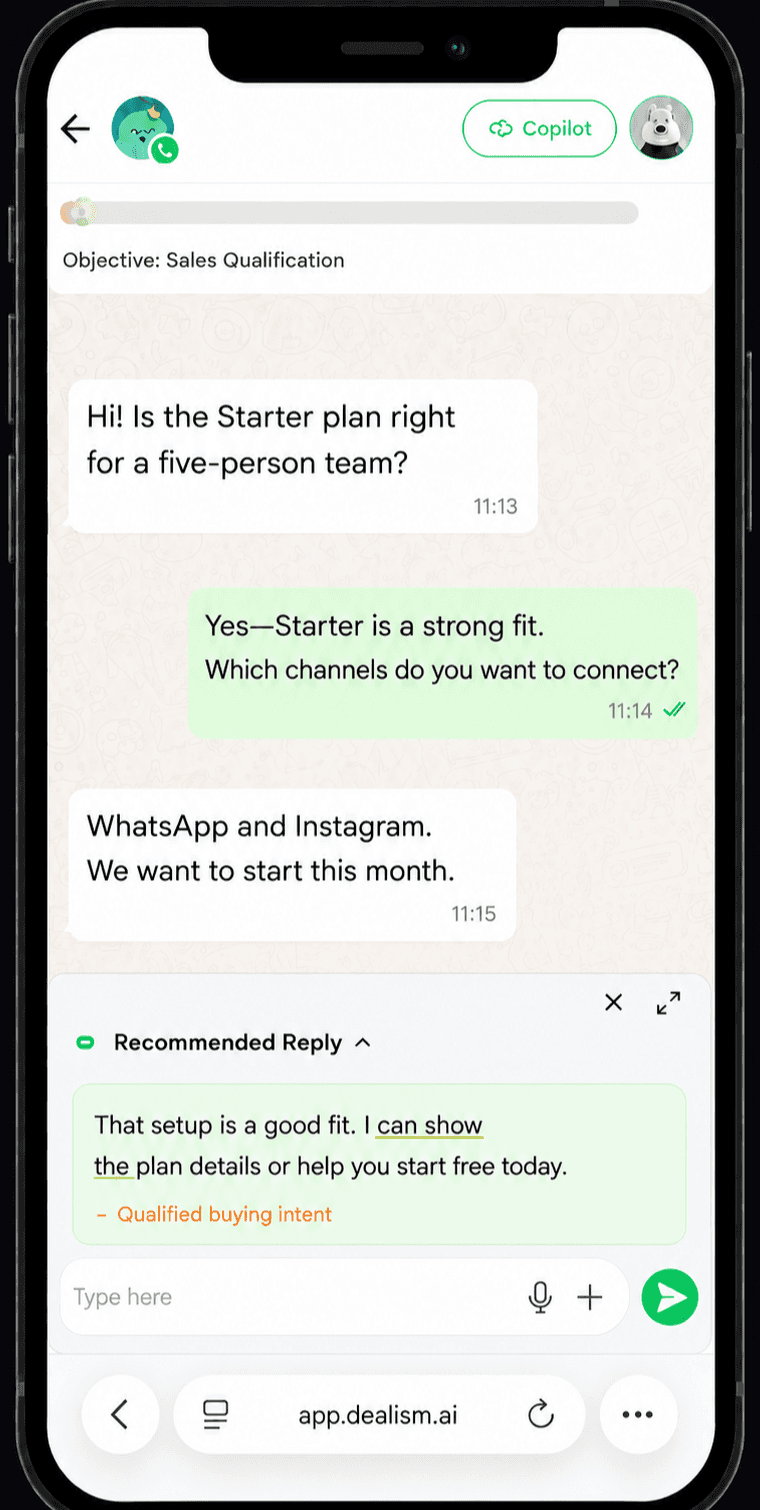
Starter looks like a strong fit.
Which channels do you want to connect?
Messages sent
1,380
↗ 15% conversion rate
Choose your connection
Dealism supports two distinct ways to work with WhatsApp. Choosing the right one at the beginning keeps setup and expectations clear.
Connect Personal WhatsApp through Dealism Desktop. This route is designed for people and small businesses that want help with customer conversations on the number they already use. You are on the right page.
Keep Your Number
Choose WABA if your business needs an API-based WhatsApp setup, approved message templates, or infrastructure intended for a growing messaging operation. Explore Dealism for WABA
Choose WABA
The real front desk
“They ask whether something is available. They want a price, an appointment, a recommendation, or an update. Some send a complete request. Others begin with ‘Hi’ and explain what they need one message at a time.”
For a small business, WhatsApp automation can reduce repeated attention switching without moving customers to a new channel. Waiting until later means a useful inquiry can disappear beneath newer chats.
The hard part is not sending the same greeting faster. It is understanding which question can be answered, which customer needs another question, and which conversation deserves your attention now.
Dealism adds a trained AI Customer Agent to help with that work while keeping you available for the moments where a person matters.
Conversation flow
A fixed auto-reply can acknowledge a message. A WhatsApp AI Customer Agent can continue the open-ended conversation.
The conversation begins on the WhatsApp number they already know. There is no new destination for the customer to learn.
Dealism uses the business knowledge and instructions you provide to identify the topic, interpret intent, and recognize which details are missing.
Live intent analysis
It can answer from approved information, ask a useful follow-up question, recommend an option, or guide the customer toward the next action you have defined.
Answer
Qualify
Guide
When the customer asks for an exception, wants to negotiate, needs specialist judgment, or simply requests a person, the conversation can move to you or your team with its context intact.
Assigned to Sales
WhatsApp · context ready
Small team · interested this month · wants plan comparison
Grounded in your business
Train your Agent with the information customers are allowed to receive: products, services, pricing, policies, business hours, availability, qualification criteria, and approved next steps.
Then define its role. A Dealism AI agent for WhatsApp can help your business answer, qualify, recommend, and guide customers within the boundaries you approve.
The Agent should work from the knowledge and boundaries you provide. If the information is missing or a decision falls outside those boundaries, handing off is more useful than inventing an answer.
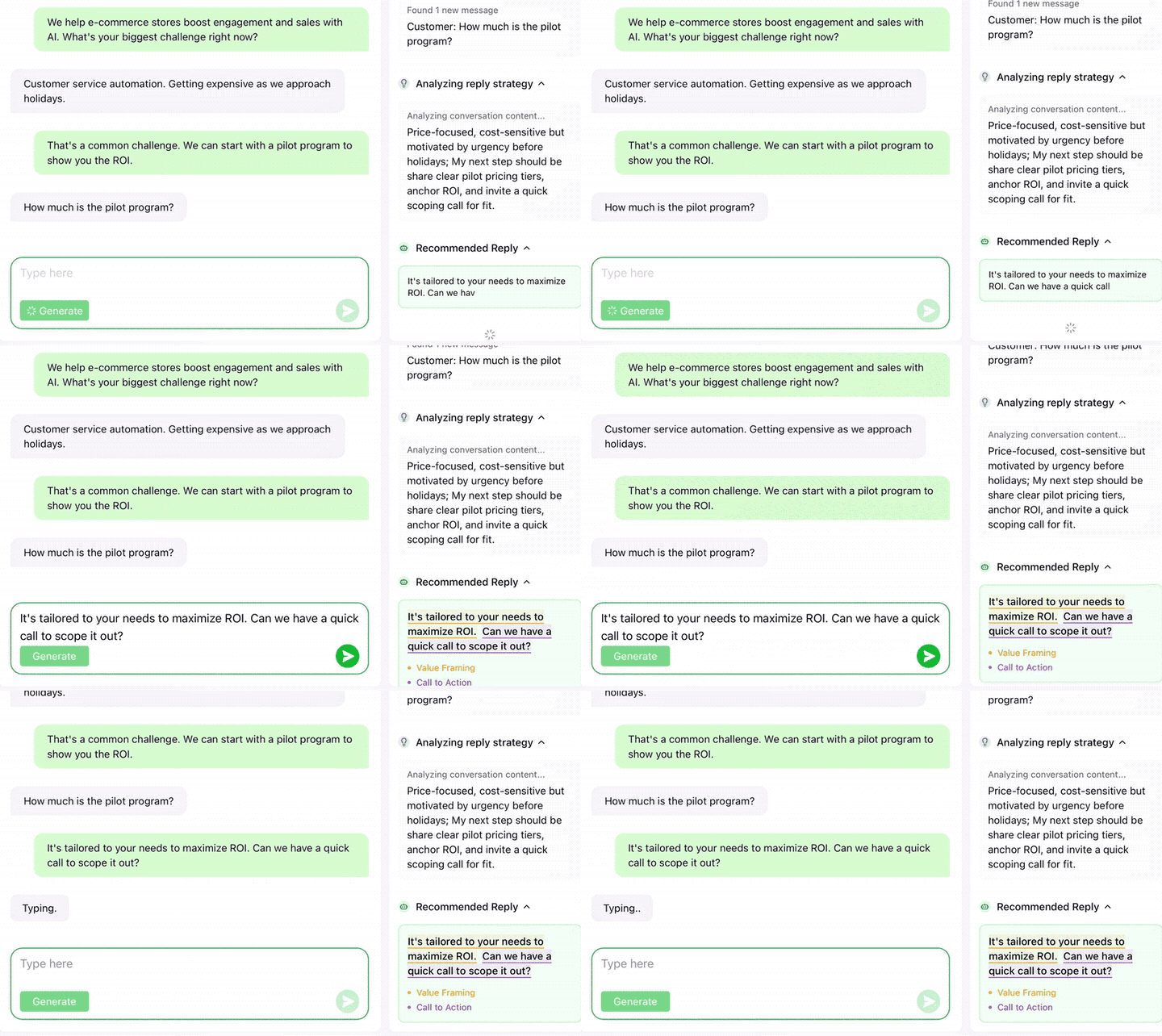
6 things your WhatsApp Agent can do
Answer open-ended product and service questions
Ask for the information required to understand the customer’s need
Recommend a suitable product, service, or action
Identify buying or booking intent
Guide the customer toward a link, appointment, or team member
Recognize when it should stop and ask a person to take over
Real WhatsApp messages
WhatsApp conversations are rarely tidy forms. Dealism helps turn ordinary messages into clearer next steps.
Approved pricing
“How much does it cost?”
The Agent can share approved pricing, explain what is included, and identify when the customer needs a custom quote.
● Incoming WhatsApp message
Product recommendation
“Which option is right for me?”
It can ask what the customer is trying to achieve and use your product or service information to suggest a relevant direction.
● Incoming WhatsApp message
Booking intent
“Are you available tomorrow?”
It can collect the details you require before sending the customer toward the appropriate booking process or team member. See how an AI Customer Agent works for local services.
● Incoming WhatsApp message
Order context
“Can you help with my order?”
It can gather the initial context and follow the support path you define, without pretending to know order information it cannot access.
● Incoming WhatsApp message
Human handoff
“I need to speak to someone.”
It can recognize the request and make room for a human response instead of forcing the customer through unnecessary questions.
Personal WhatsApp · Desktop required
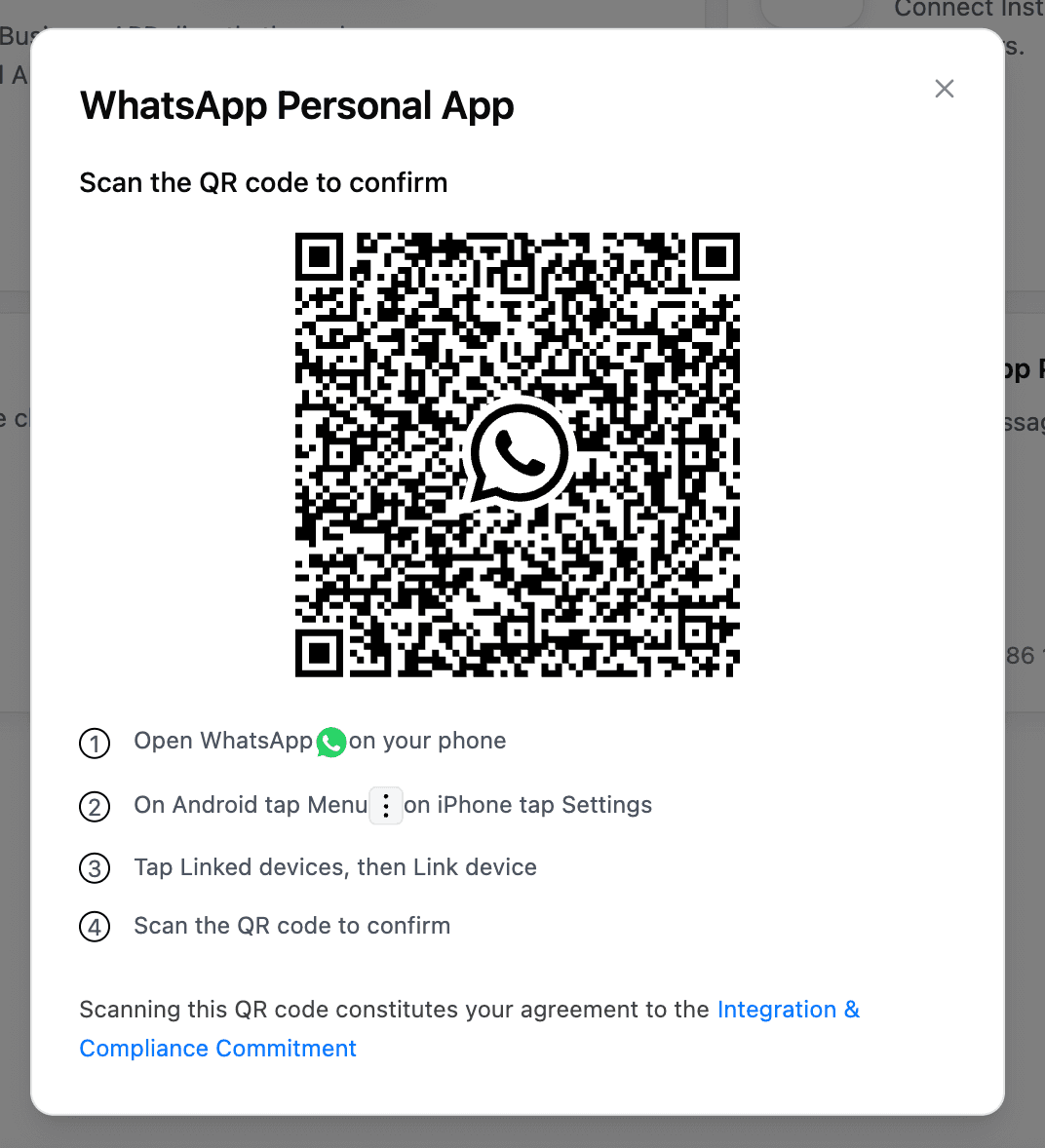
Personal WhatsApp connects only through Dealism Desktop. Install the app, sign in, and authorize the number with WhatsApp’s linked-device QR flow.
The linked-device session runs through Dealism Desktop on your computer, rather than the retired cloud-hosted Personal WhatsApp path.
Local authorization reduces connection exposure compared with the old cloud path. WhatsApp account, consent, and messaging rules still apply.
Your computer must stay powered on, awake, online, and running Dealism Desktop. Sleep, quit, or network loss can interrupt replies.
Desktop includes the current Dealism workspace features available on Web. Personal WhatsApp conversations remain Desktop-only.
Setup · about five minutes
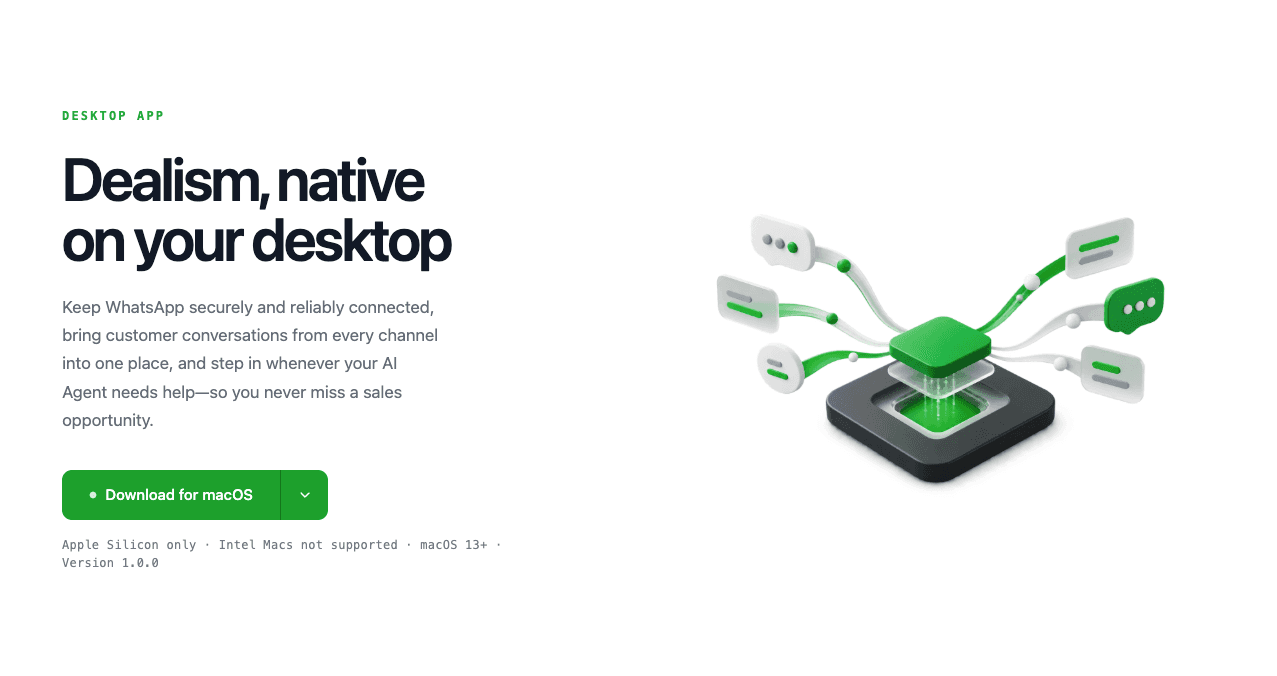
Use the official desktop download and WhatsApp’s linked-device authorization flow. The setup stays on your computer.

Supported computers
Apple Silicon Mac · macOS 13+ · Windows desktop · Intel Macs are not supported
Personal WhatsApp messages do not sync to Dealism Web or mobile. WABA and eligible WhatsApp Business App Coexistence follow separate official business authorization paths.
Use attention deliberately
The goal is not to remove the business owner from WhatsApp. It is to use attention more deliberately.
AI Customer Agent
AI answers common questions, gathers context, and keeps the conversation moving.
You and your team
Step in with the conversation context ready—no repeated questions or visible reset.
Explore the unified inboxFree entry points
These free entry points complement other WhatsApp marketing tools for small businesses by helping customers start the right conversation from a website, email, printed material, or social profile.
The tools create the entry point. Dealism helps continue the conversation.
Responsible use
This WhatsApp experience is intended to help manage legitimate business conversations, especially when a customer has contacted you or an existing relationship already allows the exchange.
It is not positioned as a tool for scraped phone lists, artificial activity, or indiscriminate cold-message campaigns. You remain responsible for using WhatsApp in accordance with its terms, respecting customer choices, and following applicable privacy and messaging rules.
If your use case requires approved templates or automated WhatsApp campaigns, review the Dealism WABA channel instead of assuming the desktop connection has the same capabilities.
Questions before you connect
Download and open Dealism Desktop, sign in with the same Dealism account, then connect WhatsApp Personal App from Channels. The Personal WhatsApp authorization is completed inside the desktop app, not Dealism Web.
Personal WhatsApp uses a local linked-device session on your computer. Dealism Desktop keeps that session available to the AI Customer Agent without using the retired cloud-hosted Personal WhatsApp connection path.
Keeping the linked-device session on your own computer reduces connection exposure compared with the retired cloud-hosted Personal WhatsApp path. It does not remove WhatsApp enforcement risk: normal account, consent, and messaging rules still apply.
Yes. For Personal WhatsApp, the computer must remain powered on, awake, connected to the internet, and running Dealism Desktop. If the computer sleeps, the app closes, or the network disconnects, continuous replies may stop.
Dealism Desktop includes the current Dealism workspace features available on Web. Personal WhatsApp conversations are the exception: they stay in Dealism Desktop and do not sync to Dealism Web or mobile.
Dealism Desktop supports Windows computers and Macs with Apple M-series chips running macOS 13 or later. Intel-based Macs are not currently supported.
On Android, open WhatsApp, tap the menu, then Linked devices and Link a device. On iPhone, open WhatsApp Settings, then Linked Devices and Link a Device. Complete your phone authentication and scan the QR code shown in Dealism Desktop.
Refresh the QR code in Dealism Desktop and scan again. Also confirm that the phone is online, WhatsApp has an available linked-device slot, and the computer has a stable internet connection.
No. Personal WhatsApp through Dealism Desktop is a local linked-device connection. WABA and eligible WhatsApp Business App Coexistence use Meta's official business authorization paths, work across supported Dealism clients, and do not require an always-on computer.
Use the official Dealism Desktop download page for the current macOS and Windows installers. Download Dealism Desktop