Primeiros Passos
Atualizado
6 minutos de leitura
O Aprendizado Autônomo está atualmente em versão Beta
A configuração aparece apenas para contas com acesso. Os resultados exigem um histórico de conversas relevante e devem ser revisados antes de serem aplicados a um Agente.
O que o Aprendizado Automático faz
O Aprendizado Automático (Self Learning) é a capacidade de aprendizado em versão Beta do Dealism. Quando ativado, o Dealism continua aprendendo com as conversas históricas e novas disponíveis na conta e prepara resultados que podem ajudar a aprimorar o seu Agente.
As áreas de aprendizado atuais incluem:
Abordagens de vendas: métodos de acompanhamento reutilizáveis, estratégias de conversão e padrões de resposta encontrados em conversas eficazes.
Tom de Voz do Vendedor: o estilo, o tom e as expressões comumente usadas pela conta em conversas reais.
Lacunas de conhecimento: informações que estavam ausentes quando o Agente respondeu, permitindo que sua equipe adicione os fatos que os clientes precisam.
O Aprendizado Automático usa atualmente uma chave de ativação mestre. Não é possível ativar ou desativar as áreas de aprendizado separadamente. O recurso aparece apenas para contas com acesso ao Beta do Aprendizado Automático.
Ativar o Aprendizado Automático
Faça login no Dealism e abra o Painel.
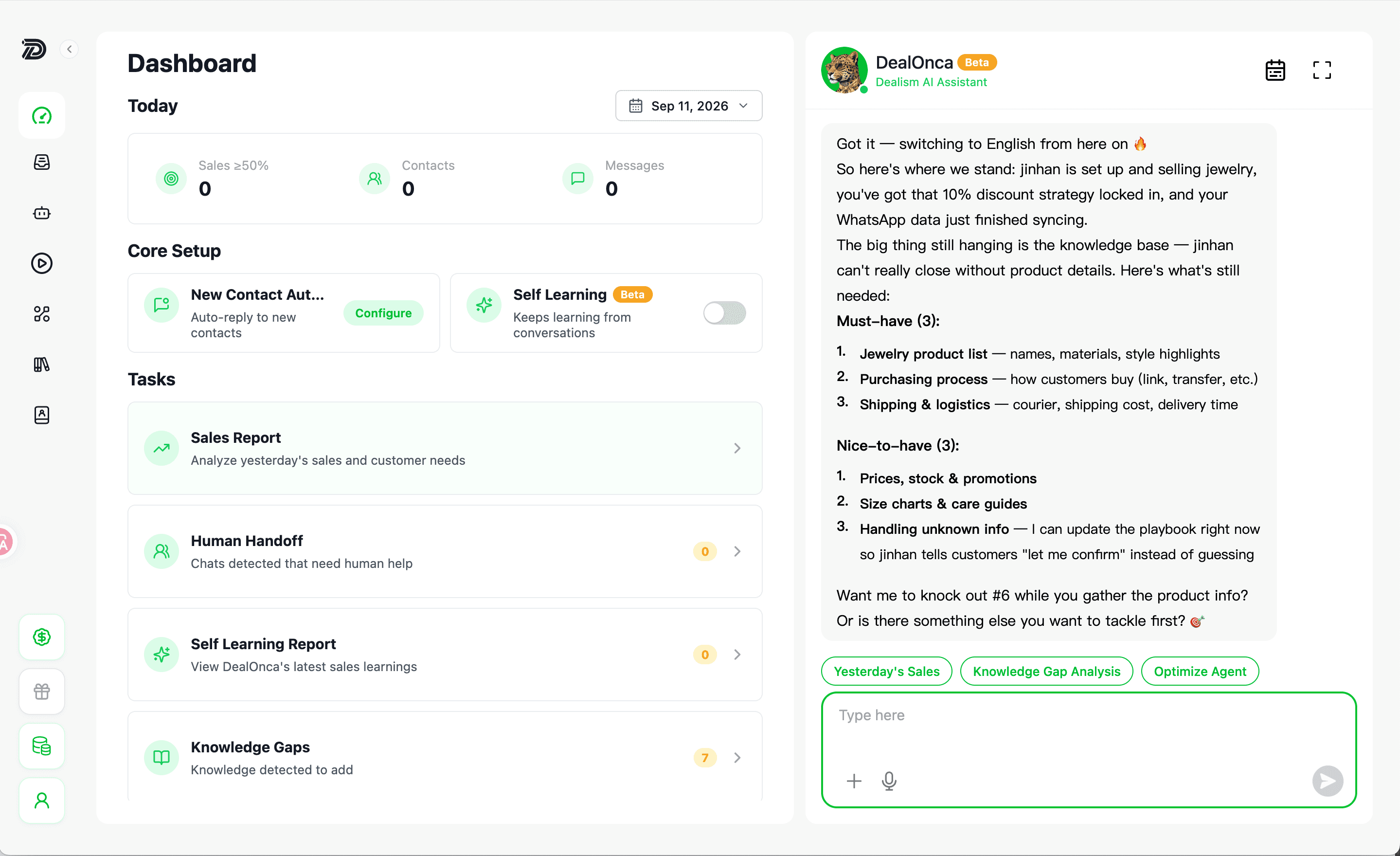
Em Configuração Principal, localize Aprendizado Automático. Uma etiqueta de Beta e uma chave de ativação aparecerão no cartão.
Selecione a chave.
Na caixa de diálogo de confirmação, selecione Ativar.
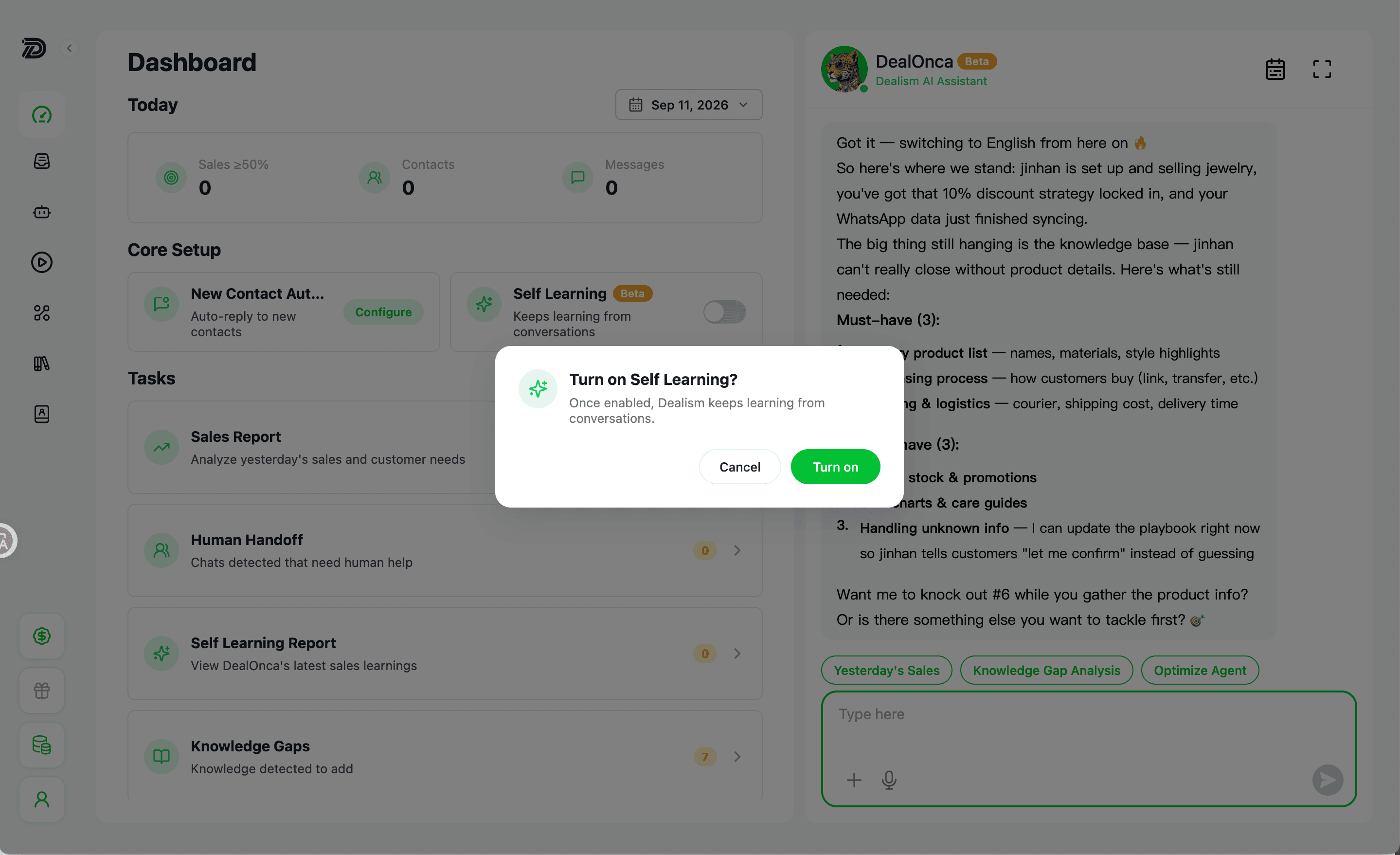
Depois que a configuração for salva, o Dealism começará a aprender com as conversas. Os resultados não são necessariamente imediatos: a conta precisa de um histórico de conversas relevante, e um relatório só aparecerá depois que o Dealism identificar uma abordagem de vendas útil, um padrão de Tom de Voz do Vendedor ou uma lacuna de conhecimento.
Revisar novos resultados de aprendizado
Retorne ao Painel e localize o Relatório de Aprendizado Automático em Tarefas.
Verifique o número à direita. Ele mostra quantos novos resultados de aprendizado ainda não foram visualizados.
Selecione Relatório de Aprendizado Automático.
Revise os resultados mais recentes no DealOnca. No computador, eles aparecem no painel do DealOnca à direita. No celular, o item abre a página do DealOnca.
Confirme se uma proposta de tática, padrão de voz ou atualização de conhecimento reflete fielmente o seu negócio antes de aprová-la ou aplicá-la.
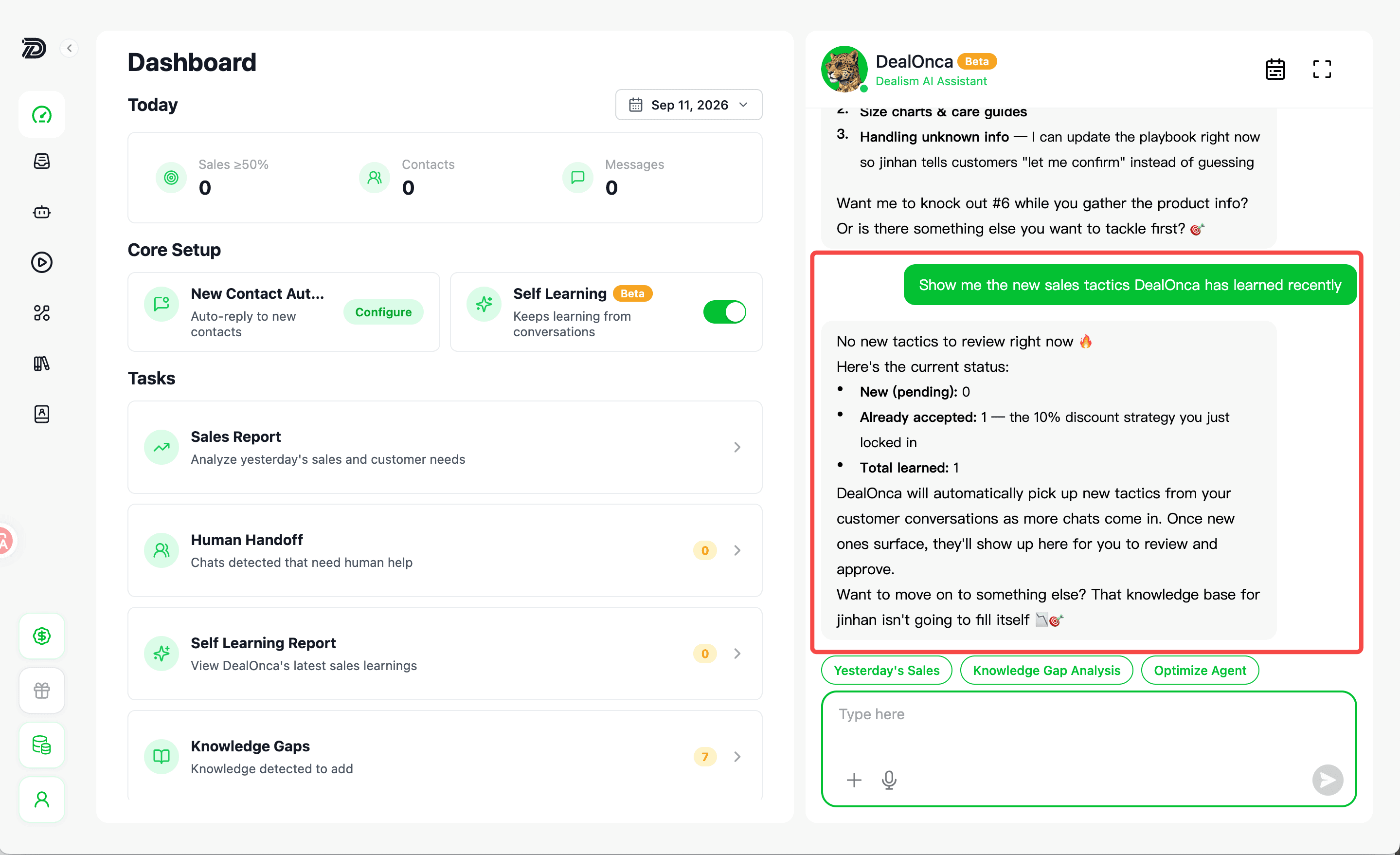
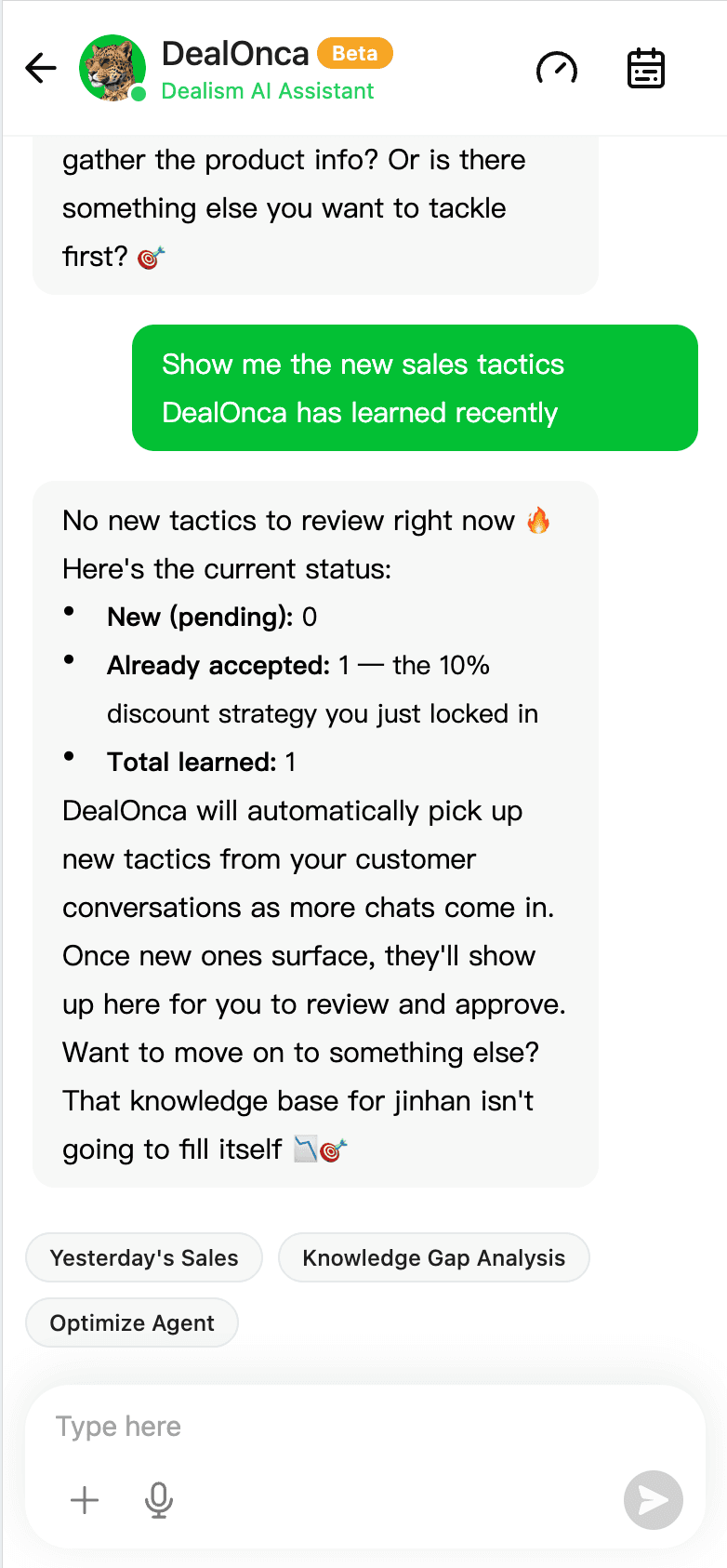
Ao abrir o relatório, os resultados atuais não lidos são marcados como visualizados, de modo que o número pode diminuir ou voltar a zero. O número zero significa que não há novos resultados não lidos; não significa que o aprendizado anterior foi excluído.
Quando um resultado identificar uma informação comercial ausente, adicione ou atualize a fonte na Base de Conhecimento. Consulte Como funciona a Base de Conhecimento e Adicione seu conhecimento.
Desativar o Aprendizado Automático ou solucionar problemas de acesso
Para interromper o aprendizado a partir de novas conversas, retorne ao Painel e desligue a chave do Aprendizado Automático. Os resultados de aprendizado existentes continuarão disponíveis; desativar o recurso apenas interrompe o aprendizado futuro.
Se o Aprendizado Automático não estiver aparecendo: a versão Beta é exibida apenas para contas com acesso autorizado. Confirme se você está usando a conta e o espaço de trabalho corretos do Dealism.
Se a configuração não for salva: atualize o Painel e tente novamente. Se o erro persistir, anote a conta, o horário e a mensagem de erro e, em seguida, entre em contato com o Suporte do Dealism.
O Aprendizado Automático pode melhorar as orientações, mas não substitui a revisão humana. Teste alterações importantes antes de confiar nelas em conversas com clientes. Consulte Testar antes de publicar.
Perguntas frequentes
Quanto tempo o Aprendizado Automático leva para gerar resultados?
Não há um tempo de processamento fixo. O Dealism precisa de histórico de conversas relevante suficiente e só cria um resultado quando identifica uma abordagem de vendas útil, um padrão de Tom de Voz do Vendedor ou uma lacuna de conhecimento. Se a contagem de não lidos for zero, pode ser que simplesmente ainda não haja um novo resultado.
O Aprendizado Automático utiliza tanto conversas antigas quanto novas?
Sim. Depois que você o ativa, o Aprendizado Automático pode aprender tanto com as conversas históricas quanto com as novas disponíveis na conta.
Posso ativar apenas uma área de aprendizado?
Não. Atualmente, o Aprendizado Automático possui apenas uma chave mestre para abordagens de vendas, Tom de Voz do Vendedor e lacunas de conhecimento. As áreas de aprendizado não podem ser ativadas ou desativadas separadamente.
O que acontece se eu desativar o Aprendizado Automático?
O Dealism deixará de gerar novos resultados de aprendizado a partir de conversas futuras. Os resultados que já foram criados continuarão disponíveis.
Por que não consigo ver o Aprendizado Automático ou um novo relatório?
O Aprendizado Automático está disponível no momento apenas para contas com acesso à versão Beta. Primeiro, confirme se você está na conta e no espaço de trabalho corretos do Dealism. Se o recurso estiver ativado, mas nenhum relatório aparecer, continue utilizando a conta até que haja conversas relevantes suficientes para o aprendizado. Se a chave de ativação não salvar ou o problema persistir, entre em contato com o Suporte do Dealism informando sua conta, espaço de trabalho, horário aproximado e qualquer mensagem de erro apresentada.