WABA · Official WhatsApp Business Platform

Your WhatsApp Conversations Are Ready to Scale

Connect WABA to Dealism so automation handles the predictable steps, your AI Customer Agent continues the conversation, and your team takes over with the full context ready.

Meta Business PartnersOfficial API channelShared customer context
WhatsApp
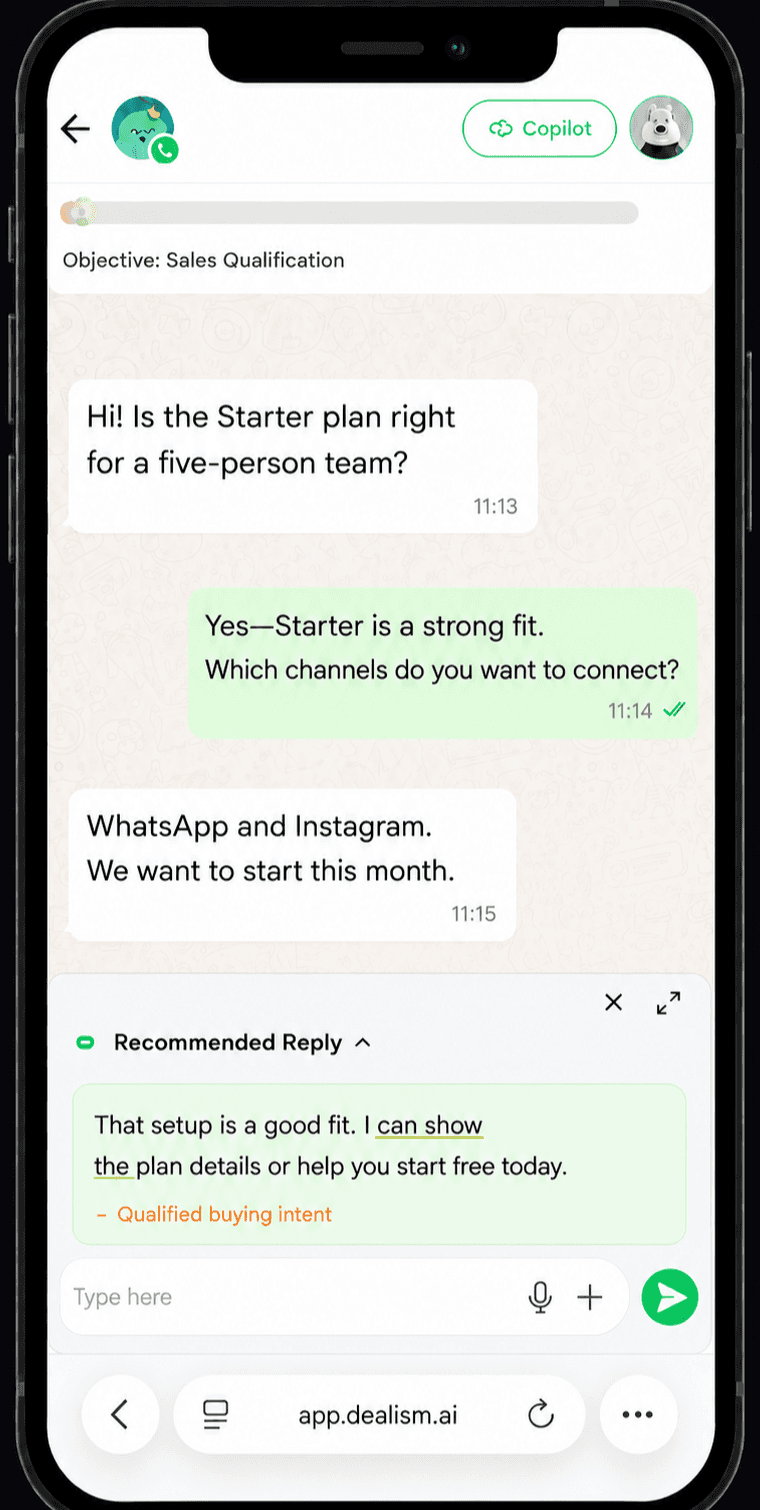
A customer asks about a plan in WhatsApp and Dealism qualifies the sales inquiry
Is Starter right for our five-person team?

Starter looks like a strong fit.

Which channels do you want to connect?

Messages sent

1,380

↗ 15% conversion rate

One operating model

Let Automation, AI, and People Share the Work—Not Lose the Context

WABA enters Dealism once. The work can change hands while the customer context stays together.

  1. 1WABA Message

    A customer starts or continues a conversation through your official WhatsApp Business Platform channel.

    WABA Message

  2. 2Automation

    A focused flow handles the predictable opening action, question, link, or route.

    Automation

  3. 3AI + Context

    The trained Agent understands intent, uses approved knowledge, and identifies what is still missing.

    Intent
    Known
    Missing

    AI + Context

  4. 4Human Handoff

    Your team takes over from the same customer record with the earlier exchange and next move ready.

    AnswerRoute

    Human Handoff

Two official connection paths

Connect WhatsApp Business the way your number works today.

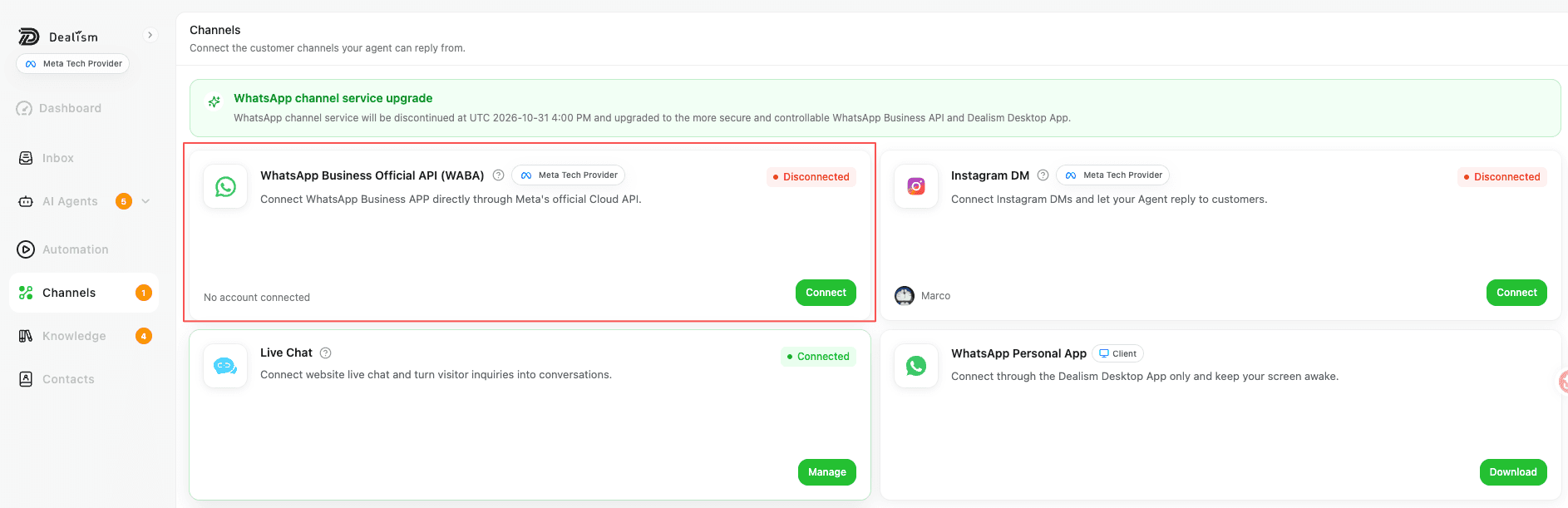
Open WhatsApp Business Official API (WABA) in Channels, then choose the path that matches the number you want to connect.

01 · Existing Business App number

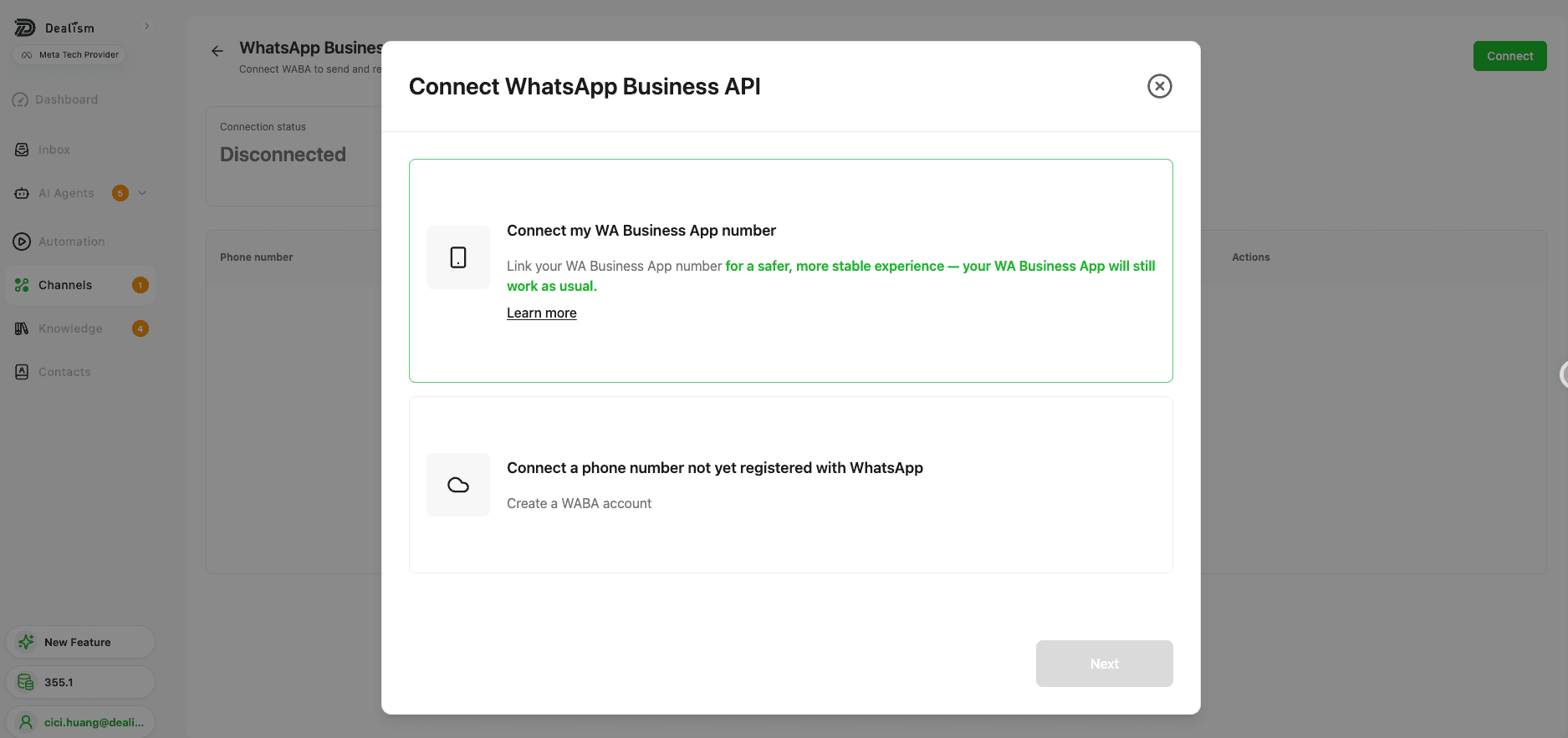
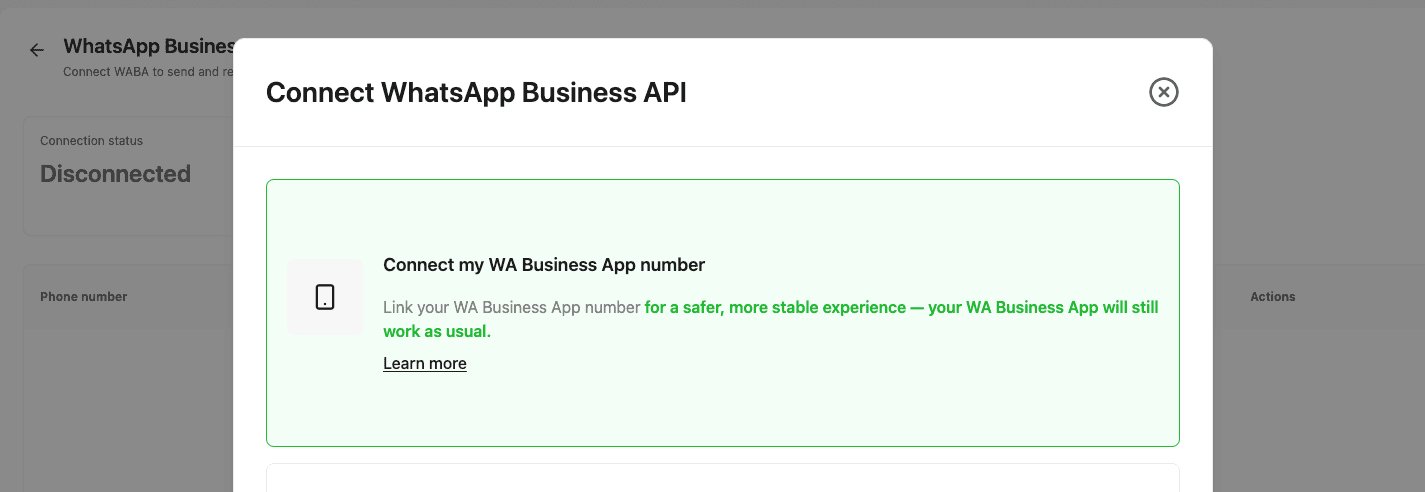
Connect my WA Business App number

Link your existing WhatsApp Business App number through the official Coexistence path. Your WhatsApp Business App will still work as usual.

  • Keep using the WhatsApp Business App
  • Official API connection to Dealism
  • No always-on computer required
02 · New business number

Connect a phone number not yet registered with WhatsApp

Use a number that is not already registered with WhatsApp, then create a WABA account through the official authorization flow.

  • Create a new WABA account
  • Use across supported Dealism clients
  • No always-on computer required

How to choose

Start in Channels. Choose by number type.

The setup starts in the same place. The authorization path changes according to whether the number already belongs to WhatsApp Business App.

Both official paths work across supported Dealism clients.

Use the connected channel in Dealism Desktop, mobile app, Web, and H5. Unlike Personal WhatsApp, these paths do not require the computer to stay on.

WABA in Dealism

One Official Channel. Six Useful Capabilities.

Use the API for structured messaging—then keep the customer experience human when judgment matters.

Capability 01

AI Customer Agent

Answer open-ended questions using the business information you approve.

Which plan works for a growing team?
How many people need access, and which channels do you want to connect?
Intent and missing context identified

Capability 02

Shared control

Choose Autopilot, Copilot, or human handling at conversation level.

Conversation control

Autopilot

Agent replies

Select

Copilot

Agent suggests

Select

Human

Team replies

Select

Capability 03

WABA message formats

Work with the service window and approved message templates.

Message format

Service window

Free-form reply

Outside window

Approved template

Capability 04

Unified operations

Keep WABA beside supported Instagram, WhatsApp, and Live Chat.

Dealism Inbox

All supported conversations

● Connected
WABA logo

WABA

Instagram logo

Instagram

Live Chat logo

Live Chat

Capability 05

CRM context

Track source, history, tags, summaries, ownership, and the next action.

One customer record

SourceWABA
IntentPlan comparison
OwnerSales team
Next moveSchedule review

Capability 06

Brand and language guidance

Define tone, language, boundaries, escalation, and approved knowledge.

Agent guidance

Approved operating rules

Warm toneEnglish + PortugueseNever invent pricingHandoff exceptionsUse approved knowledge

Trained on your business

An Agent That Knows What It Should—and Shouldn’t—Say

Define the knowledge, tone, goals, and boundaries. Dealism responds from the information you approve and hands over when the answer needs human judgment.

Explore the AI Customer Agent
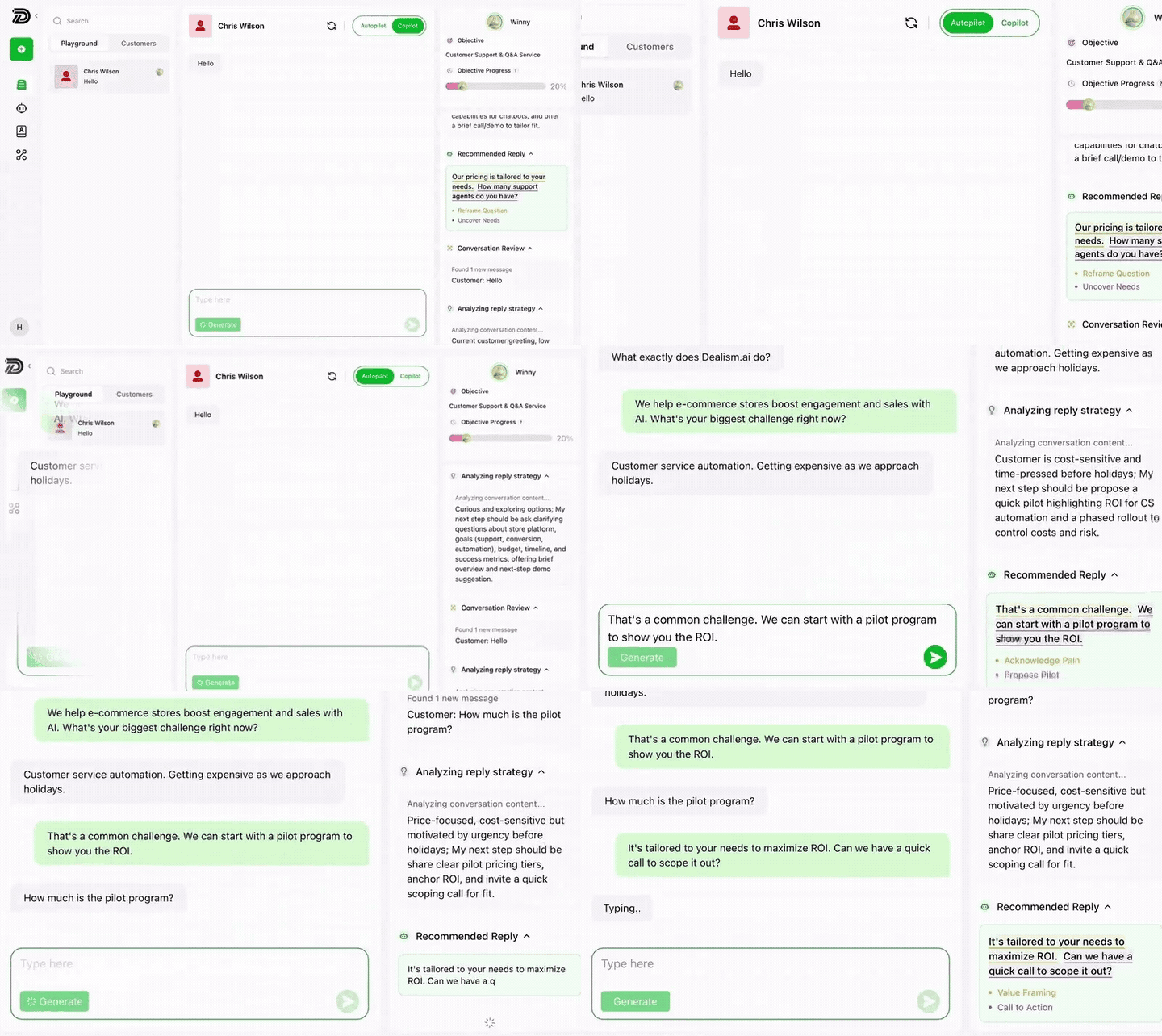
Dealism AI Customer Agent analyzing and replying to a WhatsApp conversation using approved business knowledge

Messaging rules

Customer-Initiated and Business-Initiated Messages Follow Different Rules

The useful difference is simple: who started the current conversation, and when?

Simple setup

Connect. Train. Answer. Take Over.

Start with one focused responsibility. Test before expanding what the Agent handles.

Step 01 of 05

Choose your WABA connection

Connect an existing WhatsApp Business App number through Coexistence, or use a number not yet registered with WhatsApp to create WABA.

WhatsApp Business API dialog with Coexistence and new WABA number options.

Choose Coexistence for an existing WhatsApp Business App number, or create WABA with a number not yet registered with WhatsApp.

Step 02 of 05

Train one Agent

Add products, pricing, policies, FAQs, and working rules.

Agent Setup

Define your Agent’s identity and core purpose.

Basic Info

Shapes how customers perceive your Agent’s persona, tone, and voice.

Avatar

Step 03 of 05

Set conversation control

Choose Autopilot, Copilot, or human handling.

Conversation control

Choose how the Agent works.

Autopilot

Answer automatically

Copilot

Suggest a reply

Human

Team has control

Step 04 of 05

Test realistic conversations

Test pricing, objections, missing details, and handoff.

Test conversation

Preview the WABA experience before activation.

Which plan works for a 12-person team?
Do you need shared inbox access, automation, or both?
Both, with human handoff.

Handoff rule detected

Step 05 of 05

Activate and review

Start with limited responsibility and expand after review.

A live WhatsApp sales conversation reviewed in Dealism

WABA conversation

Intent recognized

Ready for review

Human handoff ✓

Real operating needs

Built for the Work an Official Channel Actually Handles

WABA conversations need structure without losing the human context behind the request.

Lead qualification

Can your team support twelve locations?

How Dealism handles it

Gather scale, timing, and requirements before routing the opportunity.

●  Incoming WABA message

Booking intent

Can I schedule a consultation this week?

How Dealism handles it

Answer the common questions, collect context, and pass exceptions to a person.

●  Incoming WABA message

Order update

Has order 4812 shipped yet?

How Dealism handles it

Use the appropriate utility message for a requested transaction update.

●  Incoming WABA message

Human escalation

Can someone review a custom contract?

How Dealism handles it

Bring in the right teammate with the earlier WABA conversation still visible.

●  Incoming WABA message

Opted-in follow-up

Send me the options we discussed.

How Dealism handles it

Continue a relevant conversation using the permitted message format.

Plan the complete stack

Understand the Complete Cost Before You Scale

WABA cost is more than one software subscription—but it does not need to be a mystery.

Layer 01

Meta charges

Delivered messages, category, and recipient market.

Read the WABA pricing guide

Layer 02

Provider layer

The connection or infrastructure supporting WABA.

Layer 03

Dealism usage

The plan and AI usage supporting the conversation.

Compare WhatsApp tools
What should I compare before choosing?
Compare the whole stack instead of the headline subscription: Meta charges, provider costs, software plan, AI usage, onboarding, templates, and the work required to operate the channel.

Responsible use

Built for Permission-Based Business Conversations

Official infrastructure does not remove the need for consent, boundaries, and human control.

Meta Business Partner

Connect with confidence.

Dealism is a Meta Business Partner and uses supported Meta connection paths. Dealism PTE. LTD. has also completed Meta Access Verification.

Meta Business Partners

Your responsibility

  • Obtain the required customer opt-in.
  • Honor blocks, opt-outs, and stop requests.
  • Use approved templates when required.
  • Keep a clear human escalation path.
Review WhatsApp policy

Questions before you connect

Frequently Asked Questions

Choose the option that matches your number: connect an existing WhatsApp Business App number through the official Coexistence path, or connect a phone number that is not yet registered with WhatsApp and create a WABA account.

Yes. Choose ‘Connect my WA Business App number.’ Dealism uses WhatsApp Business App Coexistence, so the number connects through the official API path while your WhatsApp Business App continues to work as usual.

No. Coexistence is for an eligible WhatsApp Business App number. Personal WhatsApp follows a separate Dealism Desktop connection path and should not be selected in the WABA setup.

Yes. Choose ‘Connect a phone number not yet registered with WhatsApp.’ The number must not already be registered with WhatsApp, and the setup will create a WABA account through the official authorization flow.

Yes. When you use the Coexistence option, your WhatsApp Business App continues to work as usual while the number is also connected to Dealism through the official API path.

No. WhatsApp Business App Coexistence and WABA use official API authorization paths. They do not require an always-on computer.

WhatsApp Business App Coexistence and WABA can be used in Dealism Desktop, the Dealism mobile app, Web, and H5.

Yes. Train an AI Customer Agent on approved business knowledge, define its role and boundaries, and choose when it replies automatically, suggests replies for review, or hands off to a person.

They are generally required when a business starts or restarts a conversation outside the 24-hour customer-service window. Template approval, categories, eligibility, and pricing follow Meta’s current rules.

No. WABA is a paid-plan channel. The Light free plan supports two selected non-WABA channels.

No. Use must follow Meta policies, consent requirements, template rules, and opt-out requests. Dealism is designed for permission-based customer conversations, not unsolicited blasting.

Official channel. One simpler workspace.

Bring WABA Into One Simpler Sales Workspace

Connect the WhatsApp Business Platform, train an AI Customer Agent with your business knowledge, and keep human control ready when judgment matters.

Explore WABA plans
Dealism.WABA conversations, ready to scale.