Getting Started
Updated
4 min read
Good to Know
Keep your knowledge accurate and up to date. You can add, edit, or remove knowledge sources at any time as your products, services, or business information changes.
Add Your First Knowledge Source
Overview
Knowledge gives your AI Customer Agent the business information it can use during customer conversations.
In Dealism, you can add different types of knowledge, including Documents, FAQs, Product Lists, and Use Cases. You can also view, edit, and delete existing knowledge as your business information changes.
Choose what your Agent should know
Start with information your customers commonly need, such as product details, services, pricing information, FAQs, or examples of how customers use your products.
Dealism organizes knowledge into four types:
Documents — business information from uploaded files or website URLs.
FAQs — standard questions and answers your Agent can reference.
Product Lists — information about your products or services.
Use Cases — examples and materials that explain how your products or services are used.
You can continue adding and updating knowledge as your business grows.
Add a Document
Go to Knowledge and select Add.
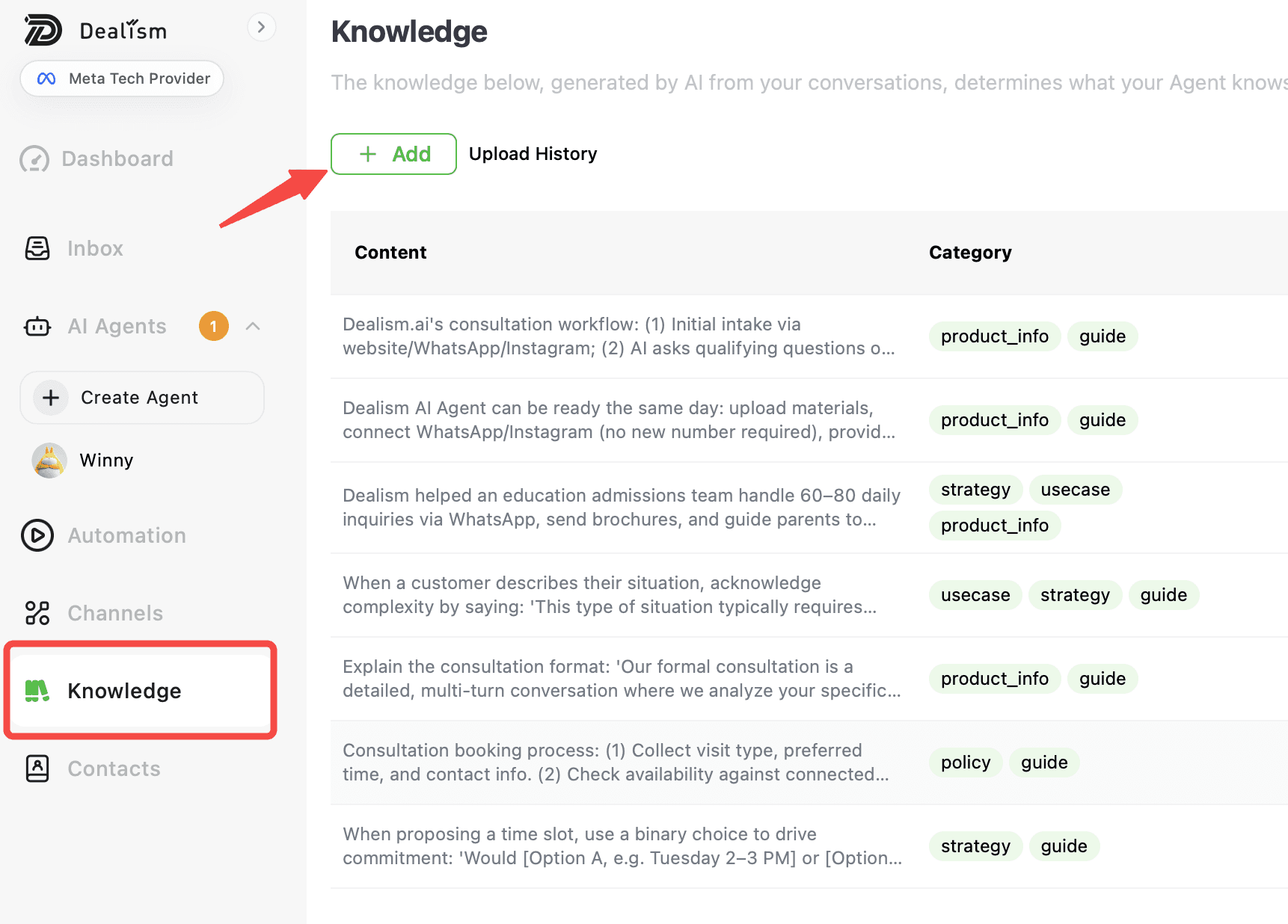
You can enter a website URL or upload a supported file. Dealism processes the content into usable knowledge and stores it as a Document for your Agent. The product manual lists doc, docs, pdf, and txt as supported Document upload formats.

After the content has been processed, review the Document to make sure the information your Agent will use is accurate and current.
Add an FAQ
Use FAQs for common customer questions that have a clear answer.
You can add a question and answer individually or upload multiple FAQs using the Excel template.
Keep answers clear and up to date so your Agent has reliable information to reference during customer conversations.
Add product information
Use Product Lists to give your Agent information about the products or services you offer.
You can add product information using product URLs or product detail page screenshots. Dealism recommends providing your relevant product or service information so the Agent has more complete information to use during conversations.
Add a Use Case
Use Cases help your Agent understand examples of how your products or services work for customers.
You can add Use Cases using URLs or screenshots. These can include materials showing product or service effectiveness and other relevant customer scenarios.
Manage your knowledge
After adding knowledge, you can return to the Knowledge section whenever you need to review or update it.
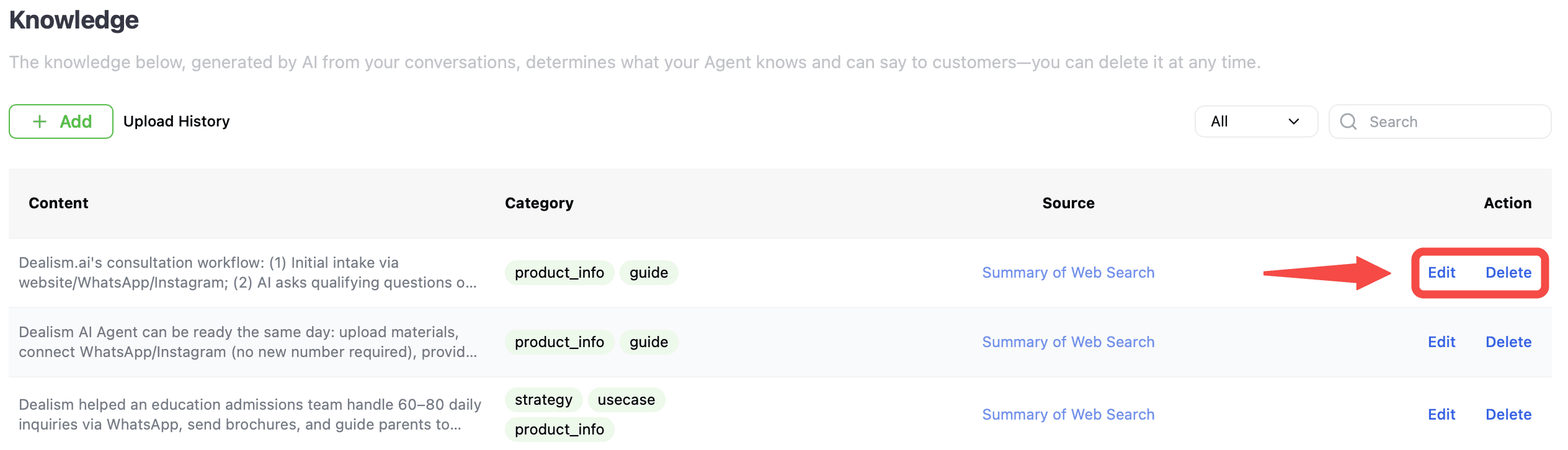
Documents, FAQs, Product Lists, and Use Cases can be edited or deleted. For supported sources, you can also use View Source to access the original URL or file associated with the knowledge.
Keeping your knowledge current helps ensure your AI Customer Agent has the latest business information available when communicating with customers.
What to do next
After adding your first knowledge source, test your AI Customer Agent with questions related to the information you added.
If the Agent needs more context, return to Knowledge and add additional Documents, FAQs, Product Lists, or Use Cases. You can also add Strategies to define how your Agent should approach specific customer scenarios.