Getting Started
Updated
4 min read
Good to know
After creating your account, complete your Agent setup, add Knowledge, and connect a messaging channel. Test your Agent with Try Me and start with Copilot before enabling Autopilot.
Overview
Creating a Dealism account gives you access to your workspace, AI Customer Agents, Knowledge, Inbox, Automations, and connected messaging channels.
After creating your account, you can configure your Agent, add business information, connect a channel, and test customer conversations.
Create your account
Go to Dealism registration page.
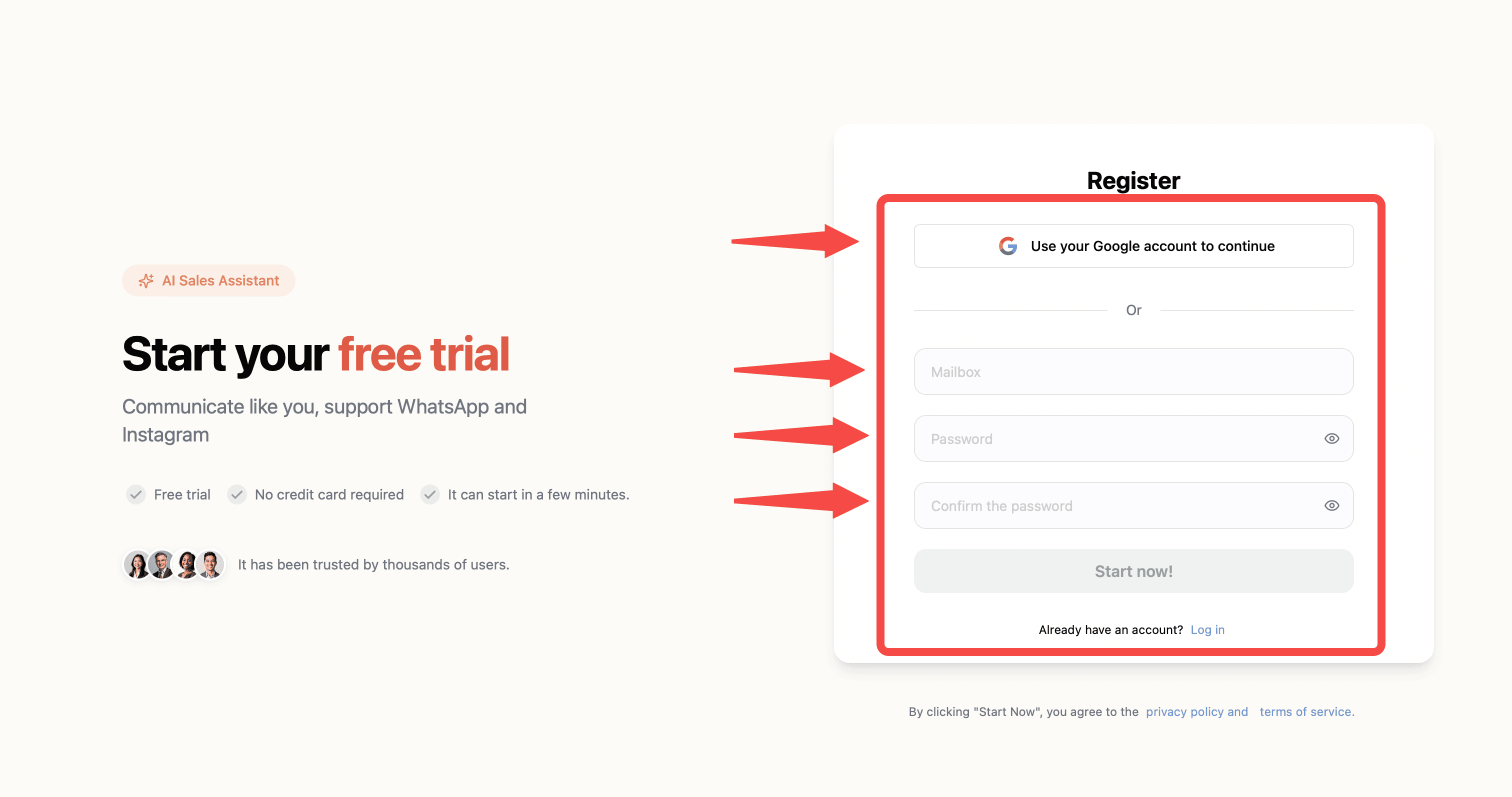
Choose your preferred sign-up method. You can sign up with Google or create an account using your email and password.
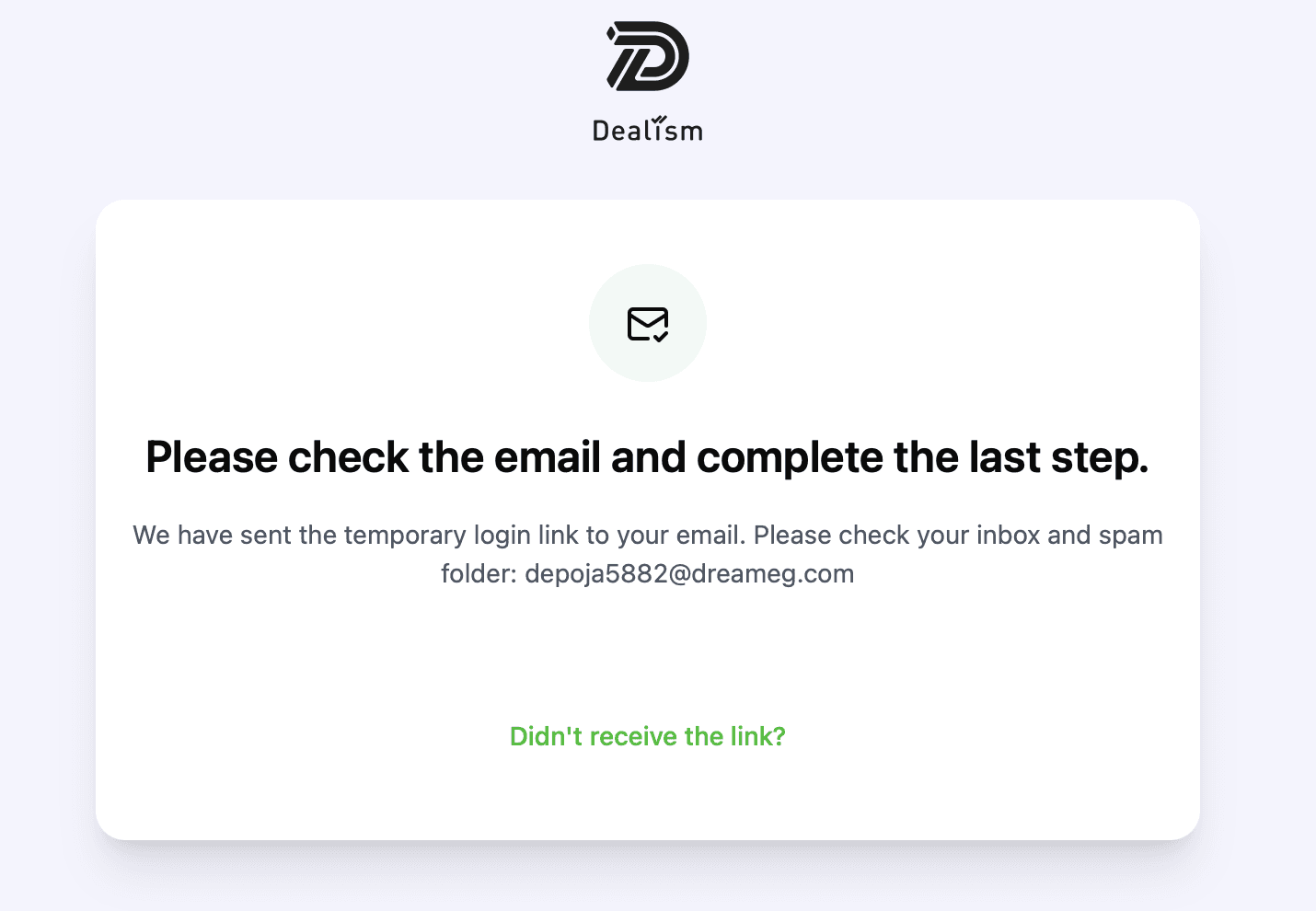
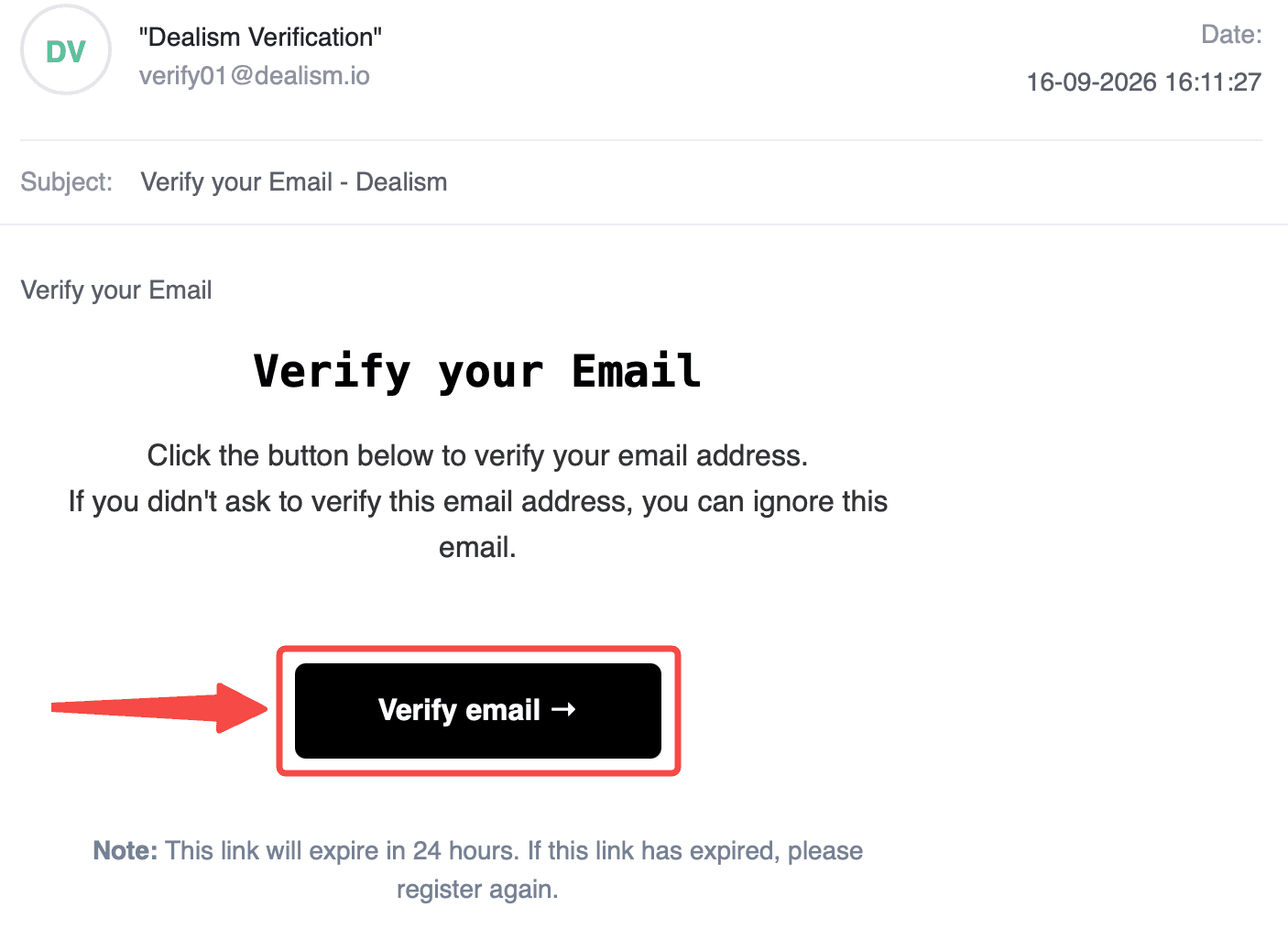
If you register with email, follow the verification instructions sent to your inbox to activate your account.
Complete your setup
After signing in, provide the basic information Dealism needs to understand your business.
Add information such as your name or business name, company details, what you sell, and what you want your AI Customer Agent to accomplish.
You can update and refine this information later.
Connect a messaging channel
Next, connect a channel where you communicate with customers.
Go to Channels and connect a supported WhatsApp or Instagram account. You can start with one channel and connect additional channels later.
Once connected, conversations from supported channels can appear in your Unified Inbox.