Getting Started
Updated
4 min read
Good to Know
You can update your Agent’s objective, tone, knowledge, and strategies at any time. Test your Agent before connecting it to real customer conversations.
Create Your First AI Customer Agent
Overview
Your AI Customer Agent is the customer-facing AI that communicates with customers using the business information, objectives, and instructions you provide.
When creating your first Agent, you’ll define its basic information and objective, then give it materials to learn from. Dealism can learn from authorized conversation history, website URLs, and uploaded files to prepare the Agent for customer conversations.
Create your Agent
After signing in to Dealism, go to the Create your Agent section.
Start by entering the basic information for your Agent:
Agent name and avatar
Brand or company
Product or service
Objective
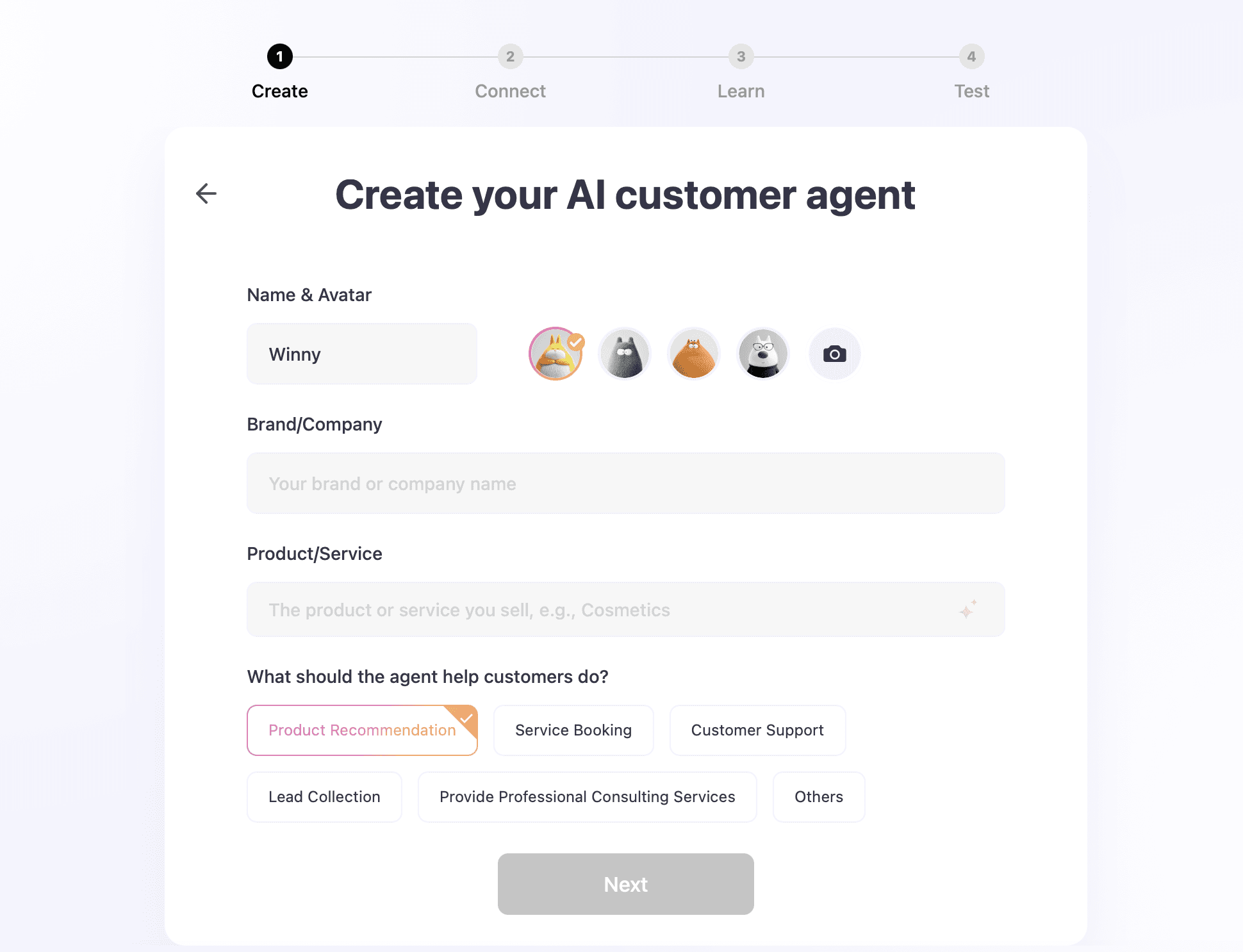
Your objective describes what you expect the Agent to achieve during customer conversations. This gives the Agent a clear direction when interacting with customers.
Once the information is complete, select Next to continue.
Let your Agent learn from conversations
Dealism can use your existing customer conversations to help your Agent learn how your business communicates with customers.
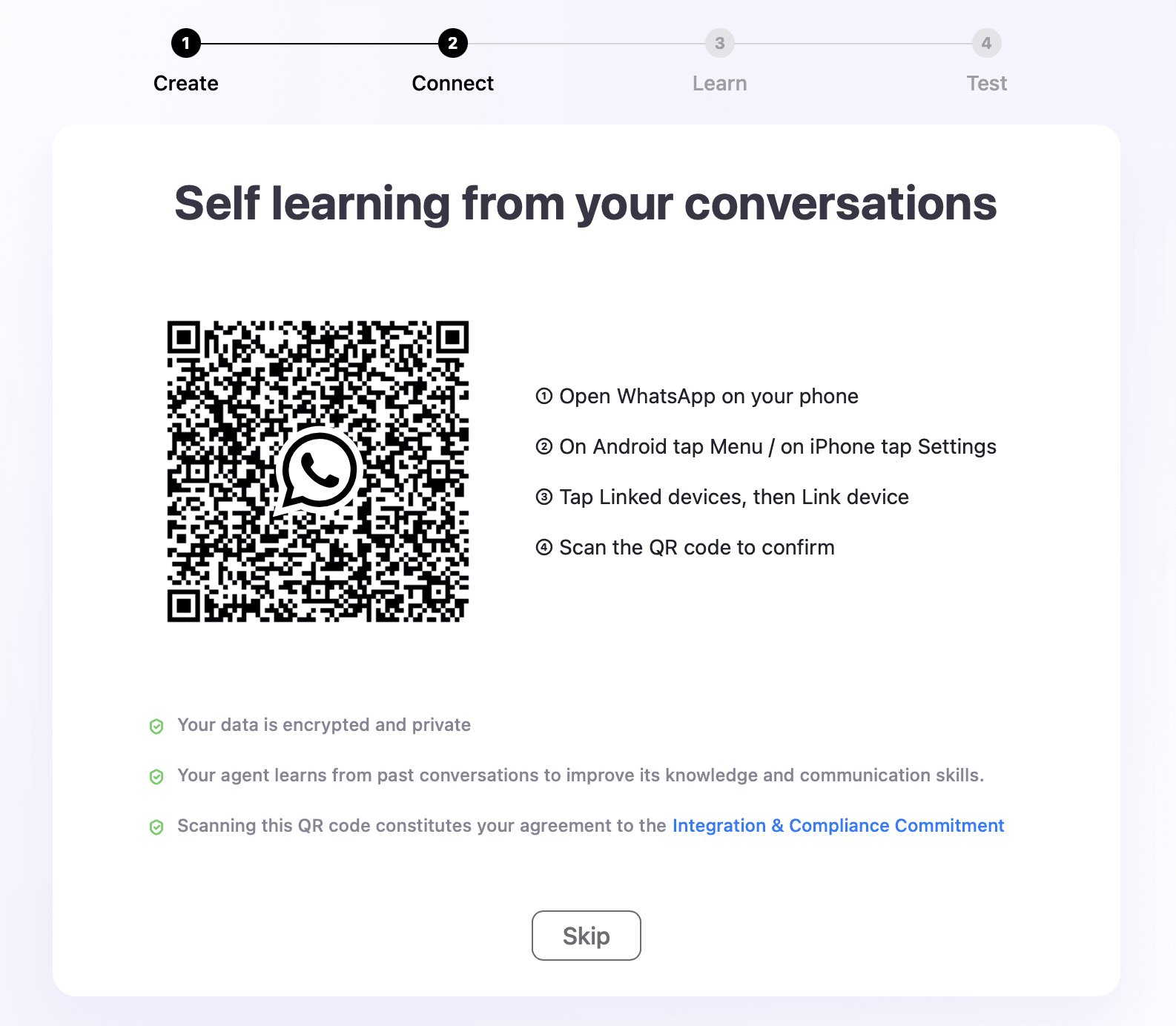
In Self learning from your conversations, you can connect an eligible WhatsApp account by scanning the QR code. After the account is authorized, select Start Learning and the Agent will begin learning from the conversation history you authorized.
This step is optional. If you don’t want to connect your conversations during setup, select Skip and continue to uploaded materials.
Add your business materials
You can also train your Agent using your existing business content.
Add a website URL or upload files containing information you want the Agent to learn. Dealism can use these materials to build knowledge that supports future customer conversations. The manual specifically describes URLs and uploaded files as available learning sources during initial setup.
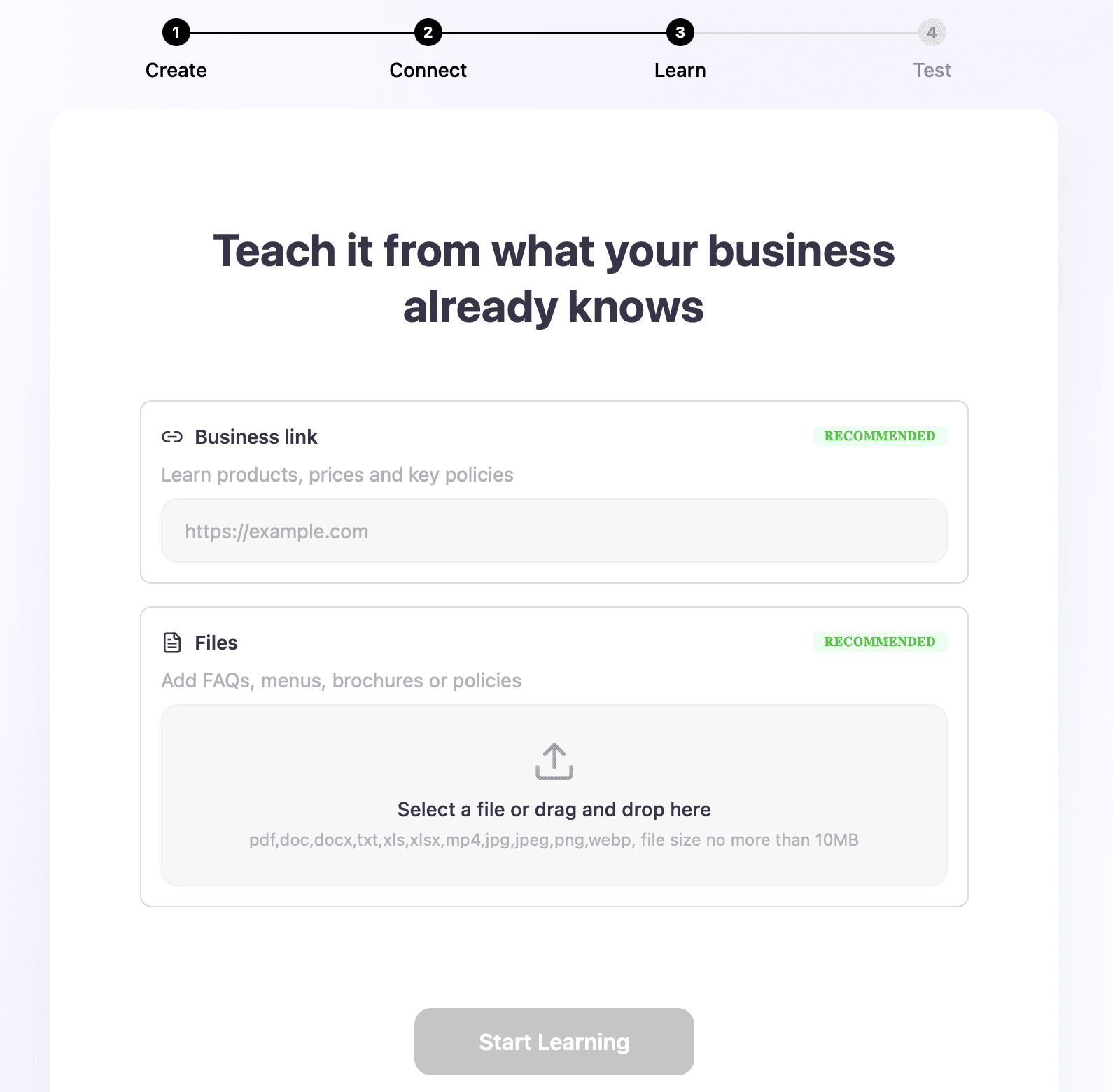
Select Start Learning after adding your materials, or select Skip if you want to add knowledge later.
Customize your Agent
After your Agent has been created, you can continue improving its configuration from the AI Customer Agent area.
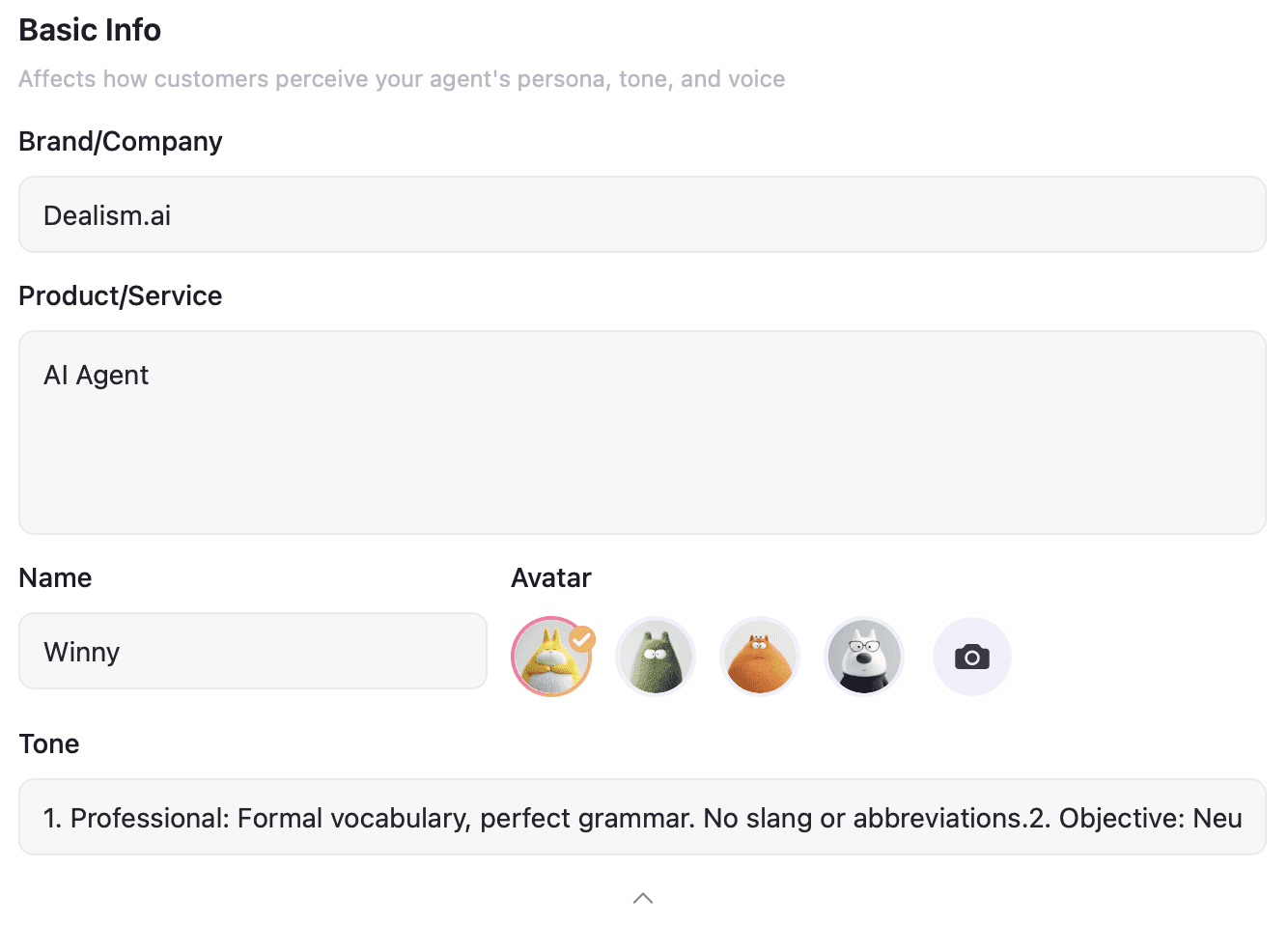
Basic Info lets you manage details such as the Agent’s name, avatar, brand, sales objective, communication style, and customer interaction guidelines.
You can also build out two important parts of your Agent:
Strategies define how the Agent should approach different customer scenarios. You can add and manage the scenario, strategy, and response script the Agent should follow.
Knowledge contains the information your Agent can use when communicating with customers. Dealism supports Documents, FAQs, Product Lists, and Use Cases, and lets you add, view, edit, or delete this information as your business changes.
Test your AI Customer Agent
Before using your Agent with real customers, test how it responds.
Dealism provides a Try Me experience in Basic Info where you can role-play as a customer and have a conversation with your Agent. This lets you see how the Agent responds before using it in customer conversations.
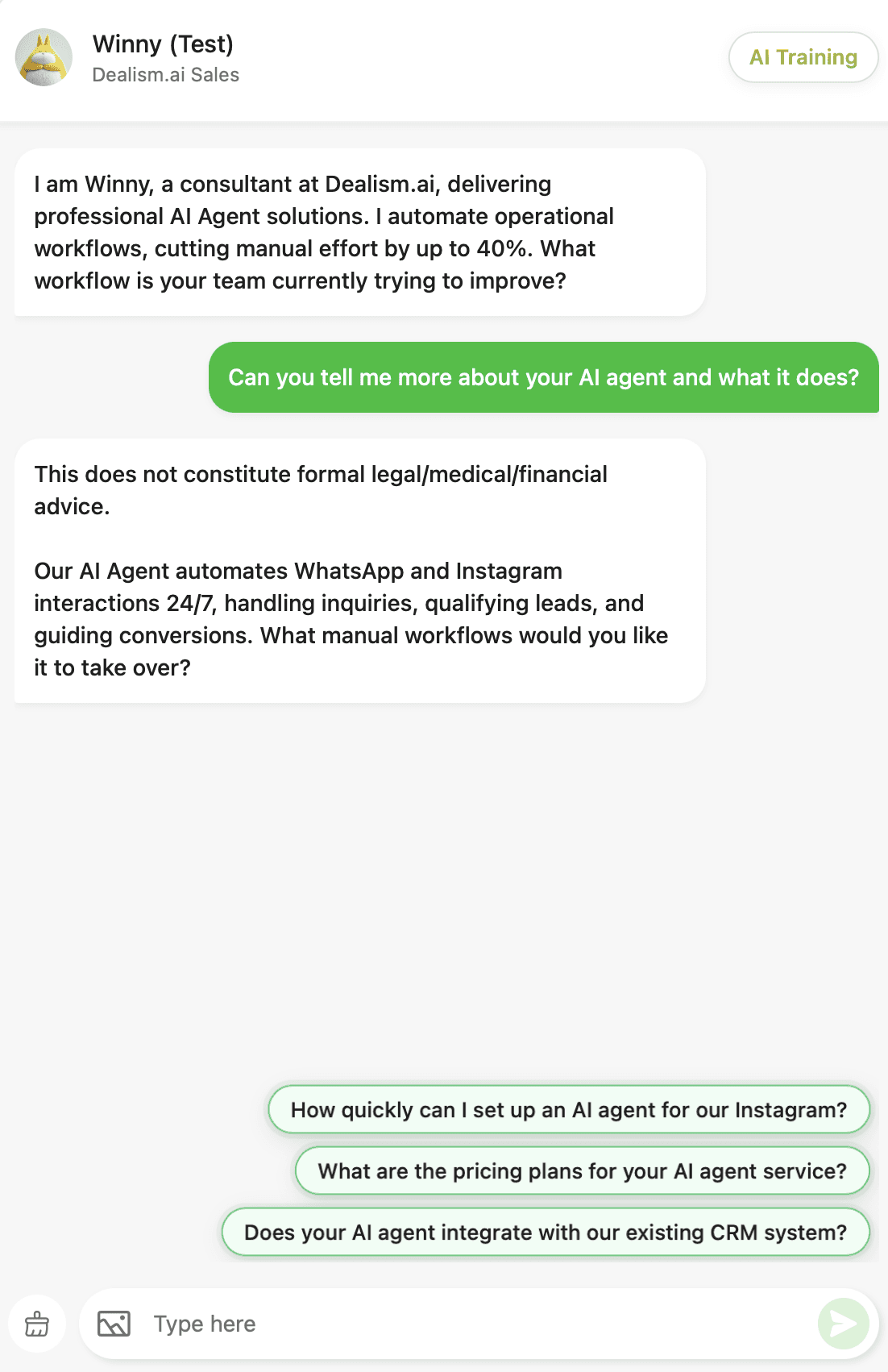
Try questions your customers commonly ask about your products or services. You can then return to Basic Info, Strategies, or Knowledge to make adjustments when needed.
What to do next
Once your first AI Customer Agent is ready, continue setting it up by adding more Knowledge and Strategies and connecting the communication channels you want to use.
Dealism supports connected channels such as WhatsApp and Instagram, allowing your Agent to assist with or automate customer conversations through the Inbox.
After connecting a channel, you can begin testing your Agent in real conversation workflows and continue improving it as you learn from customer interactions.