Channels
Updated
4 min read
Good to know
After connecting Instagram, test your AI Agent in Copilot mode before enabling Autopilot. Make sure your Instagram channel shows Connected and your messages appear correctly in Inbox.
Overview
Connect your Instagram account to Dealism to manage Instagram conversations with your AI Customer Agent.
Once connected, Instagram DMs appear in your Unified Inbox, where you can manage conversations in Copilot or Autopilot mode. You can also create Instagram comment-to-DM automations.
Before you connect
Make sure your Instagram account meets the connection requirements.
Your Instagram account should be a Professional account (Business or Creator), connected to a Facebook Page, and you need the appropriate access to that Page.
If you’re currently using a personal Instagram account, switch it to a Professional account before connecting it to Dealism.
Connect your Instagram account
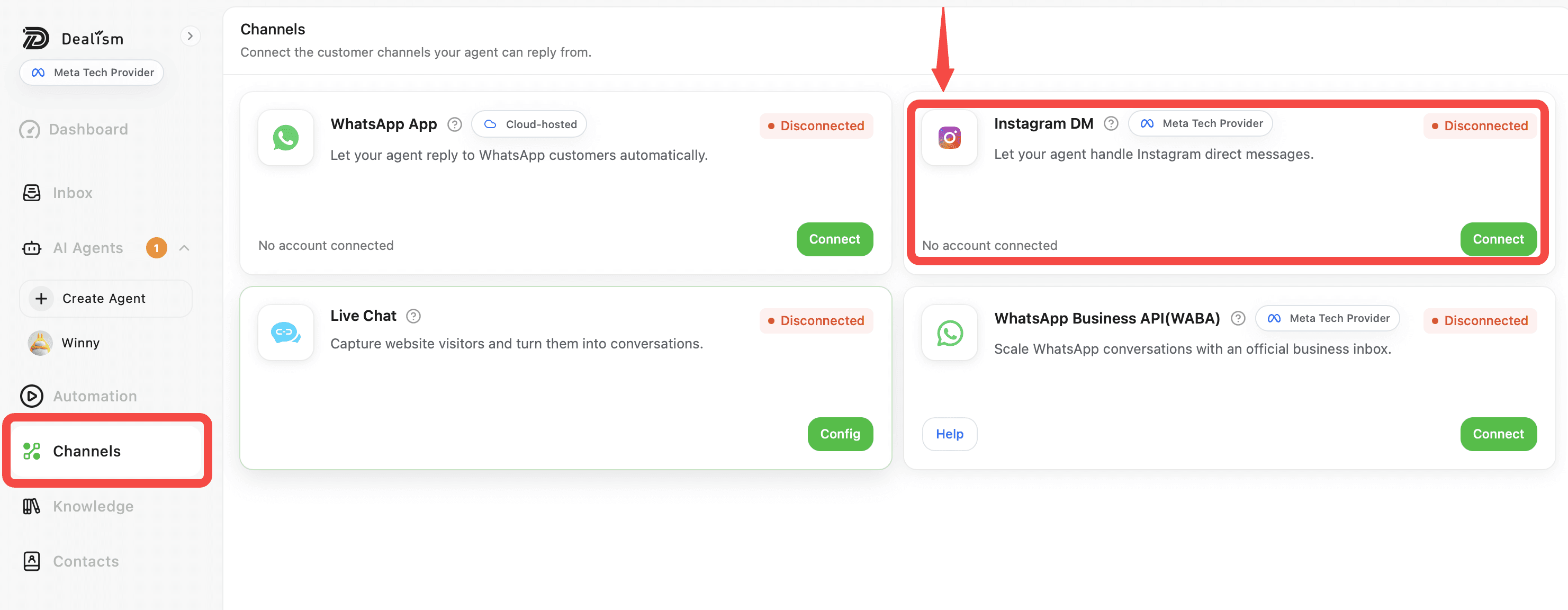
Go to Channels and find Instagram DM.
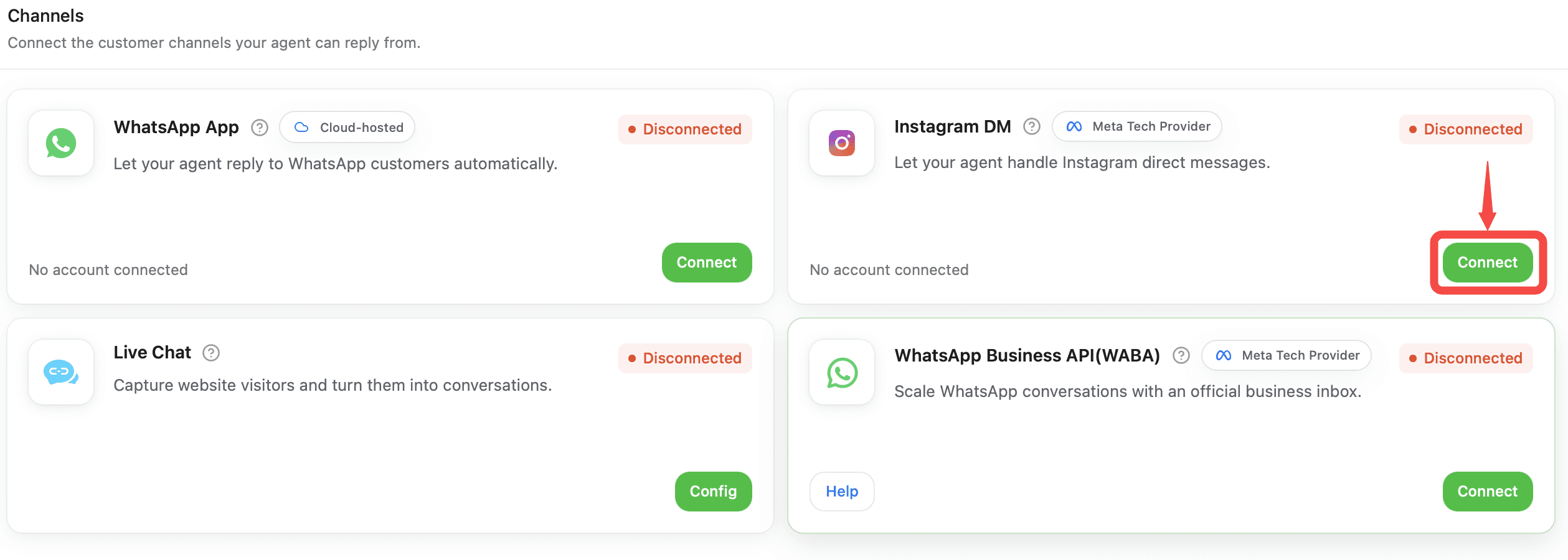
Select Connect to open the Instagram authorization process.
Log in to the Instagram account you want to use, then follow the authorization steps and allow the requested permissions.

After authorization is complete, return to Dealism.

Confirm that the Instagram DM channel shows Connected.
Start managing Instagram conversations
Once your account is connected, go to Inbox to access supported Instagram conversations alongside your other connected channels.
Test your AI Customer Agent before enabling automatic replies. You can start with Copilot to review and edit AI-generated responses before sending them.
When you’re confident in your Agent’s responses, you can switch appropriate conversations to Autopilot.
Set up comment-to-DM automation
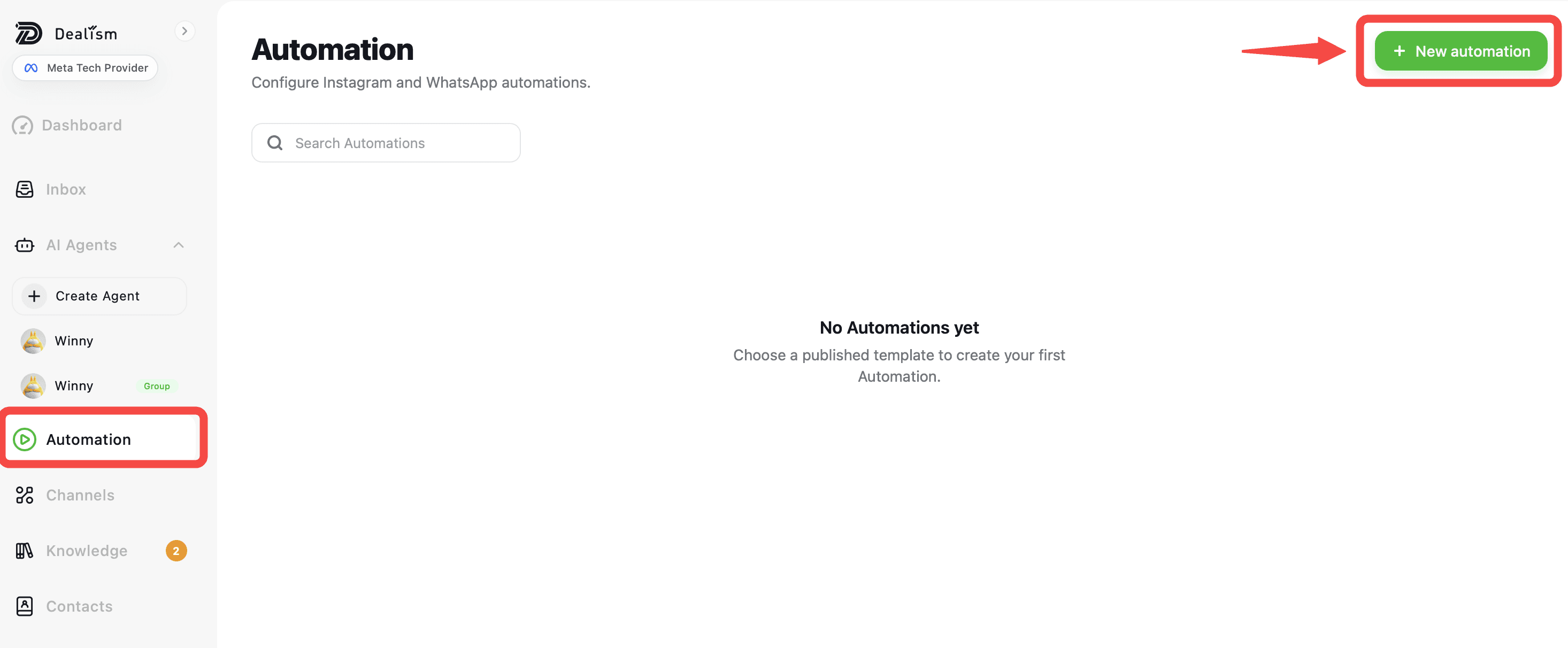
Go to Automation and click + New automation.
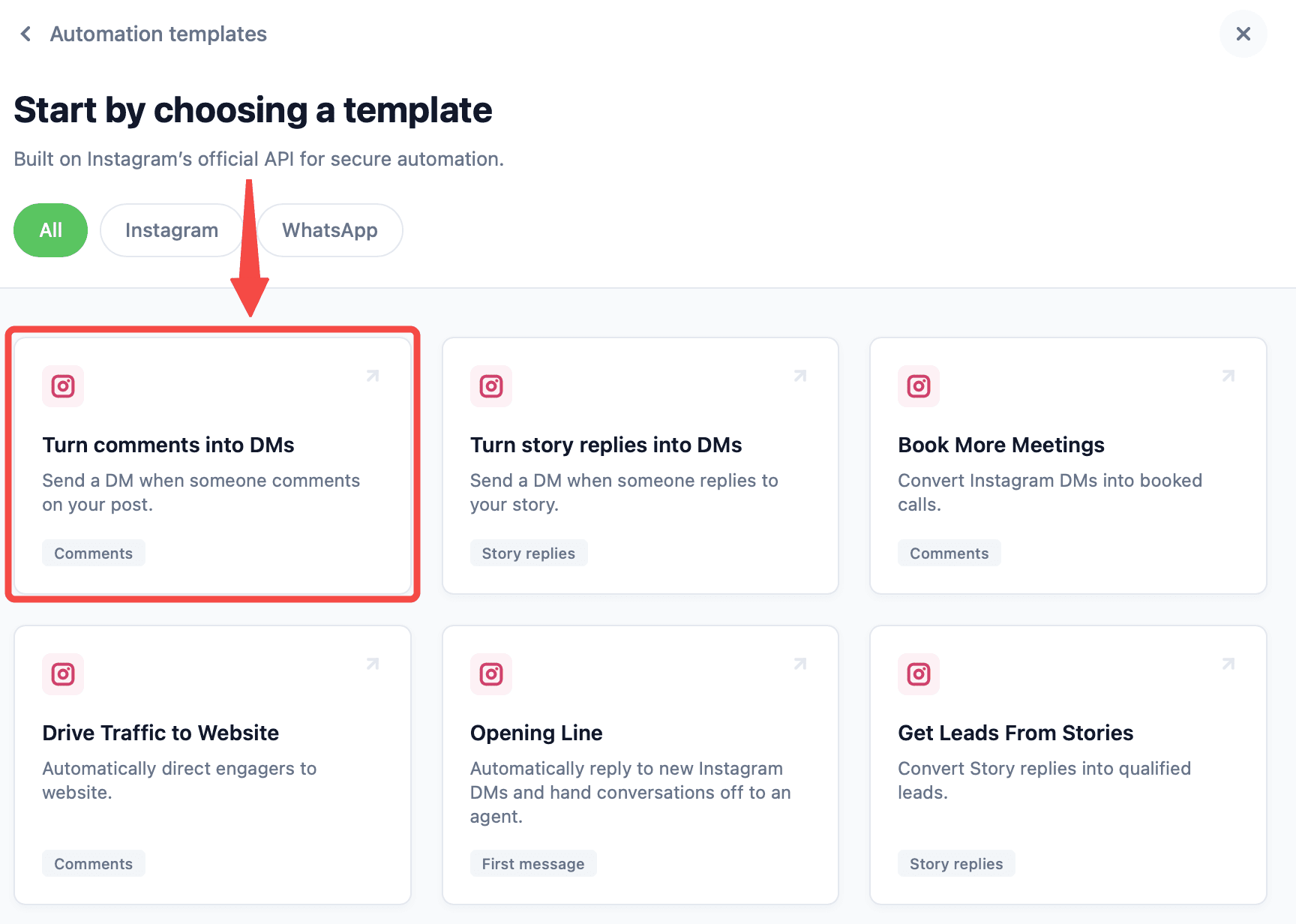
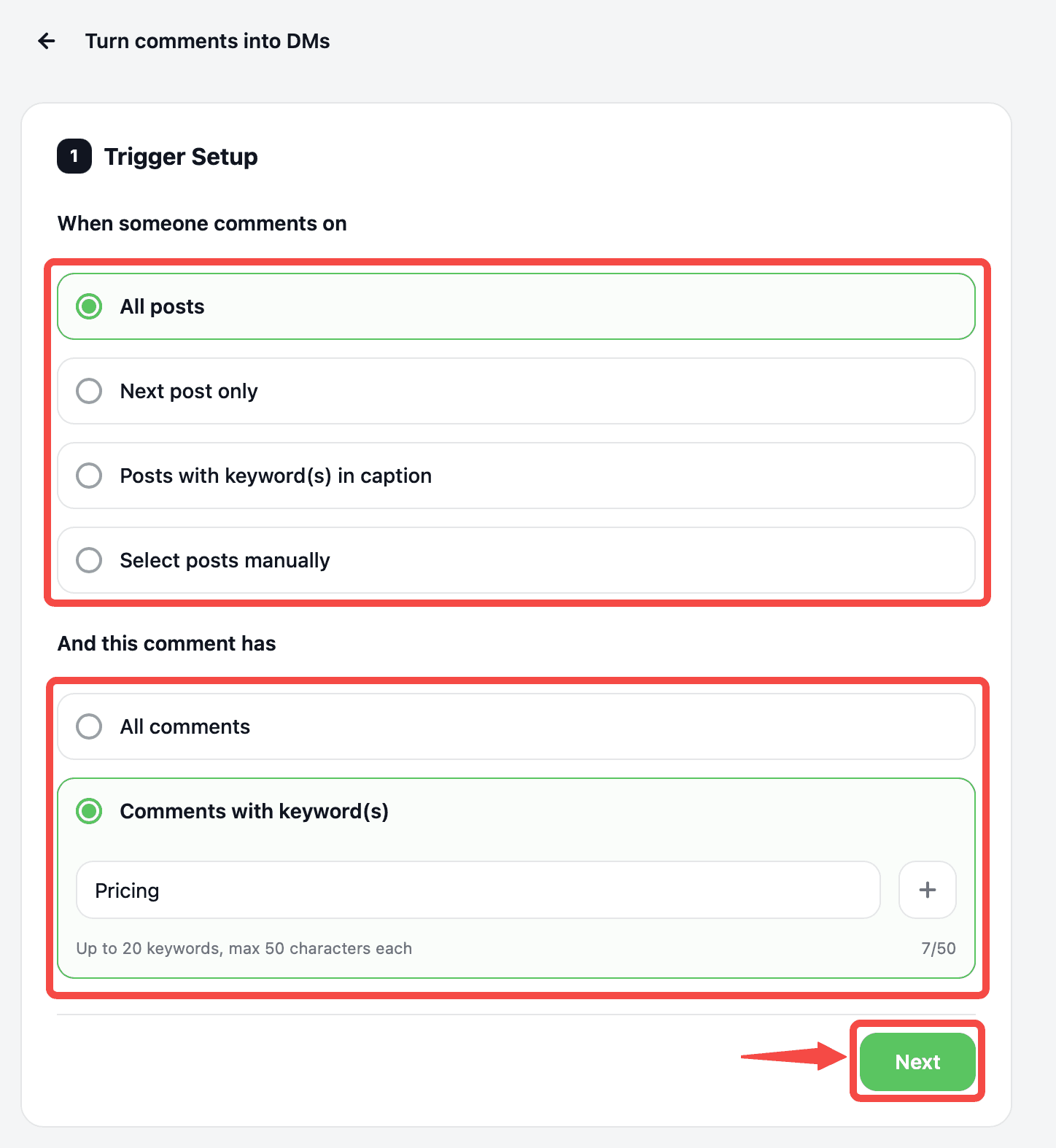
Choose the Turn comments into DMs template to automatically send a DM when someone comments on your Instagram post.
In Trigger Setup, choose which posts will activate the automation, then select whether it applies to all comments or only comments containing specific keywords, such as “Pricing.” Click Next to continue.
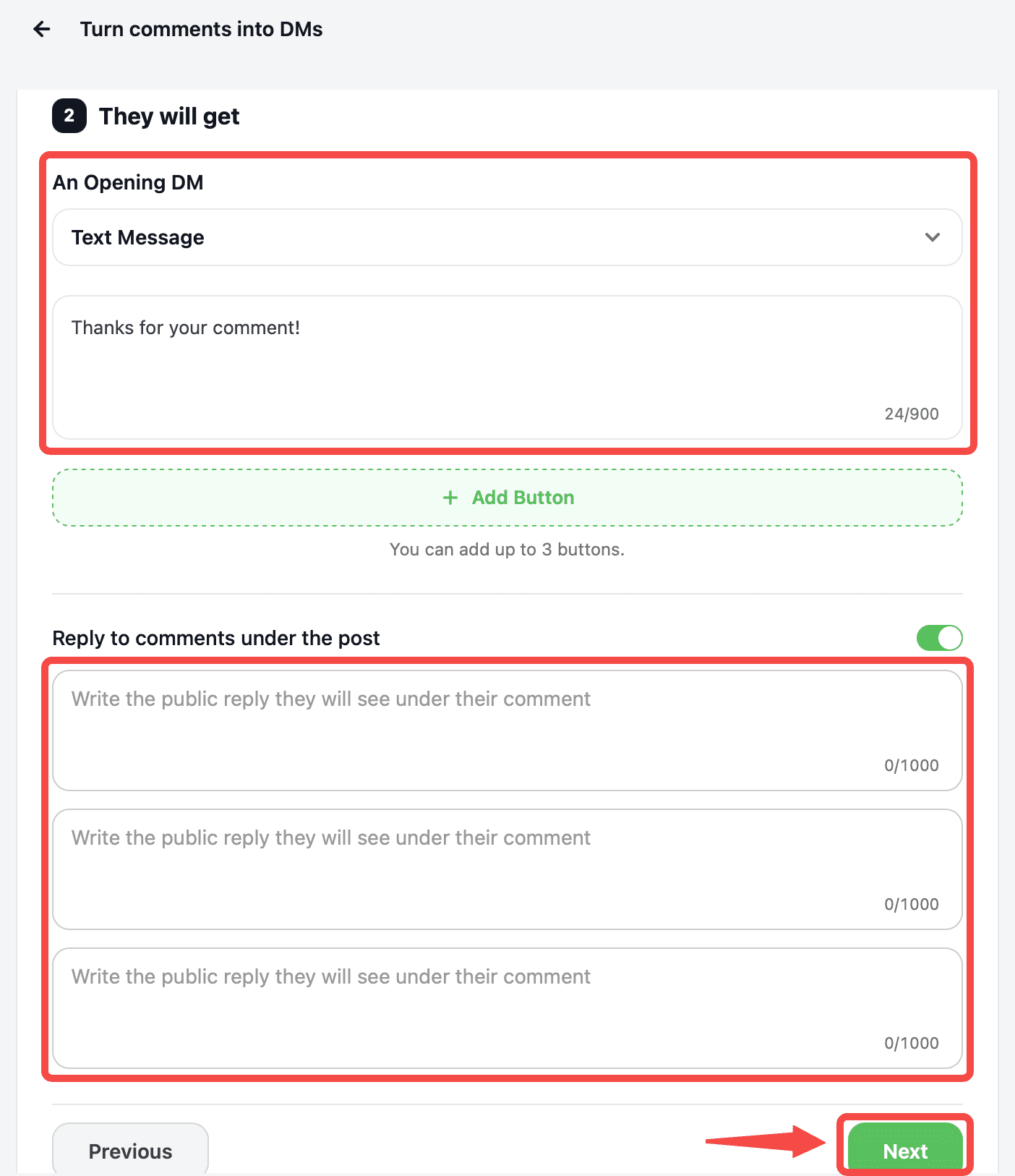
Customize the opening DM customers will receive. You can also add buttons and enable a public reply that appears under their Instagram comment.
Finally, you can enable Agent Handoff and select an AI Sales Agent to continue the conversation after the automation ends. Click Save Automation to activate it.

Instagram messaging window
Instagram messaging is subject to Meta’s messaging policies and permitted messaging windows.
If a customer hasn’t interacted with your business within the allowed messaging window, certain messages may no longer be available to send. This restriction comes from the Instagram platform rather than Dealism.
Troubleshooting your connection
If Instagram doesn’t connect successfully, confirm that you’re using an eligible Professional account and that you have the necessary access to its connected Facebook Page.
If conversations don’t appear in Dealism, check that Instagram DM shows Connected under Channels and that you’re viewing the appropriate Instagram conversations in Inbox.
If necessary, disconnect and reconnect the Instagram channel, then complete the authorization process again.
What to do next
After connecting Instagram, send a test message and review how it appears in Inbox.
Start with Copilot, confirm that your Agent uses the correct Knowledge and Strategies, and move to Autopilot when you’re comfortable allowing the Agent to reply automatically.